
条形图在几何中的应用
几何画板及绘图内容加载中,请稍等……
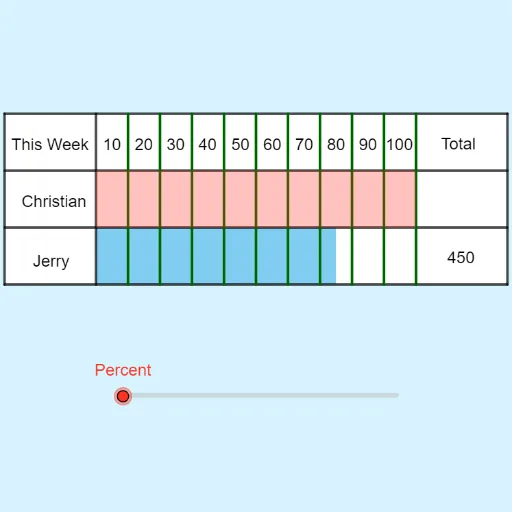
①本范例演示如何使用条形图(Tape Diagrams)直观表示几何图形的分割与关系;②涉及的核心数学概念包括几何分割、比例关系、角度测量;③作图要点——从下方『构造摘要』提炼用到了Point, Polygon, Segment, SelectedElement, Sequence, Intersect, Textfield等GeoGebra命令/对象,用于创建和交互几何元素;④适合初中及以上学生学习几何分割、比例和数据分析。
GeoGebra 命令及参数
Point(yAxis) → APoint(yAxis) → BPoint(yAxis) → EPoint(yAxis) → FPolygon(E, F, G, H) → q2, e, f, g, hSegment(B_1, H_1) → nSegment(E_1, I_1) → pSegment(G_1, F_1) → qSegment(D_1, C_1) → rSelectedElement(increment) → oSequence(((i * Distance[D_1, G_1] / (100 / increment(slide))) + x(D_1), 3), i, 1, 100 / increment(slide)) → topSequence(((i * Distance[D_1, G_1] / (100 / increment(slide))) + x(D_1), 0), i, 1, 100 / increment(slide)) → bottomSequence(Segment[top(i), bottom(i)], i, 1, 100 / increment(slide)) → l1Intersect(p, r) → J_1Intersect(p, q) → K_1Intersect(f, q) → L_1Intersect(f, r) → M_1Polygon(M_1, J_1, (21 / 4 + 2, y(K_1)), (21 / 4 + 2, y(L_1))) → q5, i_1, j_1, k_1, l_1Polygon(E, F, G, H) → q7, e_1, f_1, g_1, h_1Polygon(T, S, K_1, J_1) → q1, t, s, i, jTextfield(ans4) → InputBox1Textfield(text2) → InputBox3Textfield(text3) → InputBox2