
deltoid的特殊情形
几何画板及绘图内容加载中,请稍等……
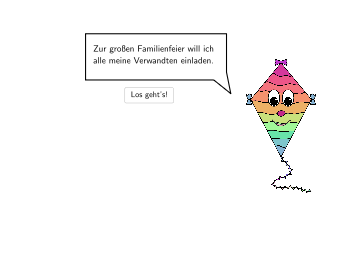
这个范例演示了 deltoid 的特殊情形,涉及的核心数学概念包括特殊四边形的性质。通过使用 GeoGebra 的 Spline, SpeechBubbleRight, Segment, Point, Line 等命令,学生可以了解 deltoid 的定义及其与正方形、矩形、平行四边形和菱形的关系。适合初中5-6年级学生学习和应用特殊四边形的性质。
GeoGebra 命令及参数
Spline({SplineAnchor_1, SplineAnchor_2, SplineAnchor_3, SplineAnchor_4}, 3) → SplineAnimSpeechBubbleRight(SpeechAnchor_1, 6, 1.8) → Vieleck1Segment(MD + (0, 0.5), DMax4) → SergeantCross1Segment(MD + (0.5, 0), DMax3) → SergeantCross4Segment(MD - (0, 0.5), DMax2) → SergeantCross3Segment(MD + (-0.5, 0), DMax1) → SergeantCross2Point(SergeantCross1) → DE4Point(SergeantCross3) → DE2Point(SergeantCross2) → DE1Line(DMax4, DMax2) → blackmirrorPoint(SergeantCross4) → DE3Segment(DE1, DE4) → DSeite4Segment(DE4, DE3) → DSeite3Segment(DE3, DE2) → DSeite2Segment(DE2, DE1) → DSeite1SelectedIndex(DropDown1) → Index1Segment(DE2, DE4) → dia2Segment(DE1, DE3) → dia1Textfield(input1) → InputBox1SelectedIndex(DropDown2) → Index2SelectedIndex(DropDown3) → Index3SelectedIndex(DropDown4) → Index4SelectedIndex(DropDown5) → Index5SelectedElement(DropDown2) → SelectedElementD2SelectedElement(DropDown3) → SelectedElementD3SelectedElement(DropDown4) → SelectedElementD4SelectedIndex(DropDown6) → Index6Textfield(input2) → InputBox2SelectedElement(DropDown5) → SelectedElementD5SelectedElement(DropDown6) → SelectedElementD6Circle(CMDelt, 1) → cCircle(CMSquare, 1) → eCircle(CMRaut, 1) → fMidpoint(Corner[Bild6, 1], Corner[Bild6, 3]) → Inv1PosMidpoint(Corner[Bild7, 1], Corner[Bild7, 3]) → Inv2PosMidpoint(Corner[Bild8, 1], Corner[Bild8, 3]) → Inv3PosMidpoint(DE3, DE2) → BeschcAnchorIntersect(dia1, dia2) → FAngle(DE4, F, DE1) → ε_{1}Angle(DE1, DE4, DE3) → ζAngle(DE4, DE3, DE2) → DELTAAngle(DE3, DE2, DE1) → θAngle(DE2, DE1, DE4) → εIf(step ≟ 7 ∨ step ≟ 9, 450, 494) → posxsolIf(step ≟ 7 ∨ step ≟ 9, 285, 143) → posysolSpeechBubbleRight(J, 11, 6) → Vieleck3SpeechBubbleRight(M, 8, 2) → Vieleck4SpeechBubbleRight(N, 8.2, 3) → Vieleck2SpeechBubbleRight(O, 12, 1) → Vieleck5Circle(CMPara, 1) → dCircle(CMGene, 1) → gAngle(DE1, DE4, DE3) → winkelshow1Angle(DE2, DE1, DE4) → winkelshow2Angle(DE3, DE2, DE1) → winkelshow3Angle(DE4, DE3, DE2) → winkelshow4Segment(P_1, P_1 + (0, lArrow)) → lSegment(DE2 + (0, 0.25), DE2 + (0, 0.65)) → hRotate(Segment[DE2 + (0, 0.25), DE2 + (0, 0.65)], 90°, DE2) → iRotate(Segment[DE2 + (0, 0.25), DE2 + (0, 0.65)], 180°, DE2) → jRotate(Segment[DE2 + (0, 0.25), DE2 + (0, 0.65)], 270°, DE2) → kSelectedIndex(DropDown7) → Index7SelectedIndex(DropDown8) → Index8SelectedIndex(DropDown9) → Index9SpeechBubbleRight(S_1, 12, 1) → Vieleck6SpeechBubbleRight(T_1, 11.5, 1.5) → Vieleck7SpeechBubbleRight(T_1, 11.5, 1.5) → Vieleck8SpeechBubbleRight(U_1, 11.5, 1.5) → Vieleck9SpeechBubbleRight(V_1, 12, 1.5) → Vieleck10SpeechBubbleRight(V_1, 12, 1.5) → Vieleck11Rotate(Segment[DE4 + (0, 0.25), DE4 + (0, 0.65)], 90°, DE4) → mRotate(Segment[DE4 + (0, 0.25), DE4 + (0, 0.65)], 180°, DE4) → nRotate(Segment[DE4 + (0, 0.25), DE4 + (0, 0.65)], 270°, DE4) → pRotate(Segment[DE4 + (0, 0.25), DE4 + (0, 0.65)], 0°, DE4) → qPoint(SergeantCross3) → SolC1Circle(SolC1, tol) → VC1Point(SergeantCross1) → SolAPoint(SergeantCross3) → SolC2Circle(SolC2, tol) → VC2Circle(SolA, tol) → VC3
AI 绘图提示语参考
绘制一个展示风筝形(Deltoid)特殊情况的教学几何图形。画面中心有一个风筝形,由四个顶点连接形成四条边,并在内部有两条相交的对角线。在风筝形的对角线交点处标注角度符号,显示多个内角的测量值。图形周围用文字气泡标注不同的特殊四边形名称,如正方形、矩形、平行四边形和菱形,表示风筝形与这些图形的关联。画面中还有几个同心圆或不同半径的圆,以及若干辅助点和线段,呈现几何构造的完整过程。整体布局清晰,适合中学生理解特殊四边形的性质与风筝形的关系。
以上提示语为根据原始绘图命令整理而来,仅供参考。