
求解线性方程组图形法
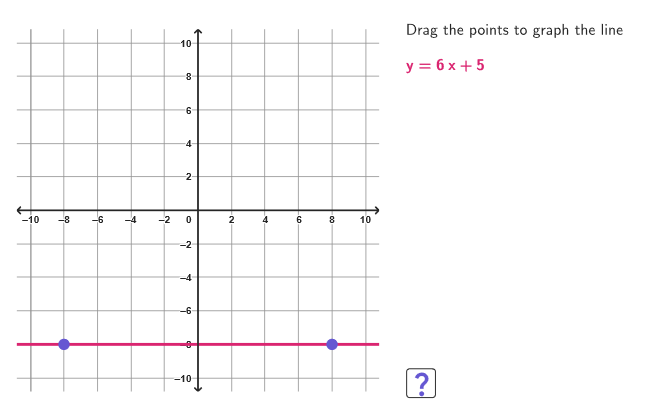
几何画板及绘图内容加载中,请稍等……
本范例演示如何通过绘制直线来求解线性方程组。核心数学概念是线性方程组的图形解法。作图要点包括使用GeoGebra命令如Line、Slope、Point等来构造直线。适合中学数学教学或自学使用。
GeoGebra 命令及参数
Shuffle(Sequence[n, n, -4, 4, 1] \ {0}) → coordPList, {2, 4, -4, -1, -3, 3, -2, 1}Element(coordPList, Mod[xPCount, Length[coordPList]] + 1) → xPElement(coordPList, Mod[yPCount, Length[coordPList]] + 1) → yPShuffle(Sequence[n, n, If[xP < 0, -8, yP + 1], If[xP > 0, 8, yP - 1]] \ {0, xP + yP}) → allQ2, {-3, -5, -4, -7, -6, -8}Shuffle(Sequence[n, n, If[xP > 0, -8, yP + 1], If[xP < 0, 8, yP - 1]] \ {0, yP - xP}) → allQ1, {6, 1, 7, 5, 4, 3, 2, 8}Element(allQ2, Mod[q2Count, Length[allQ2]] + 1) → q2Line(P, (0, q2)) → r2Slope(r2) → m2Denominator(m2) → denM2Element(allQ1, Mod[q1Count, Length[allQ1]] + 1) → q1Line(P, (0, q1)) → r1Slope(r1) → m1Denominator(m1) → denM1Numerator(m2) → numM2Numerator(m1) → numM1Corner(5) → AppSizeVector(P + (4, 0), P + (1, 0)) → vInstrJoin(Sequence[Sequence[(j, k), j, -10, 10, 0.5], k, -10, 10, 0.5]) → megaGridPoint(megaGrid) → S1Point(megaGrid) → S2Line(S1, S2) → stud1Point(megaGrid) → S3Point(megaGrid) → S4Line(S3, S4) → stud2If(¬correct1, Segment[A, B], Segment[A, C]) → constArrowIf(¬correct1, Segment[D, E], Segment[D, F]) → slopeArrowPolygon((-10.9, -10.9), (10.9, -10.9), (10.9, 10.9), (-10.9, 10.9)) → peep, f, g, h, iSegment((-10.8, 0), (10.8, 0)) → axisXSegment((0, -10.8), (0, 10.8)) → axisY
AI 绘图提示语参考
在坐标平面上画一个大方形边框与坐标轴(水平轴与竖直轴),并给出两条过同一点P的直线作为线性方程的图形:分别取一组随机的二次端点位置确定每条直线与y轴的截距,从而得到两条不一定平行的直线r1与r2。再在网格区域内取若干点形成两条线段stud1与stud2,用它们作为示例线来对应这两条直线的走向。最后在合适位置用线段箭头标示一个通用指令方向与两条直线的斜率方向,使整体像用于图解联立方程的教学演示。
以上提示语为根据原始绘图命令整理而来,仅供参考。