
正整数混合运算测验
几何画板及绘图内容加载中,请稍等……
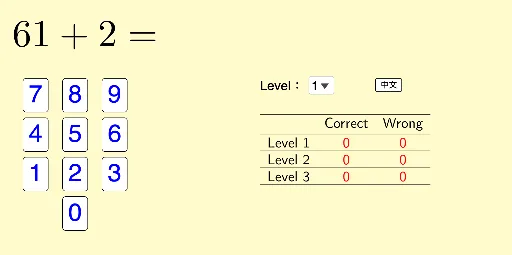
这个范例演示了正整数混合运算的测验界面。涉及的核心数学概念包括加法、减法、乘法和除法等基本算术运算。作图要点使用了 GeoGebra 命令如 Random, RandomElement, If, SelectedIndex, TableText 等,以及对象如 listLevel, m_2, m_1 等,用于生成随机问题和显示答案。适合初中阶段学生学习算术运算和练习解题。
GeoGebra 命令及参数
Random(1, 9) → m_2Random(1, 9) → m_1Random(11, 100) → p_1Random(9, p_1 - 1) → p_2Random(1, 10) → b_8Random(1, 10) → a_8Random(2, 10) → a_7Random(1, 10) → c_7Random(1, 10) → b_6Random(1, 10) → a_6Random(1, (a_6 * b_6)) → c_6Random(1, 10) → c_5Random(1, 10) → b_5Random(2, 10) → b_4Random(1, b_4 - 1) → c_4Random(2, 9) → c_3Random(1, suma3b3) → b_3Random(2, 9) → c_1Random(1, 9) → b_2RandomElement({"+", "-"}) → sIf(s ≟ "+", Random[1, 10], Random[1, b_8]) → c_8If(s ≟ "+", Random[1, 10], Random[1, a_7]) → b_7If(s ≟ "+", Random[1, 20], Random[(b_5 * c_5), (b_5 * c_5) + 10]) → a_5If(s ≟ "+", 1, -1) → s'If(s ≟ "+", Random[1, 20], Random[1, a_2 / b_2]) → c_2If(s ≟ "+", Random[1, 20], Random[b_1 / c_1, b_1 / c_1 + 20]) → a_1SelectedIndex(listLevel) → levelIf(level ≟ 3, Random[1, 8], level ≟ 1, Random[9, 10], level ≟ 2, Random[11, 12]) → qIf(q ≟ 1, ans1, q ≟ 6, ans6, q ≟ 7, ans7, q ≟ 8, ans8, q ≟ 9, ans9, q ≟ 10, ans10, q ≟ 2, q ≟ 11, ans11, q ≟ 12, ans12, ans2, q ≟ 3, ans3, q ≟ 4, ans4, q ≟ 5, ans5) → ansTableText({{" ", If[lang ≟ 1, "答對", "Correct"], If[lang ≟ 1, "答錯", "Wrong"]}, {If[lang ≟ 1, "\text{程度 1}", "\text{Level 1}"], "\red{" + (Text[numCorrect1]) + "}", "\red{" + (Text[numWrong1]) + "}"}, {If[lang ≟ 1, "\text{程度 2}", "\text{Level 2}"], "\red{" + (Text[numCorrect2]) + "}", "\red{" + (Text[numWrong2]) + "}"}, {If[lang ≟ 1, "\text{程度 3}", "\text{Level 3}"], "\red{" + (Text[numCorrect3]) + "}", "\red{" + (Text[numWrong3]) + "}"}}, "c_h") → textMarks
AI 绘图提示语参考
创建一个数学测验界面,展示正整数混合运算,包括加、减、乘、除。界面随机生成问题,如两个一位数相加或相减,两位数乘一位数等,并显示答案。根据难度级别(1、2、3)显示不同问题的正确和错误数量,用红色文字标注。
以上提示语为根据原始绘图命令整理而来,仅供参考。