
圆锥曲线性质与几何作图演示
几何画板及绘图内容加载中,请稍等……
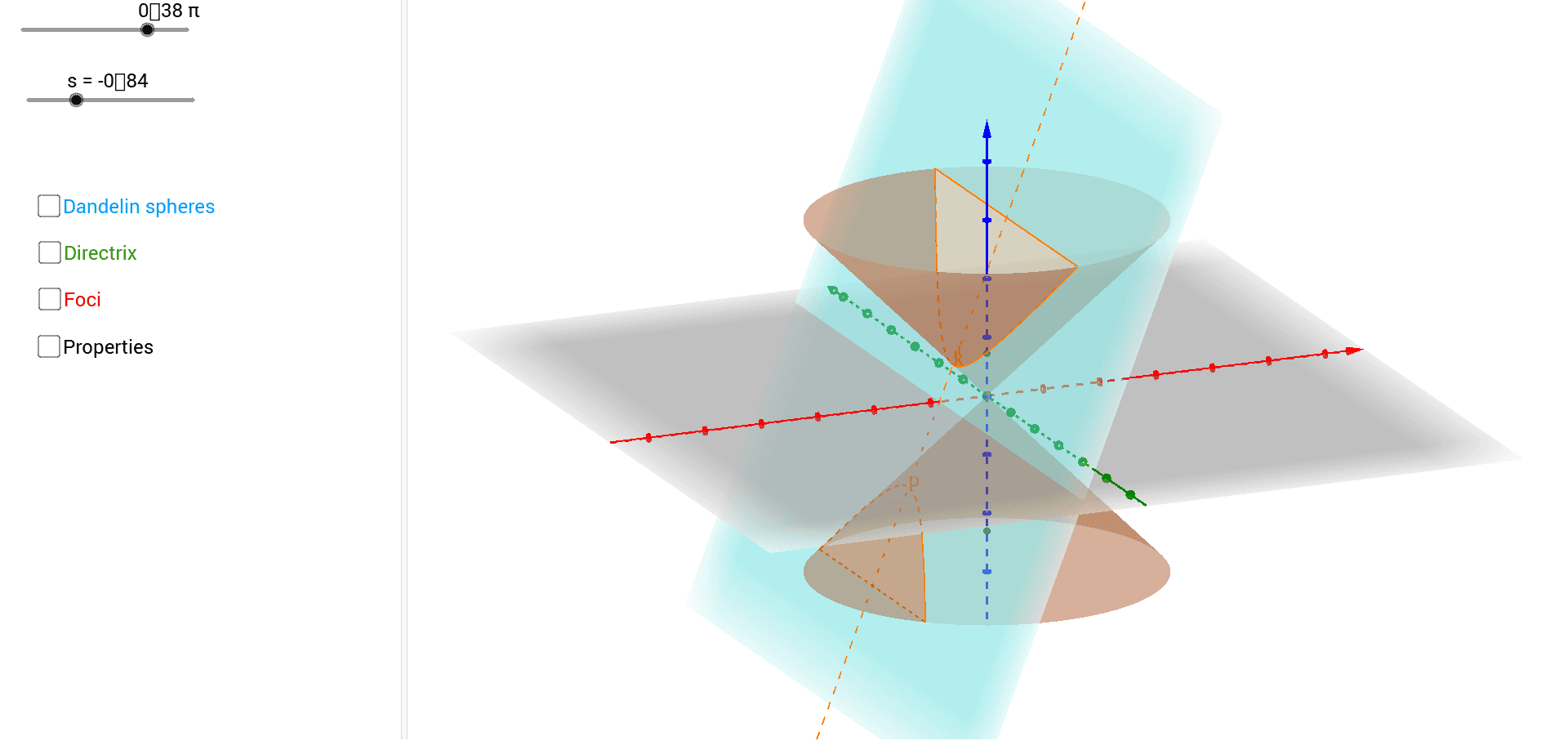
本范例演示圆锥与平面相交所生成的圆锥曲线及其几何性质,重点展示椭圆、抛物线与双曲线的焦点、准线、对称轴及截面形态。核心数学概念涵盖圆锥曲线、解析几何、立体几何(圆锥、球面、正交平面)、角平分线、刚体变换(旋转与平移)以及三角函数辅助定位。作图要点基于构造摘要,使用了 GeoGebra 命令 Circle、Intersect、Cone、OrthogonalPlane、IntersectPath、AngularBisector、Line、OrthogonalLine、Sphere、Point、Segment、Rotate、Translate,并涉及圆锥、切平面、球体、焦点(focus1、focus2)、圆心(center1、center2)、交点、线段及旋转平移后的图元等对象。该范例适合高中阶段解析几何与立体几何课堂教学,也可作为大学微积分前圆锥曲线的预习与自主探究资源,支持教师演示与学生动手构建。
GeoGebra 命令及参数
Circle((0, 0, 3), 3, Vector[(0, 0, 1)]) → cCircle((0, 0, -3), 3, Vector[(0, 0, 1)]) → dIntersect(zAxis, xAxis) → ACone(c, -3) → a, e, bCone(d, 3) → f, g, hOrthogonalPlane((s, 0, 0), Vector[(sin((t * π)), 0, (-cos((t * π))))]) → cutplaneIntersectPath(cutplane, l) → mIntersect(m, j) → BIntersectPath(cutplane, n) → qIntersect(q, j) → CIntersectPath(cutplane, j) → rIntersectPath(j, l) → a_1IntersectPath(j, n) → b_1AngularBisector(r, a_1) → cc, d_1AngularBisector(r, b_1) → ee, f_1Line((0, 0, 0), Vector[(0, 0, 1)]) → yyIntersect(cc, yy) → center1Intersect(ee, yy) → center2OrthogonalLine(center1, r, space) → c_1Intersect(c_1, r) → focus1OrthogonalLine(center2, r, space) → e_1Intersect(r, e_1) → focus2Sphere(center1, focus1) → sphere1Sphere(center2, focus2) → sphere2OrthogonalLine(center1, a_1, space) → g_1OrthogonalLine(center2, a_1, space) → h_1Intersect(h_1, a_1) → DIntersect(a_1, g_1) → EOrthogonalPlane(D, Vector[(0, 0, 1)]) → plane2OrthogonalPlane(E, Vector[(0, 0, 1)]) → plane1IntersectPath(cutplane, plane1) → directrix1IntersectPath(cutplane, plane2) → directrix2IntersectPath(plane1, sphere1) → circle1IntersectPath(plane2, sphere2) → circle2IntersectPath(cutplane, b) → kIntersectPath(cutplane, h) → pPoint(k) → PSegment(P, focus1) → iSegment(P, focus2) → i_1Line(P, (0, 0, 0)) → j_1Intersect(j_1, circle2) → F,Segment(P, F) → k_1Intersect(j_1, circle1) → G,IntersectPath(o, cutplane) → l_1Rotate(k, (t * π), l_1) → k'Translate(k', Vector[((-s), 0, 0)]) → k''Segment(G, P) → m_1