
开盒优化体积
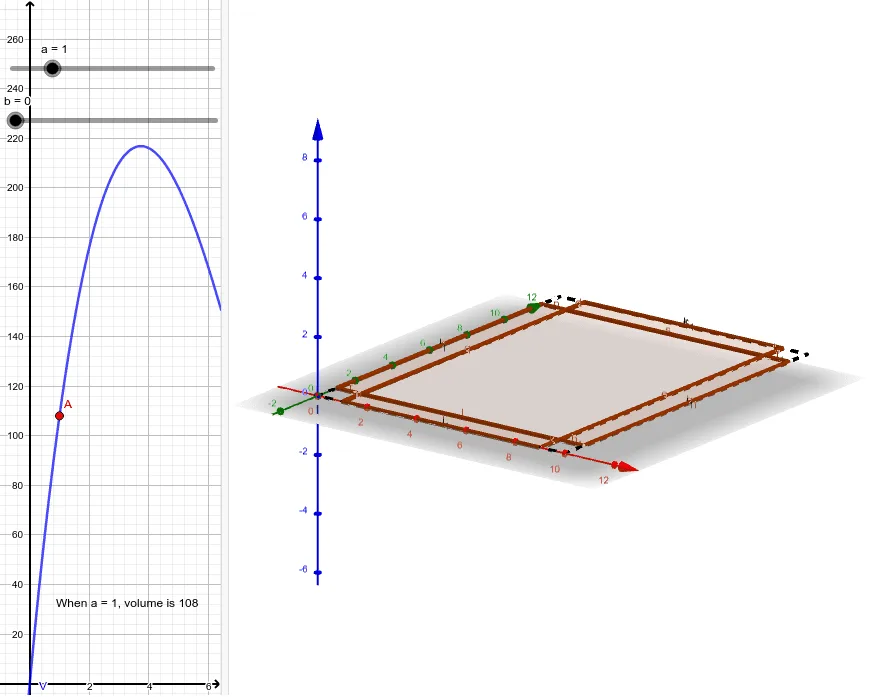
几何画板及绘图内容加载中,请稍等……
本范例演示如何通过调整盒子的长宽高来优化其体积。涉及的核心数学概念包括几何作图、函数图像和最值优化。通过使用GeoGebra命令如Polygon、Line、Rotate等,可以动态展示开盒体积的变化过程。适合高中数学教学和学习。
GeoGebra 命令及参数
Polygon((a, a, 0), (L - a, a, 0), (L - a, W - a, 0), (a, W - a, 0)) → polyBase, f, g, h, iPolygon((a, 0, 0), (L - a, 0, 0), (L - a, a, 0), (a, a, 0)) → poly1, j, k, l, mLine((a, a, 0), (L - a, a, 0)) → ax1Rotate(poly1, (-b), ax1) → poly1'Polygon((0, a, 0), (0, W - a, 0), (a, W - a, 0), (a, a, 0)) → poly2, n, p, q, rLine((a, a, 0), (a, W - a, 0)) → ax2Rotate(poly2, b, ax2) → poly2'Polygon((a, W - a, 0), (L - a, W - a, 0), (L - a, W, 0), (a, W, 0)) → poly3, s, t, c, dLine((a, W - a, 0), (L - a, W - a, 0)) → ax3Rotate(poly3, b, ax3) → poly3'Polygon((L - a, a, 0), (L - a, W - a, 0), (L, W - a, 0), (L, a, 0)) → poly4, e, f_1, g_1, h_1Line((L - a, a, 0), (L - a, W - a, 0)) → ax4Rotate(poly4, (-b), ax4) → poly4'Polygon((0, 0, 0), (L, 0, 0), (L, W, 0), (0, W, 0)) → poly0, i_1, j_1, k_1, l_1