
GeoGebra 立体几何作图:球体与锥体相交
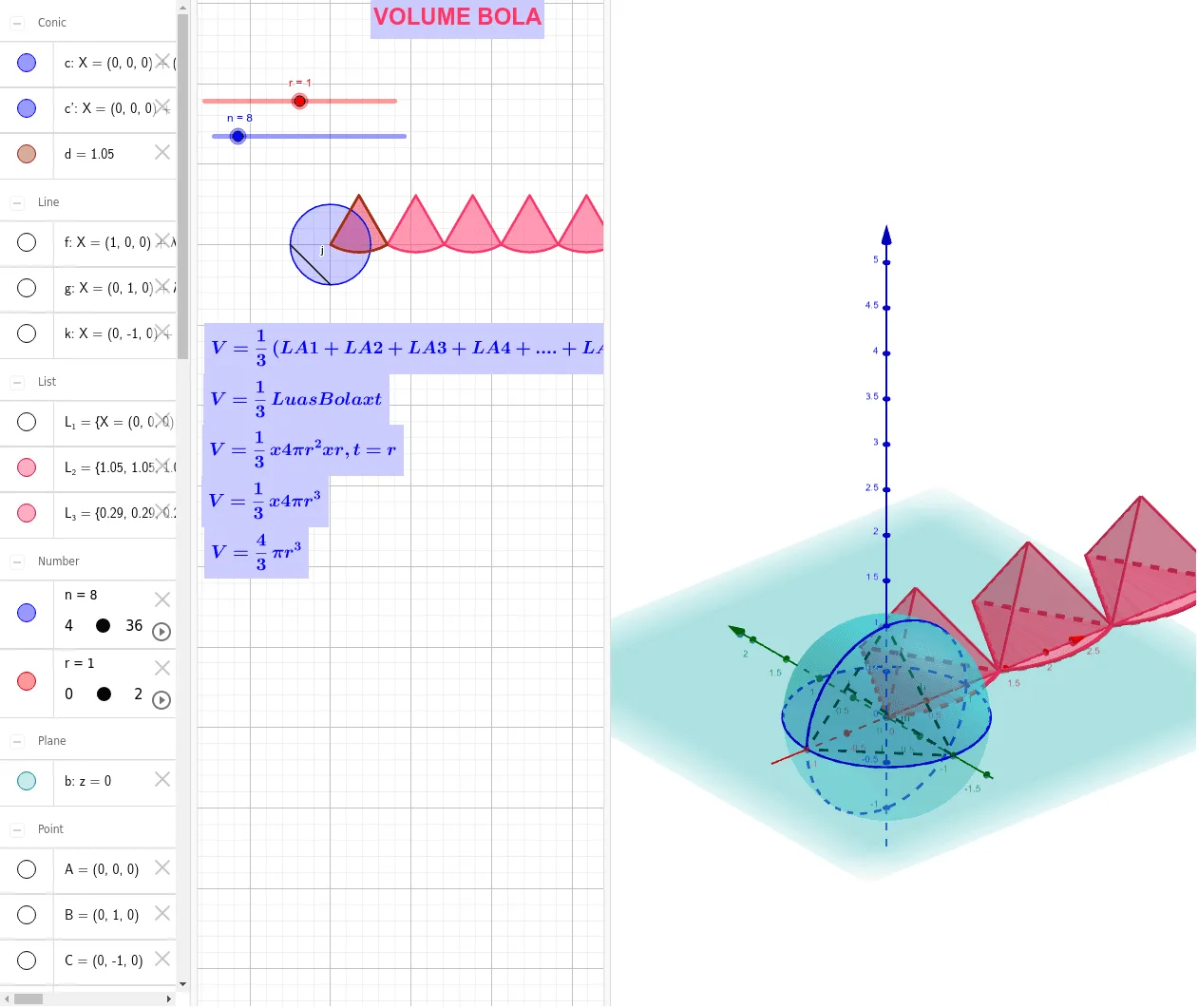
几何画板及绘图内容加载中,请稍等……
该范例演示了如何通过GeoGebra构造球体与锥体的相交图形,涉及立体几何、代数和随机过程等概念。作图要点包括使用Sphere、IntersectPath、Intersect等命令,以及旋转、序列等操作。适合高中生或数学爱好者用于学习几何构造和空间想象能力。
GeoGebra 命令及参数
Sphere(A, r) → aIntersectPath(b, a) → cIntersect(xAxis, c) → D, ELine(D, E) → fRotate(c, 90°, f) → c'Intersect(zAxis, c') → I, I_1Segment(I, E) → dxIntersect(yAxis, c) → B, CLine(B, C) → gSequence(Rotate[c, ((i * 360) * ° / n), g], i, 1, n) → L_1Segment(I, C) → hSegment(I, E) → iSegment(C, E) → jOrthogonalLine(C, i, space) → kIntersect(i, k) → GSegment(C, G) → lSegment(C, G) → mSegment(C, G) → dyPolygon(A, H, J) → t1, j_1, a_1, h_1CircleSector(J, A, H) → dPyramid(t1, dy) → e, K, faceAFH, faceFHJ, faceAFJ, edgeAF, edgeFH, edgeFJSequence(CircleSector[((((2 * i) - 1) * dx / 2), dy, 0), (((i - 1) * dx), 0, 0), ((i * dx), 0, 0), xOyPlane], i, 1, (2 * n)) → L_2Sequence(Pyramid[Polygon[(((i - 1) * dx), 0, 0), ((i * dx), 0, 0), ((((2 * i) - 1) * dx / 2), dy, 0)], r], i, 1, (2 * n)) → L_3