
幸运抽奖:质数中奖概率互动练习
几何画板及绘图内容加载中,请稍等……
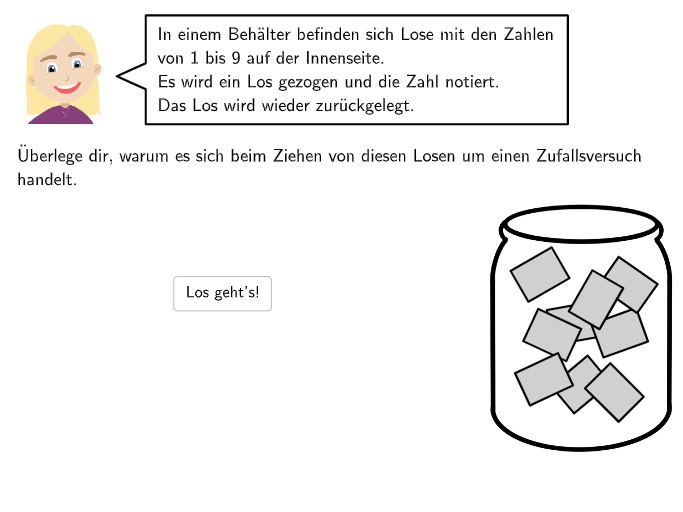
本范例是一个面向初中生的概率互动练习,通过一个装有编号1至10的球的容器,让学生判断哪些数字是质数,从而理解“中奖”这一随机事件所包含的样本点。核心数学概念是概率论中的基本事件、样本空间与事件集合,以及质数的定义。作图要点包括:使用GeoGebra的Point、Polygon等命令绘制容器和球体,通过Sequence生成编号,利用Textfield和Checkbox实现交互输入,并用CountIf、IsInteger等命令判断质数并统计结果,最终通过RotateText和LaTeX显示反馈。适合7-8年级学生在课堂上探索概率的直观概念,也可用于教师演示如何用技术工具量化随机事件的可能性。
GeoGebra 命令及参数
Point(Line[BH1, xAxis]) → BH2Point(OrthogonalLine[V2, Line[V2, V3]]) → V1Point(Segment[V1, V2]) → V5Intersect(Line[V5, xAxis], Segment[V3, V4]) → V6Polygon(V1, V4, V6, V5) → v2, j, k, l, mPolygon(V1, V2, V3, V4) → v1, f, g, h, iPointIn(v1) → P9PointIn(v1) → P8PointIn(v1) → P7PointIn(v1) → P6PointIn(v1) → P5PointIn(v1) → P4PointIn(v1) → P3PointIn(v1) → P2PointIn(v1) → P1Zip(If[P ∈ v2, 1, 0], P, {P1, P2, P3, P4, P5, P6, P7, P8, P9}) → listInV2IndexOf(1, listInV2) → inV2numIsInteger((inV2num * 0.5)) → isWin1CountIf(P ∈ v2, P, {P1, P2, P3, P4, P5, P6, P7, P8, P9}) → inV2SelectedIndex(DropDown3) → input3SelectedIndex(DropDown2) → input2SelectedIndex(DropDown11) → input11SelectedIndex(DropDown10) → input10PointIn(Polygon[G, G + (linesize, 0), G + (linesize, 1), G + (0, 1)]) → H3PointIn(Polygon[G, G + (linesize, 0), G + (linesize, 1), G + (0, 1)]) → H2PointIn(Polygon[G, G + (linesize, 0), G + (linesize, 1), G + (0, 1)]) → H1Sequence(G + ((m * linesize / 5), 0), m, 0, 5) → listpointsTextfield(input1) → Eingabefeld1Textfield(input2) → Eingabefeld2Textfield(input4) → Eingabefeld4Textfield(input5) → Eingabefeld5Textfield(input6) → Eingabefeld6Point(Line[E, xAxis]) → FSegment(G, G + (linesize, 0)) → nZip(Segment[P + (0, -0.2), P + (0, 0.2)], P, listpoints) → listlinesRotateText("\textsf{unmöglich}", 45°) → Text21RotateText("\textsf{~~~~~~~sehr\\unwahrscheinlich}", 45°) → Text22RotateText("\textsf{unwahrscheinlich}", 45°) → Text23RotateText("\textsf{wahrscheinlich}", 45°) → Text24RotateText("\textsf{~~~~~~sehr\\wahrscheinlich}", 45°) → Text25RotateText("\textsf{sicher}", 45°) → Text26Point(Line[Bab1, xAxis]) → Bab2Element({L1, L2, L3, L4, L5, L6, L7, L8, L9, L10, L11, L12, L13, L14}, step) → LElement({M1, M2, M3, M4, M5, M6, M7, M8, M9, M10, M11, M12, M13, M14}, step) → MLaTeX(step, true, true) → Text36Rotate(Segment[ArrowCenter + (ArrowDistance, 0), ArrowCenter + (ArrowDistance + ArrowLength, 0)], ArrowAngle + ((1 - 1) * (360°) / ArrowNumber), ArrowCenter) → arrow1
AI 绘图提示语参考
绘制一个用于“中奖为质数”的概率互动练习图。先画出坐标轴与一个矩形容器区域,在容器内用两层多边形边界表示外框,并在左侧标出若干小水平位置的标记点。再在下方准备一条长度为五格的水平刻度带,并沿刻度生成一串等距点,用竖向小线段在这些点处形成分隔。为每个抽取位置放置对应的数字样式文字区域,并在容器中用若干文本斜置标签表达不同可能性等级。最后在合适位置加入一个指向性的箭头与旋转角度指示,用于引导用户选择输入。
以上提示语为根据原始绘图命令整理而来,仅供参考。