
线性函数练习
几何画板及绘图内容加载中,请稍等……
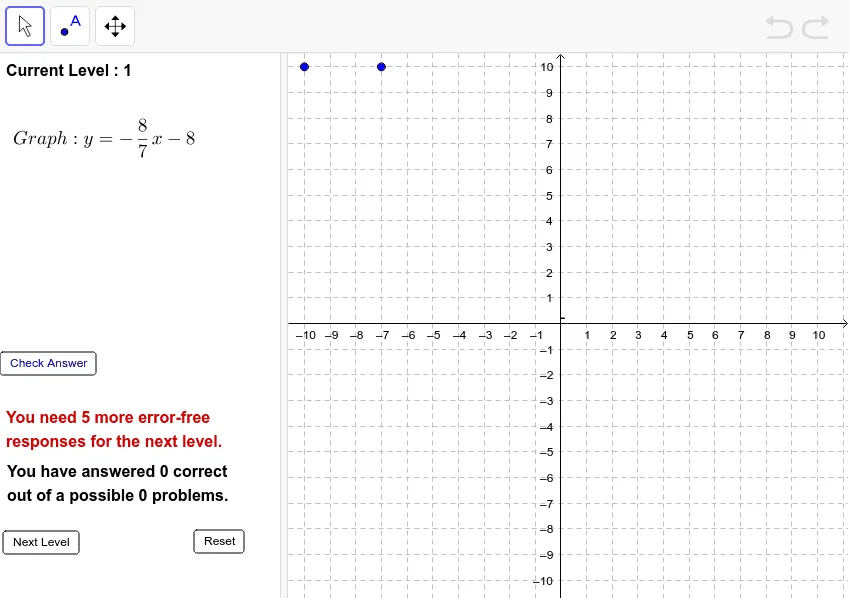
这是一个让学生练习线性函数的范例。通过“重置”和“下一关”按钮,学生可以自主选择练习的难度。该范例涉及线性函数的基本概念,使用了RandomElement, Line, Random等GeoGebra命令,适合初中及以上学生进行学习和练习。
GeoGebra 命令及参数
RandomElement({-8, -7, -6, -5, -4, -3, -2, -1, 1, 2, 3, 4, 5, 6, 7, 8}) → aRandomElement({-8, -7, -6, -5, -4, -3, -2, -1, 1, 2, 3, 4, 5, 6, 7, 8}) → bRandomElement({-8, -7, -6, -5, -4, -3, -2, -1, 1, 2, 3, 4, 5, 6, 7, 8}) → cRandomElement({-8, -7, -6, -5, -4, -3, -2, -1, 1, 2, 3, 4, 5, 6, 7, 8}) → dLine(G, H) → nLine(E, B) → kLine(A, B) → eLine(C, D) → hRandom(1, 20) → n1Random(1, 20) → n2Random(1, 20) → n3Random(1, 20) → n4Random(1, 20) → n5Random(1, 20) → nxCell(2, ActualLevel + 1) → LevelTotalTextfield(AnswerNum) → inputBox1If(e ≟ h ∧ g ∧ (C ≠ D), true, false) → C2If(e ≟ h ∧ g ∧ ActualLevel ≟ 2, true, false) → C3If(e ≟ j ∧ ActualLevel ≟ 3 ∧ g, true, false) → C4If(e ≟ j ∧ ActualLevel ≟ 4 ∧ g, true, false) → C5If(k ≟ j ∧ ActualLevel ≟ 5 ∧ g, true, false) → C6If(k ≟ j ∧ ActualLevel ≟ 6 ∧ g, true, false) → C7If(j ≟ n ∧ ActualLevel ≟ 7 ∧ g, true, false) → C8FractionText(abs(y(B) / x(A))) → text1If(y(B) < 0, "-", "+") → Text3If(y(B) / x(A) > 0, "-", "") → text4Textfield(j) → inputBox2FractionText(abs(y(B) / x(A))) → absslopeSlope(k) → mFractionText(abs(m)) → text8Text(If[m < 0, "-", ""]) → text9If((C2 ≟ false ∧ ActualLevel ≟ 1 ∨ C3 ≟ false ∧ ActualLevel ≟ 2 ∨ C4 ≟ false ∧ ActualLevel ≟ 3 ∨ C5 ≟ false ∧ ActualLevel ≟ 4 ∨ C6 ≟ false ∧ ActualLevel ≟ 5 ∨ C7 ≟ false ∧ ActualLevel ≟ 6 ∨ C8 ≟ false ∧ ActualLevel ≟ 7) ∧ g, true, false) → AnswerWrongIf(C2 ≟ true ∧ ActualLevel ≟ 1 ∨ C3 ≟ true ∧ ActualLevel ≟ 2 ∨ C4 ≟ true ∧ ActualLevel ≟ 3 ∨ C5 ≟ true ∧ ActualLevel ≟ 4 ∨ C6 ≟ true ∧ ActualLevel ≟ 5 ∨ C7 ≟ true ∧ ActualLevel ≟ 6 ∨ C8 ≟ true ∧ ActualLevel ≟ 7, true, false) → AnswerCorrectRandomElement({-8, -7, -6, -5, -4, -3, -2, -1, 1, 2, 3, 4, 5, 6, 7, 8}) → o