
识别几何体形状
几何画板及绘图内容加载中,请稍等……
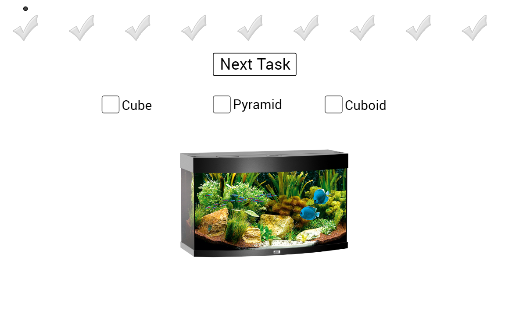
①本范例演示如何识别立方体、长方体、棱柱和金字塔等几何体的形状;②涉及的核心数学概念包括立体几何、逻辑判断和几何变换;③作图要点——使用了GeoGebra命令如cube1, prism1, checkmark系列(灰色和绿色)以及点A到Z的构造;④适合初中及以上学生用于学习几何体识别和空间想象能力培养。
GeoGebra 命令及参数
Boolean cube1(false)Boolean prism1(false)Point A(-7, 5)Point B(-6, 5)Point C(-5, 5)Point D(-4, 5)Point E(-1, 5)Point F(0, 5)Point G(1, 5)Point H(2, 5)Point I(-3, 5)Point J(-2, 5)Point K(3, 5)Point L(4, 5)Point M(5, 5)Point N(6, 5)Point O(7, 5)Point P(8, 5)Point Q(-7, 5)Point R(-6, 5)Point S(-5, 5)Point T(-4, 5)Point U(-3, 5)Point V(-2, 5)Point W(-1, 5)Point Z(0, 5)Point A_1(1, 5)Point B_1(2, 5)Point C_1(3, 5)Point D_1(4, 5)Point E_1(5, 5)Point F_1(6, 5)Point G_1(7, 5)Point H_1(8, 5)Point I_1(-7, -3)Point J_1(-2, -3)Point Q_1(-1, -3)Point R_1(4, -3)Point S_1(0, -3)Point T_1(3, -3)Point M_1(0, -3)Point G_2(9, 5)Point H_2(10, 5)Point I_2(9, 5)Point J_2(10, 5)Boolean pyramid2(false)Boolean pyramid3(false)Boolean cube2(false)Boolean prism2(false)Boolean cube3(false)Boolean prism3(false)Boolean pyramid4(false)Boolean pyramid5(false)Boolean pyramid6(false)Boolean pyramid7(false)Boolean pyramid8(false)Boolean pyramid9(false)Boolean cube4(false)Boolean cube5(false)Boolean cube6(false)
AI 绘图提示语参考
绘制一个几何形状识别练习图。画面顶部排列两行点,第一行从左侧到右侧依次放置多个点,代表不同形状的候选位置;第二行在下方对应位置也放置点。在图形区域中,用灰色和绿色勾选标记来指示形状识别结果:绿色勾选表示正确识别的立方体、棱柱、棱锥等立体图形,灰色勾选表示待确认或错误的形状。画面中包括一个立方体、一个棱柱和两个棱锥的轮廓,它们分散在点阵之间,用于观察和比较不同立体图形的特征。整体布局清晰,点与形状相互对应,便于进行空间推理和形状分类练习。
以上提示语为根据原始绘图命令整理而来,仅供参考。