
六边形棱柱的展开图
几何画板及绘图内容加载中,请稍等……
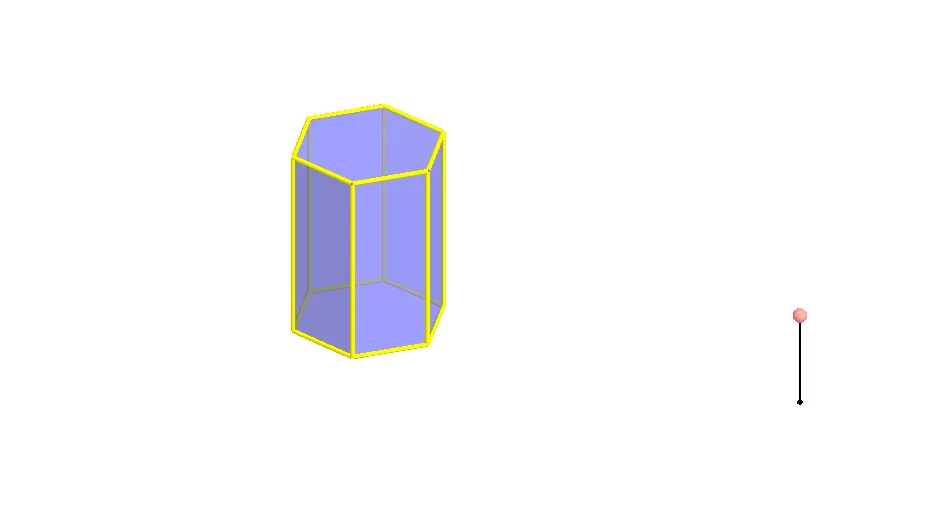
①这个GeoGebra范例演示了六边形棱柱的展开图,展示了其侧面和底面的几何关系。②核心概念包括多边形、立体几何、对称性和面积计算。③作图使用了Polygon、Prism、Segment、Rotate、Mirror等命令,涉及顶点A-K及各面、边的构建。④适合初中及高中立体几何教学,帮助学生理解棱柱的展开与表面积关系。
GeoGebra 命令及参数
Polygon(A, B, 6, xOyPlane) → poly1, a, F, b, c, d, e, f, C, D, EPrism(poly1, A + (0, 0, 4)) → g, G, faceEFKJ, face2, face3, edge1, edgeBG, edgeCH, edgeDI, edgeEJ, edgeFK, edge2, H, edgeGH, edgeHI, edgeIJ, edgeJK, edge3, I, J, K, face1, faceBCHG, faceCDIH, faceDEJISegment(M, M + (0, 0, 2)) → hPoint(h) → NRotate(Polygon[E, D, I, J], (90° * t), Segment[D, E]) → poly2Rotate(Polygon[G, H, I, J, K, L], (90° * t), Segment[I, J]) → poly3Rotate(poly3, (90° * t), Segment[D, E]) → poly3'Rotate(Polygon[C, D, I, H], (60° * t), Segment[D, I]) → poly4Rotate(poly4, (90° * t), Segment[D, E]) → poly4'Mirror(poly4, OrthogonalPlane[Midpoint[D, E], Segment[D, E]]) → poly4'_1Rotate(poly4'_1, (90° * t), Segment[D, E]) → poly5Rotate(C, (60° * t), Segment[D, I]) → C'Mirror(Polygon[D, E, J, I], OrthogonalPlane[Midpoint[D, C'], Segment[D, C']]) → poly6Mirror(poly6, OrthogonalPlane[Midpoint[D, E], Segment[D, E]]) → poly6'Rotate(poly6, (90° * t), Segment[D, E]) → poly6'_1Rotate(poly6', (90° * t), Segment[D, E]) → poly6''Mirror(E, OrthogonalPlane[Midpoint[D, C'], Segment[D, C']]) → E'Mirror(poly4, OrthogonalPlane[Midpoint[E', C'], Segment[E', C']]) → poly4'_2Rotate(poly4'_2, (90° * t), Segment[D, E]) → poly7Rotate(poly3, (90° * t), Segment[D, E]) → poly3'_1Polygon(A, B, 6, xOyPlane) → poly8, i, R, j, k, l, m, n, O, P, QRotate(poly6', (90° * t), Segment[D, E]) → poly6''_1Rotate(poly4'_1, (90° * t), Segment[D, E]) → poly9Rotate(Polygon[E, D, I, J], (90° * t), Segment[D, E]) → poly10Rotate(poly4, (90° * t), Segment[D, E]) → poly4'_3Rotate(poly6, (90° * t), Segment[D, E]) → poly6'_2Rotate(poly4'_2, (90° * t), Segment[D, E]) → poly11
AI 绘图提示语参考
绘制一个六棱柱的展开图。先画一个正六边形作为底面,再向上拉伸形成六棱柱,并标出所有顶点。然后,将六棱柱的各个侧面和顶面分别绕其底边或侧棱旋转展开,使它们平铺在底面上,形成一个由六个矩形侧面和一个正六边形顶面组成的平面展开图。同时,保持各面之间的连接关系,并显示折叠动画效果。
以上提示语为根据原始绘图命令整理而来,仅供参考。