
图形化极限练习测验
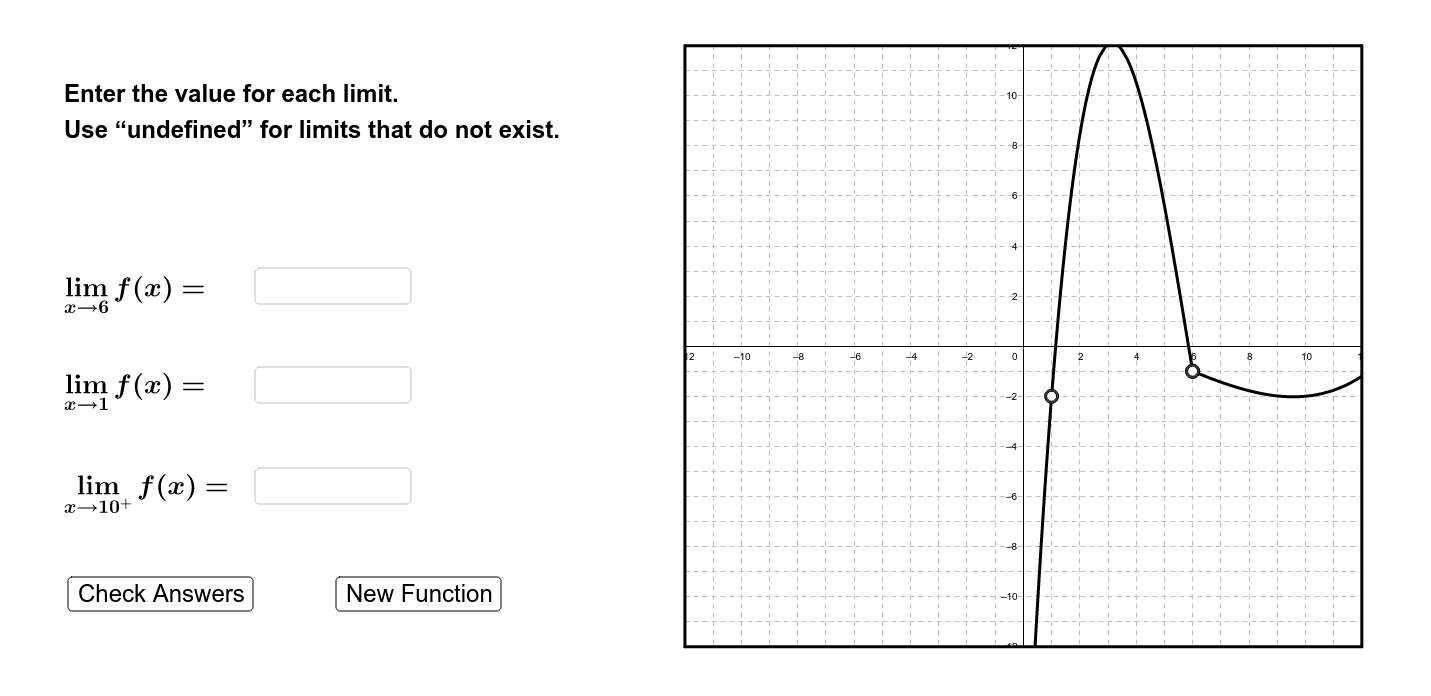
几何画板及绘图内容加载中,请稍等……
①本范例演示了通过图形方式直观理解和练习极限的概念;②涉及的核心数学概念包括极限、函数图像、随机实验、直方图和分布;③构造摘要中使用了Random(随机数生成)、If(条件判断)、Polynomial(多项式函数)、Textfield(文本输入框)、Polygon(多边形绘制)等GeoGebra命令和对象;④适合高中及以上学习微积分的学生,用于辅助理解和掌握极限计算方法。
GeoGebra 命令及参数
Random(-10, 10) → x_ARandom(1, 10) → typeRandom(-10, 10) → seed_BIf(seed_B ≟ x_A, (-x_A), seed_B) → x_BIf(type ≤ 3, x_A, If[type ≥ 8, x_B, Random[-5, 5]]) → breakIf((type > 1) ∧ (type < 9), break, Random[-10, 10]) → x_CPolynomial({(x_A, Random[-5, 5]), (x_B, Random[-3, 8]), (If[x_C ≟ x_A ∨ x_C ≟ x_B, -21, x_C], Random[-10, 10]), (Random[10, 20], Random[10, 20])}) → fPolynomial({(x_A, Random[-2, 10]), (x_B, Random[-6, 3]), (If[x_C ≟ x_A ∨ x_C ≟ x_B, 21, x_C], Random[-10, 10]), (Random[-20, -11], Random[-20, 20]), (Random[11, 20], Random[-20, 20])}) → gRandom(0, 1) → leftIf(x_A < break, Limit[f, x_A], If[x_A > break, Limit[g, x_A], If[f(x_A) ≟ g(x_A), f(x_A), -1000]]) → lim_AIf(type > 5, x_A, If[type < 5, x_B, Random[-5, 5]]) → holeXIf(x_B < break, Limit[f, x_B], If[x_B > break, Limit[g, x_B], If[f(x_B) ≟ g(x_B), f(x_B), -1000]]) → lim_BTextfield(guessA) → guessABoxTextfield(guessB) → guessBBoxRandom(0, 1) → rightIf(x_C ≟ break, If[right ≟ 0, f(x_C), g(x_C)], If[x_C < break, f(x_C), g(x_C)]) → lim_CTextfield(guessC) → guessCBoxPolygon((-12, -12), (-12, 12), (12, 12), (12, -12)) → poly1, a, b, c, dPolygon((-12, -12), (-12, 12), (12, 12), (12, -12)) → poly2, e, i, j, k