
几何作图范例 by Joel Keeny
几何画板及绘图内容加载中,请稍等……
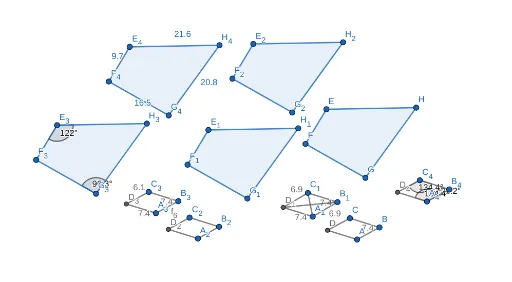
①本范例演示了利用 GeoGebra 进行几何图形的精确作图与测量;②涉及的核心数学概念包括线段、角度、多边形、距离计算等;③作图要点提炼自构造摘要,使用了 Segment(线段)、Line(直线)、Intersect(交点)、Polygon(多边形)、Distance(距离)、Angle(角度)等命令与对象;④适合高中数学教学,用于演示几何作图的步骤与技巧,帮助学生理解空间几何关系。
GeoGebra 命令及参数
Segment(A, B) → fLine(C, f) → gSegment(C, B) → hLine(A, h) → iIntersect(g, i) → DSegment(D, A) → jSegment(C, D) → kPolygon(E, F, G, H) → q1, e, f_1, g_1, h_1Segment(A_1, B_1) → f_2Line(C_1, f_2) → g_3Segment(C_1, B_1) → h_2Line(A_1, h_2) → i_1Intersect(g_3, i_1) → D_1Segment(D_1, A_1) → j_1Segment(C_1, D_1) → k_1Polygon(E_1, F_1, G_1, H_1) → q1_1, e_1, f_3, g_2, h_3Segment(A_2, B_2) → f_4Line(C_2, f_4) → g_6Segment(C_2, B_2) → h_4Line(A_2, h_4) → i_2Intersect(g_6, i_2) → D_2Segment(D_2, A_2) → j_2Segment(C_2, D_2) → k_2Polygon(E_2, F_2, G_2, H_2) → q1_2, e_2, f_5, g_4, h_5Segment(A_3, B_3) → f_6Line(C_3, f_6) → g_7Segment(C_3, B_3) → h_6Line(A_3, h_6) → i_3Intersect(g_7, i_3) → D_3Segment(D_3, A_3) → j_3Segment(C_3, D_3) → k_3Polygon(E_3, F_3, G_3, H_3) → q1_3, e_3, f_7, g_5, h_7Polygon(E_4, F_4, G_4, H_4) → q1_4, e_4, f_8, g_8, h_8Segment(A_4, B_4) → f_9Line(C_4, f_9) → g_9Segment(C_4, B_4) → h_9Line(A_4, h_9) → i_4Intersect(g_9, i_4) → D_4Segment(D_4, A_4) → j_4Segment(C_4, D_4) → k_4Distance(h_8, e_4) → aDistance(A_3, f_6) → distanceA3f6Angle(H_3, E_3, F_3) → αAngle(B_4, C_4, D_4) → βAngle(A_4, B_4, D_4) → γAngle(D_4, A_4, B_4) → δAngle(F_3, G_3, H_3) → εSegment(C_1, A_1) → lSegment(B_1, D_1) → m
AI 绘图提示语参考
画一个几何图形,包含多个相交的线段和角度,通过精确的几何构造形成多个多边形。首先绘制两条线段相交形成顶点,然后以这些顶点为基础构建多个多边形。测量并标注关键线段的长度和多边形的内角度数,展示几何构造的精确性和空间关系。
以上提示语为根据原始绘图命令整理而来,仅供参考。