
分数加法演示 by Tom Harding
几何画板及绘图内容加载中,请稍等……
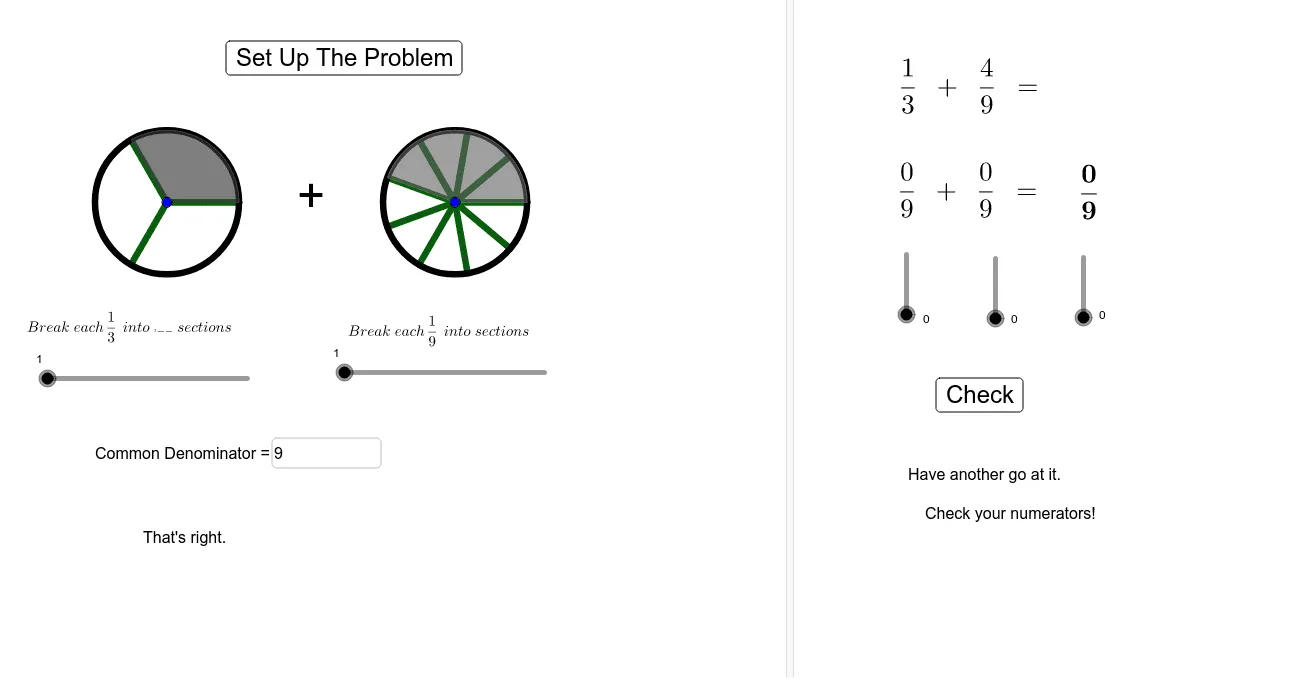
①本范例演示了如何在 GeoGebra 中通过图形化方式演示分数加法的过程;②涉及的核心数学概念包括分数的通分、分子分母运算、几何表示等;③作图要点——从下方『构造摘要』提炼用到了 Circle(圆)、Sequence(数列)、Sector(扇形)、LCM(最小公倍数)、Numerator(分子)、Textfield(文本框)等 GeoGebra 命令/对象;④适合初中及以上学生学习和理解分数运算,也可用于数学教学演示。
GeoGebra 命令及参数
Circle((0, 0), 1) → cCircle((4, 0), 1) → dSequence(Segment[LCenter, LCenter + (cos(((i * 2) * π / LDenom)), sin(((2 * π) * i / LDenom)))], i, 0, LDenom) → LeftDividersSequence(Segment[RCenter, RCenter + (cos(((i * 2) * π / RDenom)), sin(((2 * π) * i / RDenom)))], i, 0, RDenom) → RightDividersSequence(Segment[LCenter, LCenter + (cos(((i * 2) * π / ((LSections * LDenom)))), sin(((2 * π) * i / ((LSections * LDenom)))))], i, 0, (LDenom * LSections)) → list1Sector(c, (0, 0), (cos(((2 * π) * LNumerator / LDenom)), sin(((2 * π) * LNumerator / LDenom)))) → fSector(d, RCenter, RCenter + (cos(((2 * π) * RNumerator / RDenom)), sin(((2 * π) * RNumerator / RDenom)))) → eSequence(Segment[RCenter, RCenter + (cos(((i * 2) * π / ((RSections * RDenom)))), sin(((2 * π) * i / ((RSections * RDenom)))))], i, 0, (RDenom * RSections)) → list2LCM(LDenom, RDenom) → DenomNumerator(1.2) → aTextfield(UserD) → InputBox1Text(RandomElement[compliments]) → PositiveFeedbackRandomElement(exhortations) → NegativeFeedback