
带指数的代数因式分解
几何画板及绘图内容加载中,请稍等……
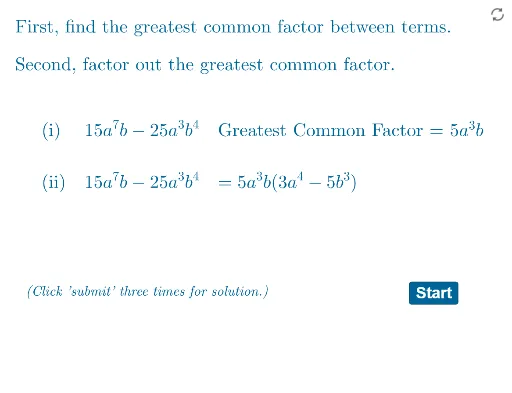
本范例演示如何对带指数的代数表达式进行因式分解。核心数学概念包括指数运算和因式分解。通过使用GeoGebra命令如Random, RandomElement, Factor等,可以动态展示因式分解的过程。适合初中及以上学生学习代数。
GeoGebra 命令及参数
Random(1, 6) → eg1Random(0, 2) → exp4RandomElement(listm) → cnRandom(1, 3) → exp1Random(0, 3) → exp3Remove(listp, {0, 0, 0, 0, 0, 0}) → listp2RandomElement(listp2) → c1Remove(listp2, {c1}) → listp3RandomElement(listp3) → c2Expand(Simplify[g]) → g0GCD(cf1, cf2) → cNMin(eg1, eg3) → gaexpMin(eg2, eg4) → gbexpRandom(0, 1) → questionSimplify(g1) → g11Random(1, 3) → exp2Random(1, 3) → e1Min(fexplist) → fminxRandomElement(listp) → c3RandomElement(listp) → c4Expand(Simplify[(cf1 * x^(e1)) + (cf2 * x^(e2)) + (cf3 * x^(e3)) + (cf4 * x^(e4))]) → fCoefficients(f) → fcoeflistGCD(fcoeflist) → fgcdIf(Element[fcoeflist, 1] < 0, (-fgcd), fgcd) → FgcdSimplify((Fgcd * x^(fminx))) → f1Random(0, 3) → exp5Expand(Simplify[f(x) / f1(x)]) → f2Factor(f) → f3Textfield(f1stans) → InputBox1Textfield(f2stans) → InputBox2Random(0, 1) → grandSimplify(g2) → g22If(question ≟ 0, ftextq, gtextq) → qtextTextfield(g1stans) → InputBox3Textfield(g2stans) → InputBox4If(question ≟ 0, answertextf, answertextg) → answertextSimplify(g2n) → g22nIf(question ≟ 0, f1corrtext, g1corr1text) → q1corrIf(question ≟ 0, q0gcf, q1gcf) → qgcfElement(fcoeflist, 1) → fcf1If(eg1 > eg3, cf1, cf2) → gcf1Length(q1corr) → lgthIf(lgth < 8, (2, 2), If[8 ≤ lgth < 15, (2.5, 2), If[15 ≤ lgth < 20, (3, 2), (3.5, 2)]]) → Bb
AI 绘图提示语参考
展示一个代数表达式因式分解的动态过程,包含随机生成的指数和系数,通过图形化方式解释因式分解的步骤和关键数学概念,适合中学生学习。
以上提示语为根据原始绘图命令整理而来,仅供参考。