
分数等值区域模型
几何画板及绘图内容加载中,请稍等……
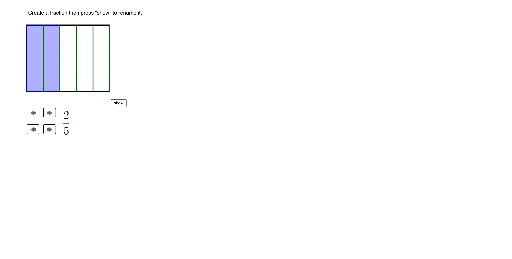
本范例通过区域模型演示如何寻找等值分数。涉及的核心数学概念包括分数、面积和几何表示。作图要点使用了GeoGebra的Polygon和Sequence命令来创建和分区图形,通过调整分子和分母的划分来展示等值分数。适合小学高年级和初中生学习分数的基本概念和几何应用。
GeoGebra 命令及参数
Polygon(A, B, B + (0, tall), A + (0, tall)) → Area1, a, b, f, gPolygon(C, D, D + (0, tall), C + (0, tall)) → Area2, c, d, h, iSequence(Segment[A + ((width / numberofpartitions * i), 0), A + ((width / numberofpartitions * i), tall)], i, 1, numberofpartitions) → VerticalLines1Sequence(Segment[C + ((width / numberofpartitions * i), 0), C + ((width / numberofpartitions * i), tall)], i, 1, numberofpartitions) → VerticalLines2Polygon(A, A + ((partitionwidth * setnumerator), 0), A + ((partitionwidth * setnumerator), tall), A + (0, tall)) → shadednumerator1, a_1, j, k, lPolygon(C, C + ((partitionwidth * setnumerator), 0), C + ((partitionwidth * setnumerator), tall), C + (0, tall)) → shadednumerator2, c_1, m, n, pSequence(Segment[C + (0, (partitionheight * i)), C + (width, (partitionheight * i))], i, 0, horizontalcuts) → HorizontalLines2