
弹性碰撞模拟
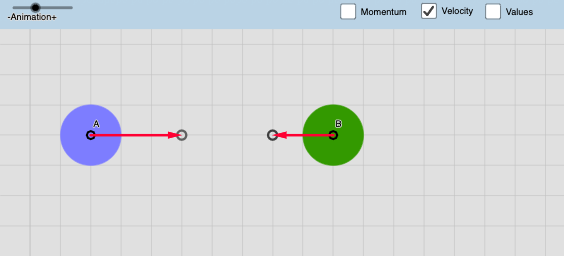
几何画板及绘图内容加载中,请稍等……
所属专题
Physics Lab
①本范例演示两个物体在二维平面上的弹性碰撞过程;②涉及核心数学概念包括向量运算、动量守恒、能量守恒、解析几何;③构造要点:使用If、Vector、Circle、Translate、Textfield、Ray、Intersect等GeoGebra命令和对象,实现物体的位置、速度向量计算与碰撞检测;④适合高中物理及数学课程,用于理解碰撞原理与数学建模。
GeoGebra 命令及参数
If(abs((d * sin(γxy - γv))) ≤ m1 / 2 + m2 / 2, true, false) → conditionIf(condition ≟ true, asin((d * sin(γxy - γv) / (m1 / 2 + m2 / 2))), 10) → αIf(a ≟ a, a, 10) → a'Vector(C) → u1Vector(C') → u2Vector(D) → v1Vector(D') → v2Circle(AM, m1 / 2) → c1Circle(BM, m2 / 2) → c2If(Distance[AM, BM] > m1 / 2 + m2 / 2, false, true) → collisionIf(collision ≟ true, u2, u1) → auxv1If(collision ≟ true, v2, v1) → auxv2Circle(E, m1 / 2) → d1Circle(F, m2 / 2) → d2If(time2 ≟ time2, abs(time2), 30) → auxtimeVector(A, I) → uVector(B, J) → vTranslate(u1, AM) → u3Translate(v1, BM) → v3Translate(u2, E) → u4Translate(v2, F) → v4Translate(A, u3) → A'Translate(B, v3) → B'Translate(mt1i, AM) → c1iTranslate(mt1f, E) → c1fTranslate(mt2i, BM) → d1iTranslate(mt2f, F) → d1fIf(t > auxtime, Pxf, Pxi) → PxIf(t > auxtime, Pyf, Pyi) → PyIf(t > auxtime, PPxf, PPxi) → PPxIf(t > auxtime, PPyf, PPyi) → PPyTextfield(step) → InputBox1Textfield(vx1) → InputBox2Textfield(vy1) → InputBox3Textfield(vx2) → InputBox4Textfield(vy2) → InputBox5Textfield(m1) → InputBox6Textfield(m2) → InputBox7Circle(A, abs(u1)) → circle1Ray(A, u1) → LineACircle(B, abs(v1)) → circle2Ray(B, v1) → LineBIntersect(circle1, LineA) → InterA,Intersect(circle2, LineB) → InterB,
AI 绘图提示语参考
绘制两个物体在二维平面上的弹性碰撞模拟。首先创建两个物体的初始位置和速度向量,然后使用向量和圆来表示物体。接着,通过碰撞检测确定物体是否发生碰撞,如果发生碰撞,则调整物体的速度向量。最后,根据时间变化更新物体的位置,并显示碰撞前后的速度和质量输入框。
以上提示语为根据原始绘图命令整理而来,仅供参考。