
绘制角度游戏
几何画板及绘图内容加载中,请稍等……
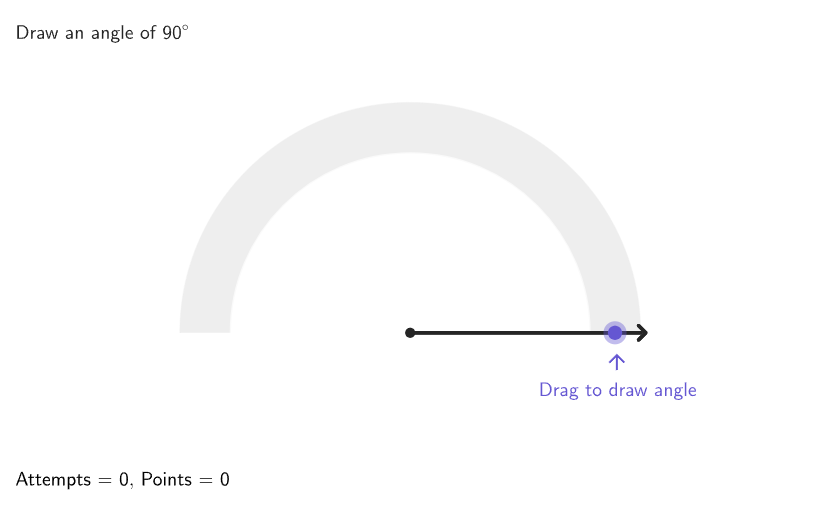
这个互动游戏让你尽可能准确地绘制角度,提升你的角度感知能力。通过使用量角器绘制和测量角度,你将理解一个圆周等于360度。游戏构造中运用了GeoGebra命令如Shuffle, Angle, Circle, Segment等,适合4-5年级学生学习几何作图。
GeoGebra 命令及参数
Shuffle(Sequence[180]) → randomAngles, {90, 46, 167, 24, 143, 82, 179, 20, 16, 89, 44, 23, 162, 57, 125, 129, 166, 153, 164, 60, 12, 1, 63, 158, 18, 135, 168, 104, 69, 29, 10, 170, 66, 79, 132, 137, 34, 120, 68, 156, 173, 9, 169, 26, 77, 87, 39, 109, 15, 154, 96, 175, 55, 131, 62, 75, 49, 133, 32, 114, 127, 58, 50, 174, 122, 27, 97, 99, 110, 70, 151, 140, 45, 118, 53, 76, 165, 61, 123, 47, 84, 112, 115, 83, 8, 28, 117, 33, 171, 152, 35, 142, 146, 126, 48, 22, 38, 73, 111, 72, 21, 102, 7, 93, 51, 25, 180, 85, 108, 4, 81, 74, 155, 37, 103, 147, 149, 71, 31, 40, 105, 177, 14, 54, 141, 107, 172, 136, 36, 88, 157, 17, 91, 163, 101, 86, 6, 67, 148, 5, 11, 128, 52, 116, 161, 160, 56, 124, 121, 139, 100, 145, 159, 134, 113, 119, 138, 65, 94, 2, 106, 64, 59, 95, 144, 92, 78, 130, 150, 41, 176, 19, 80, 43, 13, 3, 30, 42, 178, 98}Semicircle((-4, 0), (4, 0)) → cPoint(c) → MovablePointAngle(AngEndpoint, CentAng, MovablePoint) → αElement(randomAngles, Mod[questionCount, Length[randomAngles]] + 1) → randomAngleCorner(5) → AppSizeCircle(CentAng, 3.5) → dCircle(CentAng, 4.5) → eSegment(CentAng, AnimP) → animSegAngle(AngEndpoint, CentAng, AnimP) → βSector(e, Max[angRad - Rad5, 0], Min[angRad + Rad5, pi]) → fTranslate((0, 0), Vector[If[β ≤ 30°, Vector[(0.5 * (cos((2 * angRad)), sin((2 * angRad))))], Vector[(1.1 * (cos(angRad / 3), sin(angRad / 3)))]]]) → PosLabelCorrectAText((("\textsf{" * β) * "}"), PosLabelCorrectA, true, true, 0, 1) → labelCorrectAngTranslate((0, 0), Vector[If[α ≤ 30°, Vector[(2 * (cos((2 * α)), sin((2 * α))))], Vector[(1.5 * (cos(α / 2), sin(α / 2)))]]]) → PosLabelAlfaText((("\textsf{" * α) * "}"), PosLabelAlfa, true, true, 1, 1) → labelStudAngDilate(MovablePoint, 1.3) → AnimP'If(perfect, 5, If[moreCorrect, 3, If[correct, 1, 0]]) → PointsToAddSector(e, angRad + (3 * Rad5), pi) → pVector(AnimP', Target) → vecSector(e, Max[angRad - (3 * Rad5), 0], Min[angRad - Rad5, pi]) → gSector(e, Max[angRad + Rad5, 0], Min[angRad + (3 * Rad5), pi]) → hSector(e, 0, angRad - (3 * Rad5)) → kText(((("\textsf{+" * PointsToAdd) * If[perfect, " Perfect!", ""]) * "}"), AnimP' + (vec * wait^(2)), true, true, 0, 0) → textPlus1Last(histCorrect, Min[Length[histCorrect], 3]) → histCorrectLast3If(Length[histCorrect] ≟ 0, {}, Last[histCorrect, Min[5, Length[histCorrect]]]) → histCorrectLast5Sequence(Rotate[(4, 0), ii], ii, 0, 180°, If[hint2, 45°, 90°]) → pointsHint1Sequence(Rotate[(4.3, 0), ii], ii, 0, 180°, If[hint2, 45°, 90°]) → pointsHint2Zip(Dilate[AA, 1.15], AA, pointsHint1) → PointsHintLabelsSequence(Text[ii], ii, 0, 180, If[hint2, 45, 90]) → hintLabelsZip(Segment[AA, BB], AA, pointsHint1, BB, pointsHint2) → hintSegmentsZip(Text[(tt * "°"), AA, true, true, 0, 1], AA, PointsHintLabels, tt, hintLabels) → hintlabelsPositionedCountIf(x ≟ false, histCorrectLast3) → falseIn3CountIf(x ≟ false, histCorrectLast5) → falseIn5Semicircle((-4.5, 0), (4.5, 0)) → graySemicircleSegment(CentAng, Dilate[AngEndpoint, 1.15]) → FixedSegmentSegment(CentAng, Dilate[MovablePoint, 1.15]) → MovableSegmentonboardingTextOffset(Corner[onboardingText_{1}, 1], Corner[onboardingText_{1}, 3], onboardingCase_{1}, Corner[1], Corner[3], Corner[5]) → OnboardingTextOffset_{1}circlePixels(MovablePoint, 7 + (7 * pulsing), Corner[1], Corner[3], Corner[5]) → pulsingObject
AI 绘图提示语参考
这是一个几何构造游戏的图形界面。画面中央有一个从(-4,0)到(4,0)的半圆,半圆的圆心被标记为一个可移动点。围绕该点绘制了两个同心圆,半径分别为3.5和4.5。在半圆和圆心之间显示两个角度α和β,并配有文本标签。图形中包含多个扇形区域,用于表示不同角度的选项。此外还有提示标签、统计信息和一些装饰元素,整体构成一个交互式的角度测量练习界面。
以上提示语为根据原始绘图命令整理而来,仅供参考。