
π小数位数记忆训练工具
几何画板及绘图内容加载中,请稍等……
所属专题
Kreiszahl PI
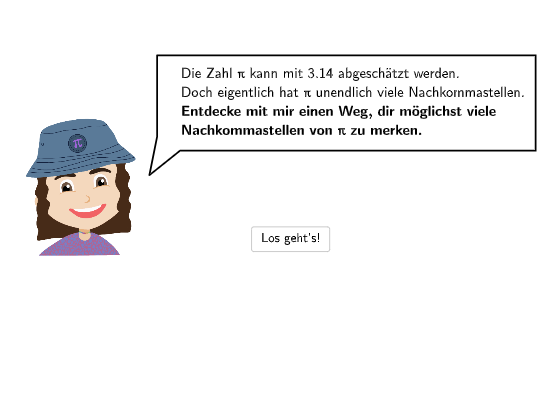
本范例是一个交互式π小数位数记忆训练工具。学生通过输入框输入π的小数位,系统自动计数正确位数并显示反馈。核心数学概念是圆周率π——即圆的周长与直径的比值,这是一个常数(约等于3.14159...)。作图要点:使用Textfield文本框接收用户输入,Length命令计算输入长度,Sequence生成数字序列,CountIf统计正确位数,SpeechBubbleLeft命令显示气泡提示反馈结果,配合多个按钮(btnLosgehts开始、btnWeiter继续、btnZurueck后退、btnNochmal重试)控制流程。适合7-8年级学生用于理解π的概念并趣味记忆其小数位数。
GeoGebra 命令及参数
SpeechBubbleLeft(PBubblePiaStart, 9.2, 2.1) → bubble1SpeechBubbleLeft(PBubblePia, 8.8, 1.7) → bubble2SpeechBubbleLeft(PBubblePia, 8, 1.7) → bubble3Textfield(inputA) → InputBoxALength(txtInput) → lengthSequence(floor(piNums / 10^(length - i)), i, 1, length) → l1, {1}Sequence(floor(inputA / 10^(length - i)), i, 1, length) → l2, {NaN}Sequence(l1(i) ≟ l2(i), i, 1, length) → equalCountIf(x ≟ true, equal) → anzahlCorrectSequence(floor(((numPi - 3) * 10^(i))), i, 1, 100) → lCorr, {1, 14, 141, 1415, 14159, 141592, 1415926, 14159265, 141592653, 1415926535, 14159265358, 141592653589, 1415926535897, 14159265358979, 141592653589793, 1415926535897931, 14159265358979312, 141592653589793120, 1415926535897931264, 14159265358979312000, 141592653589793110000, 1.415926535897931E+21, 1.415926535897931E+22, 1.4159265358979312E+23, 1.4159265358979314E+24, 1.415926535897931E+25, 1.4159265358979311E+26, 1.4159265358979311E+27, 1.4159265358979313E+28, 1.4159265358979312E+29, 1.415926535897931E+30, 1.4159265358979312E+31, 1.4159265358979311E+32, 1.4159265358979312E+33, 1.4159265358979311E+34, 1.415926535897931E+35, 1.415926535897931E+36, 1.415926535897931E+37, 1.4159265358979313E+38, 1.4159265358979312E+39, 1.4159265358979311E+40, 1.415926535897931E+41, 1.4159265358979313E+42, 1.4159265358979313E+43, 1.4159265358979312E+44, 1.415926535897931E+45, 1.415926535897931E+46, 1.4159265358979312E+47, 1.4159265358979313E+48, 1.4159265358979314E+49, 1.4159265358979311E+50, 1.415926535897931E+51, 1.4159265358979312E+52, 1.4159265358979312E+53, 1.4159265358979312E+54, 1.4159265358979313E+55, 1.4159265358979311E+56, 1.4159265358979313E+57, 1.4159265358979312E+58, 1.415926535897931E+59, 1.4159265358979312E+60, 1.415926535897931E+61, 1.4159265358979312E+62, 1.4159265358979312E+63, 1.415926535897931E+64, 1.415926535897931E+65, 1.4159265358979312E+66, 1.415926535897931E+67, 1.4159265358979312E+68, 1.415926535897931E+69, 1.4159265358979312E+70, 1.4159265358979311E+71, 1.415926535897931E+72, 1.4159265358979312E+73, 1.415926535897931E+74, 1.4159265358979313E+75, 1.4159265358979312E+76, 1.415926535897931E+77, 1.4159265358979311E+78, 1.4159265358979311E+79, 1.415926535897931E+80, 1.415926535897931E+81, 1.4159265358979313E+82, 1.4159265358979314E+83, 1.415926535897931E+84, 1.4159265358979311E+85, 1.4159265358979311E+86, 1.415926535897931E+87, 1.4159265358979312E+88, 1.415926535897931E+89, 1.4159265358979313E+90, 1.4159265358979312E+91, 1.4159265358979313E+92, 1.415926535897931E+93, 1.415926535897931E+94, 1.415926535897931E+95, 1.4159265358979312E+96, 1.4159265358979312E+97, 1.415926535897931E+98, 1.4159265358979312E+99}SpeechBubbleLeft(PBubblePia - (0, 0.5), 10, 2) → bubble4SpeechBubbleLeft(PBubblePia, 10.2, 1.6) → bubble5SpeechBubbleLeft(PBubblePia, 8, 1.6) → bubble6Textfield(input1) → InputBox1Textfield(input2) → InputBox2Textfield(input3) → InputBox3Textfield(input4) → InputBox4Textfield(input5) → InputBox5Textfield(input6) → InputBox6Textfield(input7) → InputBox7Textfield(input8) → InputBox8Textfield(input9) → InputBox9Textfield(input10) → InputBox10Textfield(input11) → InputBox11Textfield(input12) → InputBox12Textfield(input13) → InputBox13Textfield(input14) → InputBox14Textfield(input15) → InputBox15Textfield(input16) → InputBox16Textfield(input17) → InputBox17Textfield(input18) → InputBox18Textfield(input19) → InputBox19Textfield(input20) → InputBox20Defined((((((((((((((((((((input1 * input2) * input3) * input4) * input5) * input6) * input7) * input8) * input9) * input10) * input11) * input12) * input13) * input14) * input15) * input16) * input17) * input18) * input19) * input20)) → definedSpeechBubbleLeft(PBubblePia, 8, 1.6) → bubble7SpeechBubbleLeft(PBubblePia, 10, 1.2) → bubble8
AI 绘图提示语参考
画一个圆,旁边有9个气泡提示,输入框用于输入圆周率的十进制数字,系统会自动检查输入的正确性并给出反馈。首先画一个圆,然后在圆的下方和周围放置9个气泡提示,输入框依次放置在圆的上方和圆周上,用户输入圆周率的十进制数字,系统会计算输入的正确位数并显示反馈。
以上提示语为根据原始绘图命令整理而来,仅供参考。