
圆柱与圆锥体积比较 by Patricia Loy
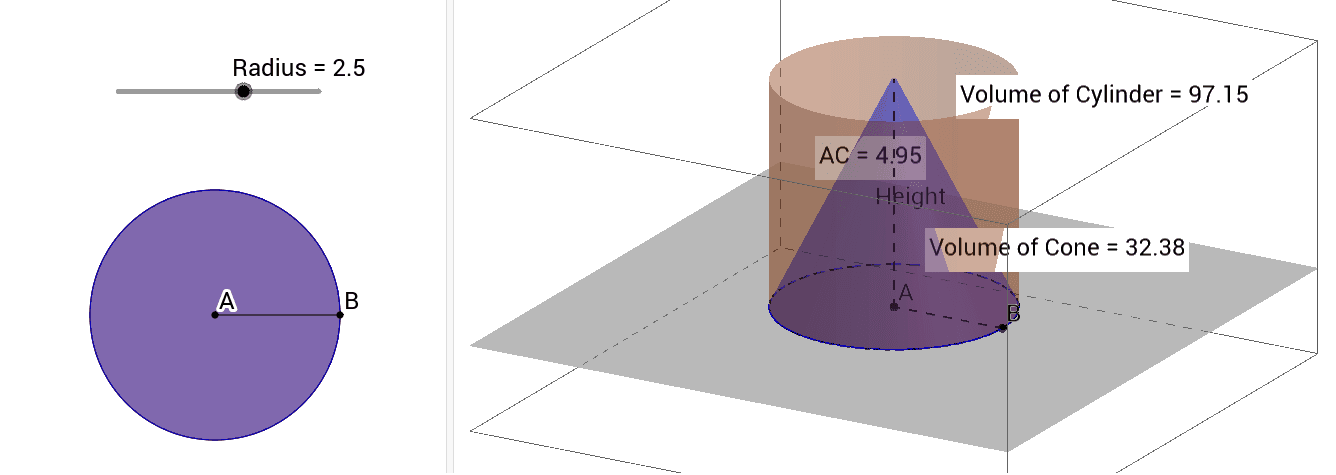
几何画板及绘图内容加载中,请稍等……
①本范例演示圆柱与圆锥体积关系的动态比较;②涉及核心数学概念:体积计算公式、几何体特性;③构造要点:使用Intersect(相交)、Circle(圆)、Point(点)、Segment(线段)、Cylinder(圆柱)、Cone(圆锥)、Distance(距离)、Volume(体积)、PointIn(点在内部)等命令;④适合高中阶段立体几何教学或几何直观理解。
GeoGebra 命令及参数
Intersect(xAxis, yAxis) → ACircle(A, Radius) → cPoint(c) → BSegment(A, B) → aPoint(zAxis) → CCylinder(A, C, Radius) → Cylinder, d, e, fCone(A, C, Radius) → Cone, h, iDistance(A, C) → distanceAHeightVolume(Cylinder) → volumebPointIn(f) → PointfVolume(Cone) → volumegPointIn(xOyPlane) → PointxOyPlane_1Volume(Cone) → jPointIn(xOyPlane) → PointxOyPlane_2Volume(Cone) → kPointIn(xOyPlane) → PointxOyPlane_3Volume(Cone) → lPointIn(xOyPlane) → PointxOyPlaneVolume(Cone) → mPointIn(i) → PointiSegment(A, C) → Height
AI 绘图提示语参考
画一个圆柱和一个圆锥,它们共用底面和顶点,底面是一个圆,顶点在垂直于底面的直线上。显示圆柱和圆锥的体积,并在底面上标记几个点,这些点将底面分成几段,每段的长度与圆柱体积的比例相同。最后,标出圆柱和圆锥的高度,并显示它们的高度和体积之间的关系。
以上提示语为根据原始绘图命令整理而来,仅供参考。