
坐标平面上的旋转练习生成器
几何画板及绘图内容加载中,请稍等……
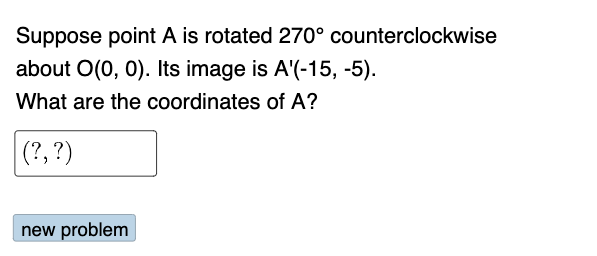
这个范例演示了如何在坐标平面上生成旋转练习题。核心数学概念包括旋转、几何变换。通过使用GeoGebra命令如Random、Rotate、Textfield等,可以构造出动态的旋转图形。适合初中及以上学生或教师使用。
GeoGebra 命令及参数
Random(1, 4) → nRandom(1, 3) → qtypeRandom(-15, 15) → bRandom(-15, 15) → aRandom(0, 1) → dirIf(n ≟ 1, 90°, n ≟ 2, 180°, n ≟ 3, 270°, 360°) → αIf(dir ≟ 0, α, (-α)) → βRandom(-15, 15) → cRandom(-15, 15) → dIf(dir ≟ 0, "counterclockwise", "clockwise") → text2If(qtype ≤ 2, (0, 0), (c, d)) → BIf(qtype ≤ 2, (a, b), (0, 0)) → ARotate(B, β, A) → B'Rotate(A, β, B) → A'If(C ≟ A', "√", "X") → text8Textfield(C) → InputBox1Rotate(A, (-β), B) → A'_{1}If(C ≟ A'_{1}, "√", "X") → text9SelectedElement(l1) → text10SelectedElement(l1) → text11SelectedElement(l1) → text12SelectedElement(l1) → text13SelectedIndex(l1) → eSelectedIndex(l2) → fIf(e ≟ 2 ∧ f ≟ 2, 90°, e ≟ 3 ∧ f ≟ 3, -180°, e ≟ 4 ∧ f ≟ 3, -270°, e ≟ 5 ∧ f ≟ 3, -360°, e ≟ 3 ∧ f ≟ 2, 180°, e ≟ 4 ∧ f ≟ 2, 270°, e ≟ 5 ∧ f ≟ 2, 360°, e ≟ 2 ∧ f ≟ 3, -90°) → gRotate(B, g, A) → B'_{1}If(B' ≟ B'_{1}, "√", "X") → text16
AI 绘图提示语参考
在坐标平面上画一个旋转练习图形。选择一个点A和一个点B,然后以A为旋转中心,将B旋转一个角度得到B'。再以B为旋转中心,将A旋转相同的角度得到A'。在图形中标注旋转方向和角度,并添加一个输入框让用户输入坐标。确保图形清晰易懂,适合中学生或老师使用。
以上提示语为根据原始绘图命令整理而来,仅供参考。