
沿定向线段构造点
几何画板及绘图内容加载中,请稍等……
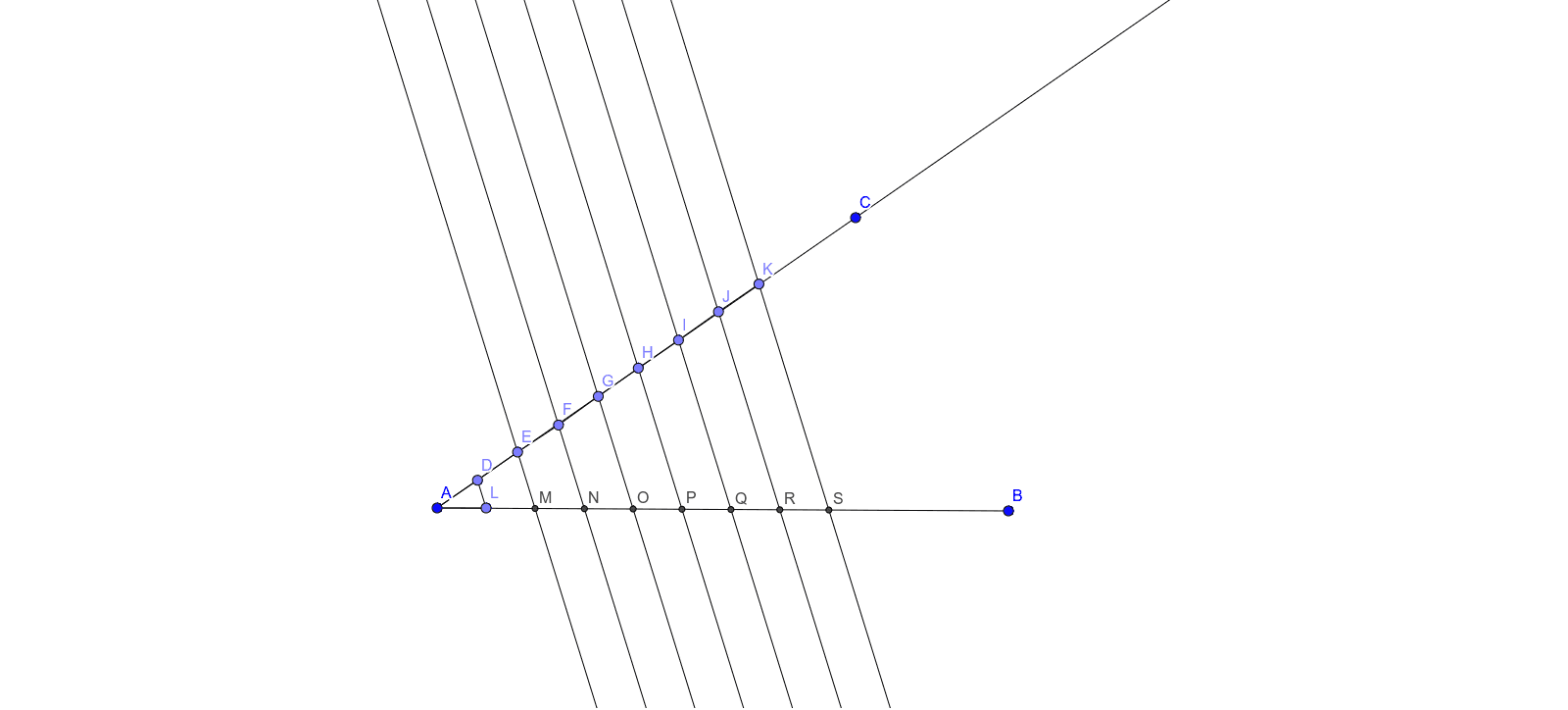
本范例演示如何在给定的定向线段上构造一个点。核心数学概念包括线段和向量。通过使用GeoGebra命令如Segment, Ray, Point, Intersect等,可以精确地进行几何作图。适合初中及以上学生或教师使用。
GeoGebra 命令及参数
Segment(A, B) → fRay(A, C) → gPoint(Circle[A, 1]) → DSegment(A, D) → hPoint(Circle[D, 1]) → ESegment(D, E) → iPoint(Circle[E, 1]) → FSegment(E, F) → jPoint(Circle[F, 1]) → GSegment(F, G) → kPoint(Circle[G, 1]) → HSegment(G, H) → lPoint(Circle[H, 1]) → ISegment(H, I) → mPoint(Circle[I, 1]) → JSegment(I, J) → nPoint(Circle[J, 1]) → KSegment(J, K) → pPoint(Circle[A, 1]) → LSegment(A, L) → qSegment(D, L) → rLine(E, r) → sLine(G, s) → bLine(H, b) → cLine(I, c) → dLine(J, d) → eLine(K, e) → f_1Line(F, b) → tIntersect(s, f) → MIntersect(t, f) → NIntersect(b, f) → OIntersect(c, f) → PIntersect(d, f) → QIntersect(e, f) → RIntersect(f_1, f) → S
AI 绘图提示语参考
画一条有向线段,再在线段上依次构造多个点,每个点通过圆与线段端点连接,形成一系列圆弧。接着,用这些点构造多条直线,并找出这些直线与线段的交点,最终展示出点沿线段运动的轨迹。
以上提示语为根据原始绘图命令整理而来,仅供参考。