
45度圆锥上的圆
几何画板及绘图内容加载中,请稍等……
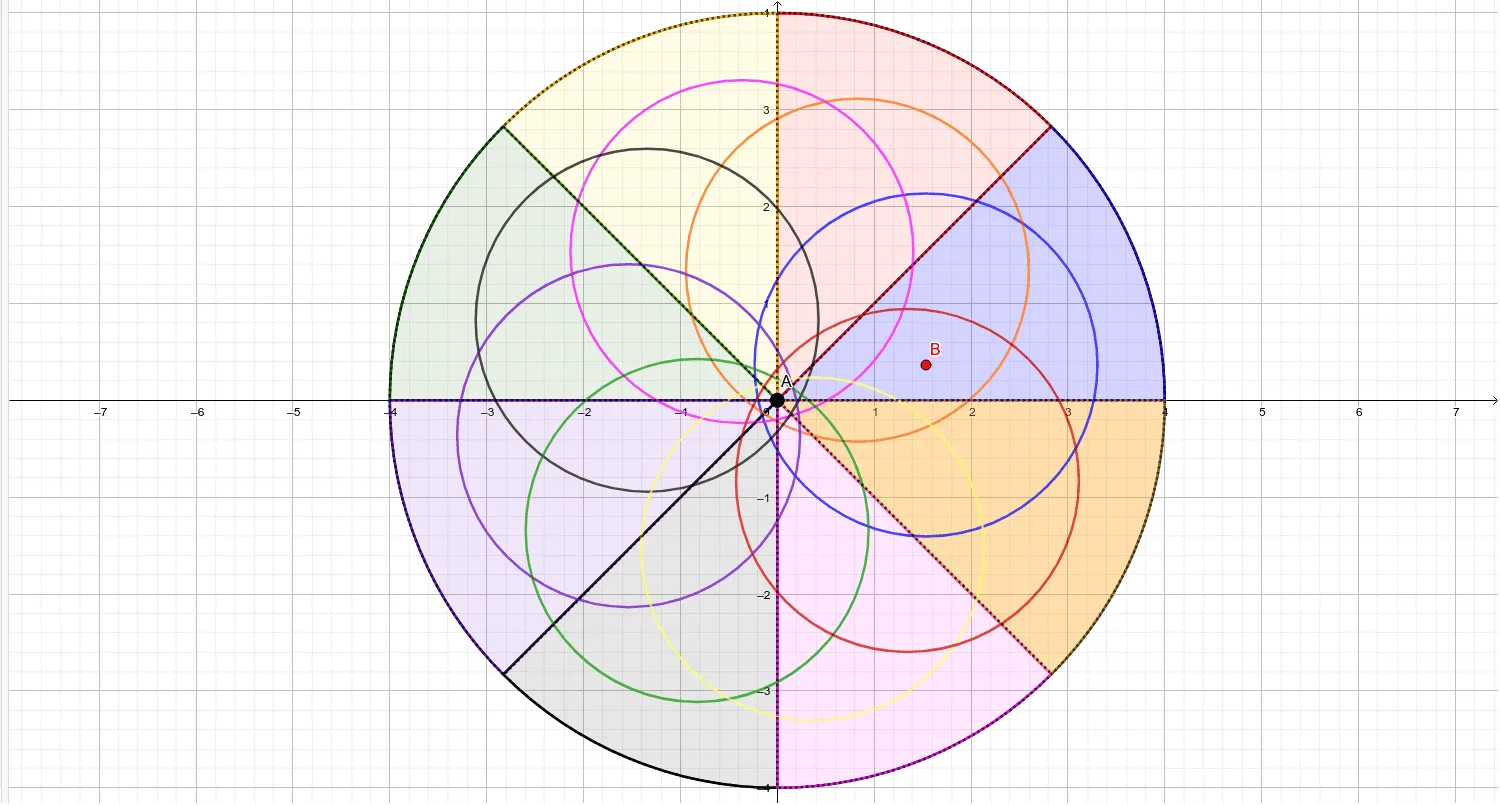
①本范例演示了在45度圆锥表面上形成的圆的几何性质;②涉及的核心数学概念包括圆锥、圆、线性方程、实数、直角三角形、中位线、平移;③作图要点——从下方『构造摘要』提炼用到了Intersect(相交)、Circle(圆)、Line(直线)、Rotate(旋转)、CircleSector(圆扇形)、Point(点)、Segment(线段)等GeoGebra命令/对象;④适合高中阶段学习立体几何、解析几何的学生使用,有助于理解空间几何图形的生成与性质。
GeoGebra 命令及参数
Intersect(xAxis, yAxis) → ACircle(A, B_1) → cIntersect(c, yAxis, 2) → CIntersect(c, yAxis, 1) → DIntersect(c, xAxis, 1) → ELine(F, D) → fLine(E, B_1) → gRotate(f, 45°, (0, 0)) → f'Rotate(g, 45°, (0, 0)) → g'Intersect(c, g', 2) → GCircleSector(A, B_1, G) → dCircleSector(A, G, C) → eIntersect(c, f', 1) → HCircleSector(A, C, H) → hCircleSector(A, H, E) → kIntersect(c, g', 1) → ICircleSector(A, E, I) → pCircleSector(A, I, D) → qIntersect(c, f', 2) → JCircleSector(A, D, J) → rCircleSector(A, J, B_1) → sIntersect(d, k) → K, , ,Point(e) → LPoint(q) → MSegment(L, M) → iPoint(k) → NPoint(s) → OSegment(N, O) → jPoint(h) → PPoint(r) → QSegment(P, Q) → lPoint(p) → RPoint(s) → SSegment(R, S) → mPoint(e) → TCircle(A, T) → tCircle(B, U) → c_1Rotate(c_1, 45°, A) → d_1Rotate(c_1, 90°, A) → e_1Rotate(c_1, 135°, A) → f_1Rotate(c_1, 180°, A) → g_1Rotate(c_1, 225°, A) → h_1Rotate(c_1, 225°, A) → k_1Rotate(c_1, 270°, A) → p_1Rotate(c_1, 315°, A) → q_1
AI 绘图提示语参考
绘制一个45度圆锥上的圆。首先,创建x轴和y轴的交点A,以A和B1为圆心绘制圆c。接着,找到圆c与y轴的交点C和D,与x轴的交点E。通过旋转和相交操作,生成多个圆弧和线段,最终形成一个完整的圆。
以上提示语为根据原始绘图命令整理而来,仅供参考。