
使用条形图添加分数
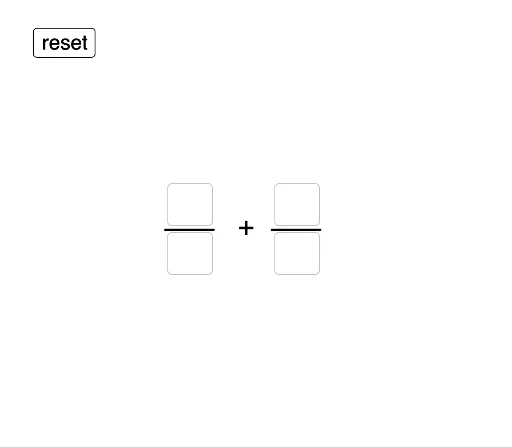
几何画板及绘图内容加载中,请稍等……
①本范例通过条形图直观演示分数加法的算法;②涉及核心数学概念包括分数加法、条形图表示、最小公倍数;③构造要点:使用Textfield输入分数,Polygon绘制条形图,Sequence生成序列,GCD计算最大公约数;④适合初中数学教学,帮助学生理解分数加法的可视化过程。
GeoGebra 命令及参数
Textfield(inputNum1) → a1InputBoxNum1Textfield(inputDenom1) → a2InputBoxDenom1Textfield(inputNum2) → a3InputBoxNum2Textfield(inputDenom2) → a4InputBoxDenom2Polygon(B, B + (tapelength, 0), B + (tapelength, tapeheight), B + (0, tapeheight)) → Tape1, b, f, g, hPolygon(C, C + (tapelength, 0), C + (tapelength, tapeheight), C + (0, tapeheight)) → Tape2, c, i, j, kSequence(Segment[B + ((i * tape1unitlength), 0), B + ((i * tape1unitlength), tapeheight)], i, 1, inputDenom1 - 1) → tape1barsSequence(Segment[C + ((i * tape2unitlength), 0), C + ((i * tape2unitlength), tapeheight)], i, 1, inputDenom2 - 1) → tape2barsSequence(Segment[B + ((i * newunit1), 0), B + ((i * newunit1), tapeheight)], i, 1, (inputDenom1 * scale1) - 1) → newtape1barsSequence(Segment[C + ((i * newunit2), 0), C + ((i * newunit2), tapeheight)], i, 1, (inputDenom2 * scale2) - 1) → newtape2barsPolygon(B, B + ((tape1unitlength * inputNum1), 0), B + ((tape1unitlength * inputNum1), tapeheight), B + (0, tapeheight)) → FractionTape1, b_1, l, m, nPolygon(C, C + ((tape2unitlength * inputNum2), 0), C + ((tape2unitlength * inputNum2), tapeheight), C + (0, tapeheight)) → FractionTape2, c_1, p, q, rTextfield(inputnewnum1) → a5InputBoxNewNum1Textfield(inputnewdenom1) → a6InputBoxNewDenom1Textfield(inputnewnum2) → a7InputBoxNewNum2Textfield(inputnewdenom2) → a8InputBoxNewDenom2GCD(sumnum, sumdenom) → reduceby
AI 绘图提示语参考
画一个分数加法可视化图,包含两个带状图分别表示两个分数,用不同颜色区分,并标出每个分数的分子和分母,再画出两个分数相加后的结果,用新的带状图表示,并标出结果的分子和分母,最后用最简分数表示相加结果,展示分数加法的计算过程和带状图的应用。
以上提示语为根据原始绘图命令整理而来,仅供参考。