
Writing Linear Equation Given Both Intercepts
Loading the math board and drawing, please wait…
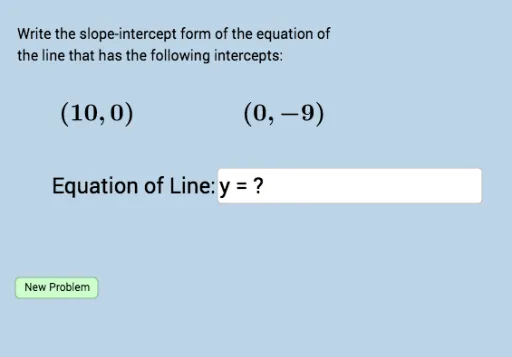
This GeoGebra example demonstrates how to write the equation of a line when both its x-intercept and y-intercept are known, and generates practice problems with immediate feedback. The core mathematical concepts include the intercept form of a linear equation (x/a + y/b = 1), the slope-intercept form (y = mx + b), and the relationship between intercepts and slope. Construction details: the applet uses Sequence to generate random intercept values, Union to combine lists, RandomElement to pick random parameters, Line to draw the line, Slope to compute its slope, FractionText to display the slope as a fraction, Textfield and InputBox1 for user input, button1 to trigger checking, and multiple Text objects to display the problem and feedback. It is suitable for middle school or early high school students learning linear equations, and can be used for classroom demonstration or independent practice.
GeoGebra Commands & Parameters
Sequence(i, i, -10, -1, 1) → leftSequence(i, i, 1, 10, 1) → rightUnion(left, right) → list1RandomElement(list1) → aRandomElement(list1) → bLine(A, B) → fSlope(f) → cFractionText(c) → text2Textfield(h) → InputBox1
AI Drawing Prompt Reference
Draw a line with x-intercept a and y-intercept b. First, create two lists of x-intercepts, one from -10 to -1 and another from 1 to 10. Then, randomly select one x-intercept and one y-intercept. Use these intercepts to draw a line, calculate its slope, and display the slope as a fraction.
The prompt above was compiled from the original drawing commands and is for reference only.