
Wiley Module 2: Geometric Patterns and Theorems
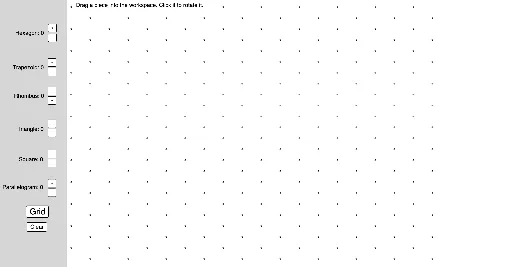
Loading the math board and drawing, please wait…
In collections
Virtual Manipulatives
This example demonstrates geometric patterns and theorems using interactive tools, focusing on hexagons, triangles, squares, and transformations. It involves core concepts like the Pythagorean theorem, scalene triangles, real numbers, centroid, and boxplots. GeoGebra commands such as Hexagon, Rotate, Midpoint, and Polygon are used in construction. Suitable for high school mathematics education, emphasizing geometric constructions and theorem verification.
GeoGebra Commands & Parameters
Hexagon(A) → f, g, h, i, j, k, poly1, BHexagon(C) → l, m, n, p, q, r, poly2, DHexagon(E) → s, t, a, b, c, d, poly3, FHexagon(G) → e, f_1, g_1, h_1, i_1, j_1, poly4, HTool2(I) → poly5, k_1, l_1, m_1, n_1, JTool2(K) → poly6, p_1, q_1, r_1, s_1, LTool2(M) → poly7, t_1, a_1, b_1, c_1, NTool2(O) → poly8, d_1, e_1, f_2, g_2, PTool4(Q) → h_2, i_2, j_2, k_2, R, poly9Tool4(S) → l_2, m_2, n_2, p_2, T, poly10Tool4(U) → q_2, r_2, s_2, t_2, V, poly11Tool4(W) → a_2, b_2, c_2, d_2, Z, poly12Tool4(A_1) → e_2, f_3, g_3, h_3, B_1, poly13Tool4(C_1) → i_3, j_3, k_3, l_3, D_1, poly14Tool3(E_1) → m_3, n_3, p_3, F_1, poly15Tool3(G_1) → q_3, r_3, s_3, H_1, poly16Tool3(I_1) → t_3, a_3, b_3, J_1, poly17Tool3(K_1) → c_3, d_3, e_3, L_1, poly18Tool3(M_1) → f_4, g_4, h_4, N_1, poly19Tool3(O_1) → i_4, j_4, k_4, P_1, poly20Tool3(Q_1) → l_4, m_4, n_4, R_1, poly21Tool3(S_1) → p_4, q_4, r_4, T_1, poly22Tool3(U_1) → s_4, t_4, a_4, V_1, poly23Tool3(W_1) → b_4, c_4, d_4, Z_1, poly24Tool3(A_2) → e_4, f_5, g_5, B_2, poly25Tool3(C_2) → h_5, i_5, j_5, D_2, poly26Hexagon(A_3) → f_6, g_6, h_6, i_6, j_6, k_5, poly1_1, B_3Hexagon(C_3) → l_5, m_5, n_5, p_5, q_5, r_5, poly2_1, D_3Hexagon(E_2) → s_5, t_5, a_5, b_5, c_5, d_5, poly3_1, F_2Hexagon(G_2) → e_5, f_7, g_7, h_7, i_7, j_7, poly4_1, H_2Tool2(I_2) → poly5_1, k_6, l_6, m_6, n_6, J_2Tool2(K_2) → poly6_1, p_6, q_6, r_6, s_6, L_2Tool2(M_2) → poly7_1, t_6, a_6, b_6, c_6, N_2Tool2(O_2) → poly8_1, d_6, e_6, f_8, g_8, P_2Tool4(Q_2) → h_8, i_8, j_8, k_7, R_2, poly9_1Tool4(S_2) → l_7, m_7, n_7, p_7, T_2, poly10_1Tool4(U_2) → q_7, r_7, s_7, t_7, V_2, poly11_1Tool4(W_2) → a_7, b_7, c_7, d_7, Z_2, poly12_1Tool4(A_4) → e_7, f_9, g_9, h_9, B_4, poly13_1Tool4(C_4) → i_9, j_9, k_8, l_8, D_4, poly14_1Tool3(E_3) → m_8, n_8, p_8, F_3, poly15_1Tool3(G_3) → q_8, r_8, s_8, H_3, poly16_1Tool3(I_3) → t_8, a_8, b_8, J_3, poly17_1Tool3(K_3) → c_8, d_8, e_8, L_3, poly18_1Tool3(M_3) → f_{10}, g_{10}, h_{10}, N_3, poly19_1Tool3(O_3) → i_{10}, j_{10}, k_9, P_3, poly20_1Tool3(Q_3) → l_9, m_9, n_9, R_3, poly21_1Tool3(S_3) → p_9, q_9, r_9, T_3, poly22_1Tool3(U_3) → s_9, t_9, a_9, V_3, poly23_1Tool3(W_3) → b_9, c_9, d_9, Z_3, poly24_1Tool3(A_5) → e_9, f_{11}, g_{11}, B_5, poly25_1Tool3(C_5) → h_{11}, i_{11}, j_{11}, D_5, poly26_1Circle(A_6, 1) → c_{10}Point(c_{10}) → B_6Rotate(B_6, 90°, A_6) → B'_1Rotate(A_6, (-(90°)), B_6) → A'_1Square(C_6) → D_6, poly2_2, f_{12}, g_{12}, h_{12}, i_{12}Square(E_4) → F_4, poly3_2, j_{12}, k_{10}, l_{10}, m_{10}Square(G_4) → H_4, poly4_2, n_{10}, p_{10}, q_{10}, r_{10}Square(I_4) → J_4, poly5_2, s_{10}, t_{10}, d_{10}, e_{10}Square(K_4) → L_4, poly6_2, f_{13}, g_{13}, h_{13}, i_{13}Square(M_4) → N_4, poly7_2, j_{13}, k_{11}, l_{11}, m_{11}Square(O_4) → P_4, poly8_2, n_{11}, p_{11}, q_{11}, r_{11}Circle(A_7, 1) → c_{11}Point(c_{11}) → B_7Rotate(B_7, 150°, A_7) → B'_2Midpoint(B'_2, B_7) → C_7Mirror(A_7, C_7) → A'_2Polygon(A_7, B_7, A'_2, B'_2) → poly1_2, a_{10}, b_{10}, a'_1, b'_1TanRhombus(D_7) → E_5, poly2_3, f_{14}, g_{14}, h_{14}, i_{14}TanRhombus(F_5) → G_5, poly3_3, j_{14}, k_{12}, l_{12}, m_{12}TanRhombus(H_5) → I_5, poly4_3, n_{12}, p_{12}, q_{12}, r_{12}TanRhombus(J_5) → K_5, poly5_3, s_{11}, t_{11}, d_{11}, e_{11}TanRhombus(L_5) → M_5, poly6_3, f_{15}, g_{15}, h_{15}, i_{15}TanRhombus(N_5) → O_5, poly7_3, j_{15}, k_{13}, l_{13}, m_{13}TanRhombus(P_5) → Q_4, poly8_3, n_{13}, p_{13}, q_{13}, r_{13}Hexagon(A_8) → f_{16}, g_{16}, h_{16}, i_{16}, j_{16}, k_{14}, poly1_3, B_8Hexagon(C_8) → l_{14}, m_{14}, n_{14}, p_{14}, q_{14}, r_{14}, poly2_4, D_8Hexagon(E_6) → s_{12}, t_{12}, a_{11}, b_{11}, c_{12}, d_{12}, poly3_4, F_6Hexagon(G_6) → e_{12}, f_{17}, g_{17}, h_{17}, i_{17}, j_{17}, poly4_4, H_6Hexagon(A_{11}) → f_{18}, g_{18}, h_{18}, i_{18}, j_{18}, k_{15}, poly1_4, B_9Hexagon(C_{11}) → l_{15}, m_{15}, n_{15}, p_{15}, q_{15}, r_{15}, poly2_5, D_9Hexagon(E_8) → s_{13}, t_{13}, a_{12}, b_{12}, c_{13}, d_{13}, poly3_5, F_7Hexagon(G_8) → e_{13}, f_{19}, g_{19}, h_{19}, i_{19}, j_{19}, poly4_5, H_7Tool2(I_{10}) → poly5_4, k_{16}, l_{16}, m_{16}, n_{16}, J_6Tool2(K_{10}) → poly6_4, p_{16}, q_{16}, r_{16}, s_{14}, L_6Tool2(M_{10}) → poly7_4, t_{14}, a_{13}, b_{13}, c_{14}, N_6Tool2(O_{10}) → poly8_4, d_{14}, e_{14}, f_{20}, g_{20}, P_6Tool2(I_{12}) → poly5_5, k_{17}, l_{17}, m_{17}, n_{17}, J_7Tool2(K_{12}) → poly6_5, p_{17}, q_{17}, r_{17}, s_{15}, L_7Tool2(M_{12}) → poly7_5, t_{15}, a_{14}, b_{14}, c_{15}, N_7Tool2(O_{12}) → poly8_5, d_{15}, e_{15}, f_{21}, g_{21}, P_7Tool4(S_{12}) → l_{18}, m_{18}, n_{18}, p_{18}, T_4, poly10_2Tool4(U_{12}) → q_{18}, r_{18}, s_{16}, t_{16}, V_4, poly11_2Tool4(W_{12}) → a_{15}, b_{15}, c_{16}, d_{16}, Z_4, poly12_2Tool4(A_{21}) → e_{16}, f_{22}, g_{22}, h_{20}, B_{10}, poly13_2Circle(A_{26}, 1) → c_{17}Point(c_{17}) → B_{11}Rotate(B_{11}, 150°, A_{26}) → B'_3Midpoint(B'_3, B_{11}) → C_{26}Mirror(A_{26}, C_{26}) → A'_3Polygon(A_{26}, B_{11}, A'_3, B'_3) → poly1_5, a_{16}, b_{16}, a'_2, b'_2TanRhombus(D_{10}) → E_{18}, poly2_6, f_{23}, g_{23}, h_{21}, i_{20}TanRhombus(F_8) → G_{18}, poly3_6, j_{20}, k_{18}, l_{19}, m_{19}TanRhombus(H_8) → I_{18}, poly4_6, n_{19}, p_{19}, q_{19}, r_{19}TanRhombus(J_8) → K_{18}, poly5_6, s_{17}, t_{17}, d_{17}, e_{17}TanRhombus(L_8) → M_{18}, poly6_6, f_{24}, g_{24}, h_{22}, i_{21}TanRhombus(N_8) → O_{18}, poly7_6, j_{21}, k_{19}, l_{20}, m_{20}TanRhombus(P_8) → Q_{17}, poly8_6, n_{20}, p_{20}, q_{20}, r_{20}Sequence(Sequence[(3^(0.5) / 2, 0.5) + ((3^(0.5) * (i - 1)), k - 1), i, 1, 10], k, -10, 10) → IsoDots2Sequence(Sequence[(0, 0) + ((3^(0.5) * (i - 1)), k - 1), i, 1, 10], k, -10, 10) → IsoDots1
AI Drawing Prompt Reference
Create a symmetric geometric pattern composed of regular hexagons, triangles, and squares. Start by placing four hexagons near the corners, each containing a smaller hexagon inside. Then fill the gaps between hexagons with triangles and squares arranged in a circular pattern. The overall design is centrally symmetric, with multiple rotated polygons forming a repeating tessellation. All polygons share vertices and align edges to create a tightly packed planar mosaic.
The prompt above was compiled from the original drawing commands and is for reference only.