
Whole Number Comparison
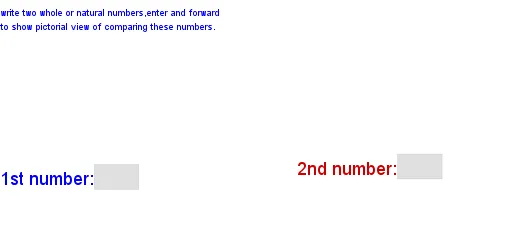
Loading the math board and drawing, please wait…
This example demonstrates how to use GeoGebra for comparing whole numbers, visually representing comparison results. Core math concepts include integers, comparison operations, and set representation. Construction highlights involve commands/objects like Textfield, Sequence, Max, Min, objects left, lefttext, right, righttext, InputBox2, InputBox1, size, slide, lists (4-8), timer, hide, reset, buttons, etc., for interactive visualization. Suitable for middle school and above, aiding understanding of integer comparison and set operations.
GeoGebra Commands & Parameters
Textfield(righttext) → InputBox2Textfield(lefttext) → InputBox1Sequence(Point[{(2 * Mod[i, size]) + 1 - (1.5 * (size - (slide * size))), (2 * Div[i, size]) + 1}], i, 0, left - 1) → list4Sequence(Point[{(2 * Mod[i, size]) + 1 + (1.5 * (size - (slide * size))), (2 * Div[i, size]) + 1}], i, 0, right - 1) → list5Sequence(Point[{(2 * Div[i, 10]) + If[Div[i, 10] ≟ Div[left, 10], If[Mod[i, 10] < 5, 0, 2], 0] - (1.5 * (size - (slide * size))), (If[left - (10 * Div[i, 10]) < 10, 2, 1] * Mod[i, 10]) + If[Div[i, 10] ≟ Div[left, 10] ∧ Mod[i, 10] > 4, -10, 0]}], i, 0, left - 1) → list6Sequence(Point[{(2 * Div[i, 10]) + If[Div[i, 10] ≟ Div[right, 10], If[Mod[i, 10] < 5, 0, 2], 0] + (1.5 * (size - (slide * size))), (If[right - (10 * Div[i, 10]) < 10, 2, 1] * Mod[i, 10]) + If[Div[i, 10] ≟ Div[right, 10] ∧ Mod[i, 10] > 4, -10, 0]}], i, 0, right - 1) → list7Sequence(((list6(i) - list4(i)) * (1 - timer)) + list4(i), i, 1, left) → list8Sequence(((list7(i) - list5(i)) * (1 - timer)) + list5(i), i, 1, right) → list1Sequence(Polygon[list1(i), (x(list1(i)) + 1, y(list1(i))), 4], i, 1, right) → list3Max({15, (4 * size), (2 * Div[right, 10]) + (2 * size)}) → RMin((-2 * size), -15) → LSequence(Polygon[list8(i), (x(list8(i)) + 1, y(list8(i))), 4], i, 1, left) → list2