
Whale or Fish
Loading the math board and drawing, please wait…
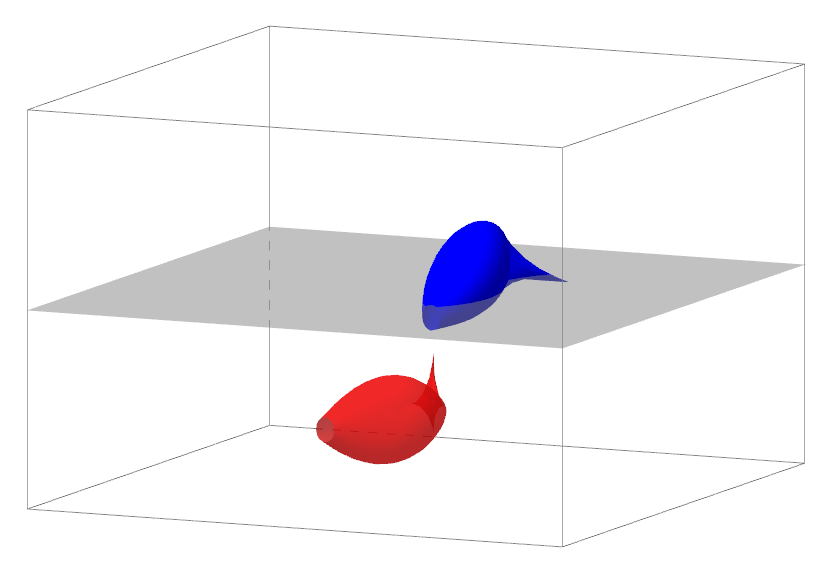
This example demonstrates how to construct 3D surface graphics simulating a cetacean or fish using GeoGebra commands. Core math concepts include 3D geometry construction, coordinate transformation, and parametric equations. Key commands used are Surface with objects like t, b, c, d, a, g, h, speed, Bouton1, cetace, fish. Suitable for high school and above students exploring applications of solid geometry and parametric equations.
GeoGebra Commands & Parameters
Surface(j, 2 + ((cos(i) * b) * cos((j + d) / c)), (((sin(i) * 1.3) * b) * cos((j - h) / g)^(2)) + (a * cos((j + t) / c)), i, 0, 6.28319, j, -5, 5) → cetaceSurface(j, -2 + ((sin(i) * b) * cos((j - h) / g)^(2)) + (a * cos((j + t) / c)), (((cos(i) * 1.3) * b) * cos((j + d) / c)) - 5, i, 0, 6.28319, j, -5, 5) → fish
AI Drawing Prompt Reference
Create a 3D surface graphic simulating a cetacean or fish using two core equations, one for a whale and one for a fish. The surface is generated by combining cosine and sine functions with parametric transformations, controlling the undulations and shape of the surface through periodic variations and amplitude adjustments to form smooth contours. First generate the whale shape, then the fish shape, with shared parameters adjusted to reflect the distinct morphological features of each creature.
The prompt above was compiled from the original drawing commands and is for reference only.