
Weighted Averages in a Triangle: A Geometric Construction
Loading the math board and drawing, please wait…
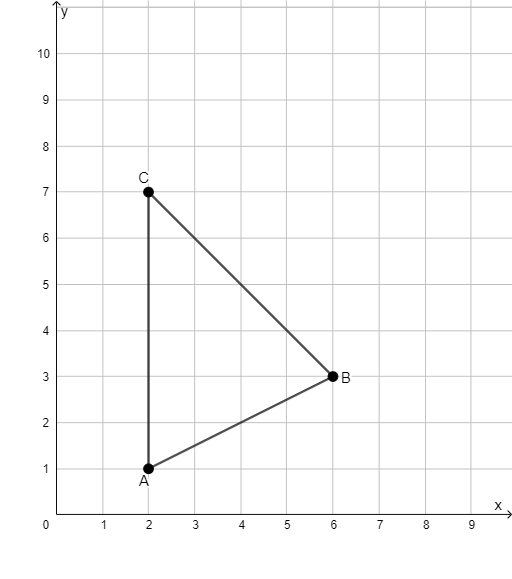
This example demonstrates how to construct a point inside a triangle that represents a weighted average, making clear how the chosen weights determine the point’s location and the implied distribution among the vertices. The key ideas are weighted averages, affine-combination/geometric centroid reasoning, and the correspondence between coefficients and geometric position. Construction-wise, it relies on GeoGebra’s “Segment” command to build the necessary connecting geometry, using the objects A, B, C as the triangle’s vertices together with supporting elements f, g, and h to organize the weighted relations and visualize the resulting point placement. Suitable for late middle school through early high school, and for enrichment/competition prep where students connect algebraic weighting to geometric meaning.
GeoGebra Commands & Parameters
Segment(C, A) → fSegment(A, B) → gSegment(B, C) → h
AI Drawing Prompt Reference
Draw a triangle and construct a point inside it that represents a weighted average by connecting the vertices to specific points on the opposite sides using line segments. The point's location and the distribution among the vertices are determined by the weights, which are visualized through the segments. Start by drawing the triangle's sides, then create segments from each vertex to points on the opposite side to establish the weighted relationships.
The prompt above was compiled from the original drawing commands and is for reference only.