
Volume of Rotation about Y-axis
Loading the math board and drawing, please wait…
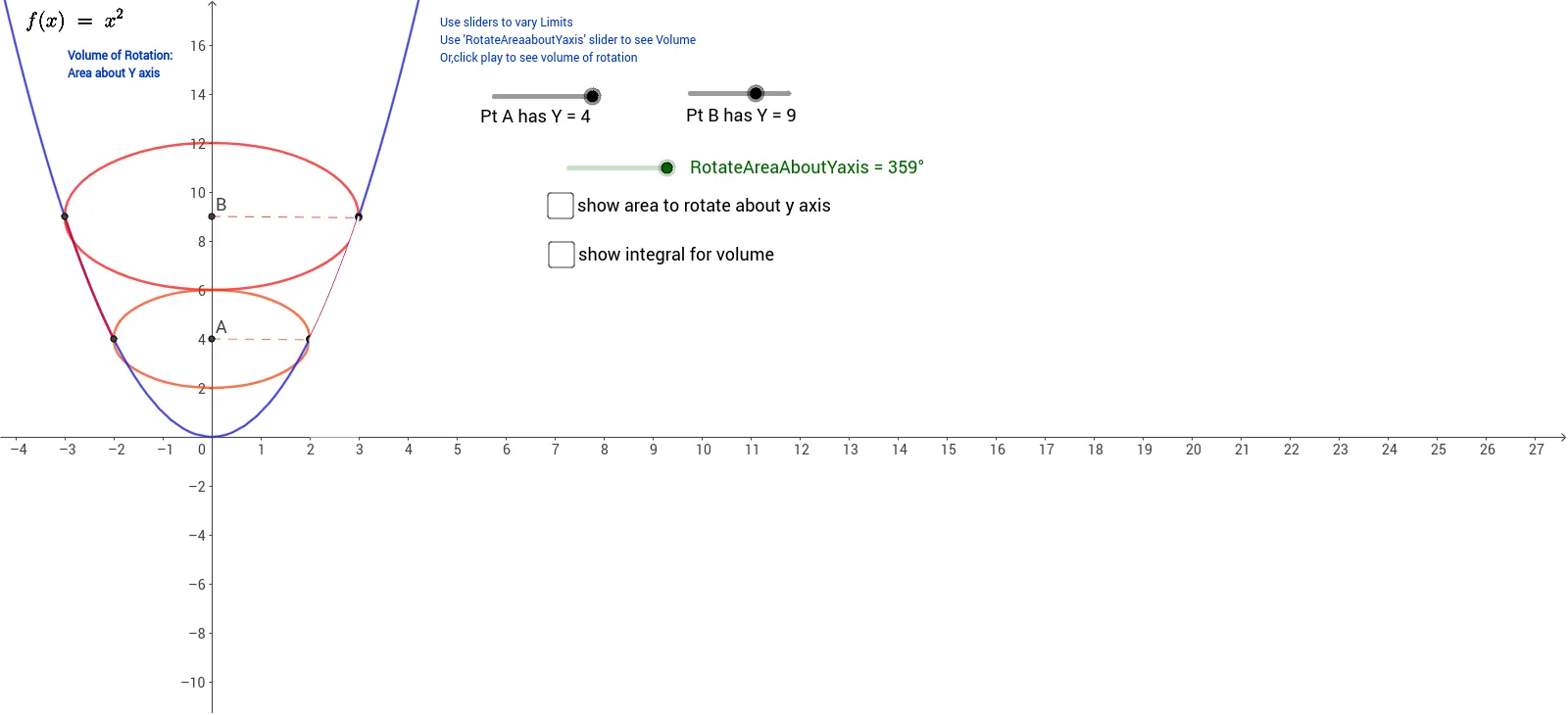
This example demonstrates how to calculate the volume of a solid of revolution formed by rotating a function around the Y-axis. Key math concepts include volume of solids of revolution, integration, function graphs, and coordinate geometry. It uses commands like CircleArc, Rotate, Segment, Circle, Function, Polygon, Integral in GeoGebra for construction. Suitable for high school and above students learning calculus and solid geometry to understand volume calculation methods.
GeoGebra Commands & Parameters
CircleArc(B, B1, B2) → cRotate(D, RotateAreaAboutYaxis, B) → ESegment(B, E) → dCircleArc(B, D, E) → eCircle(A, A1) → hRotate(F, RotateAreaAboutYaxis, A) → CSegment(A, C) → iCircleArc(A, F, C) → kFunction(f, aLimit, bLimit) → f1Function(g, x(B2), x(A2)) → g1Segment(E, C1) → bSegment(A, C1) → jSegment(B, A) → lPolygon(B, E, C1, A) → poly1, b_1, e_1, c1, a_1Integral(f, x(C), x(E)) → integralwhite
AI Drawing Prompt Reference
Draw a function graph rotated around the Y-axis to show the volume of the solid of revolution. First, draw the function curve, then rotate it around the Y-axis to form the outline of the solid, followed by drawing the boundary lines and base of the solid, and finally calculate and mark the volume of the solid.
The prompt above was compiled from the original drawing commands and is for reference only.