
Volume Element Graphic: 3D Visualization of Rotation and Normal Distribution
Loading the math board and drawing, please wait…
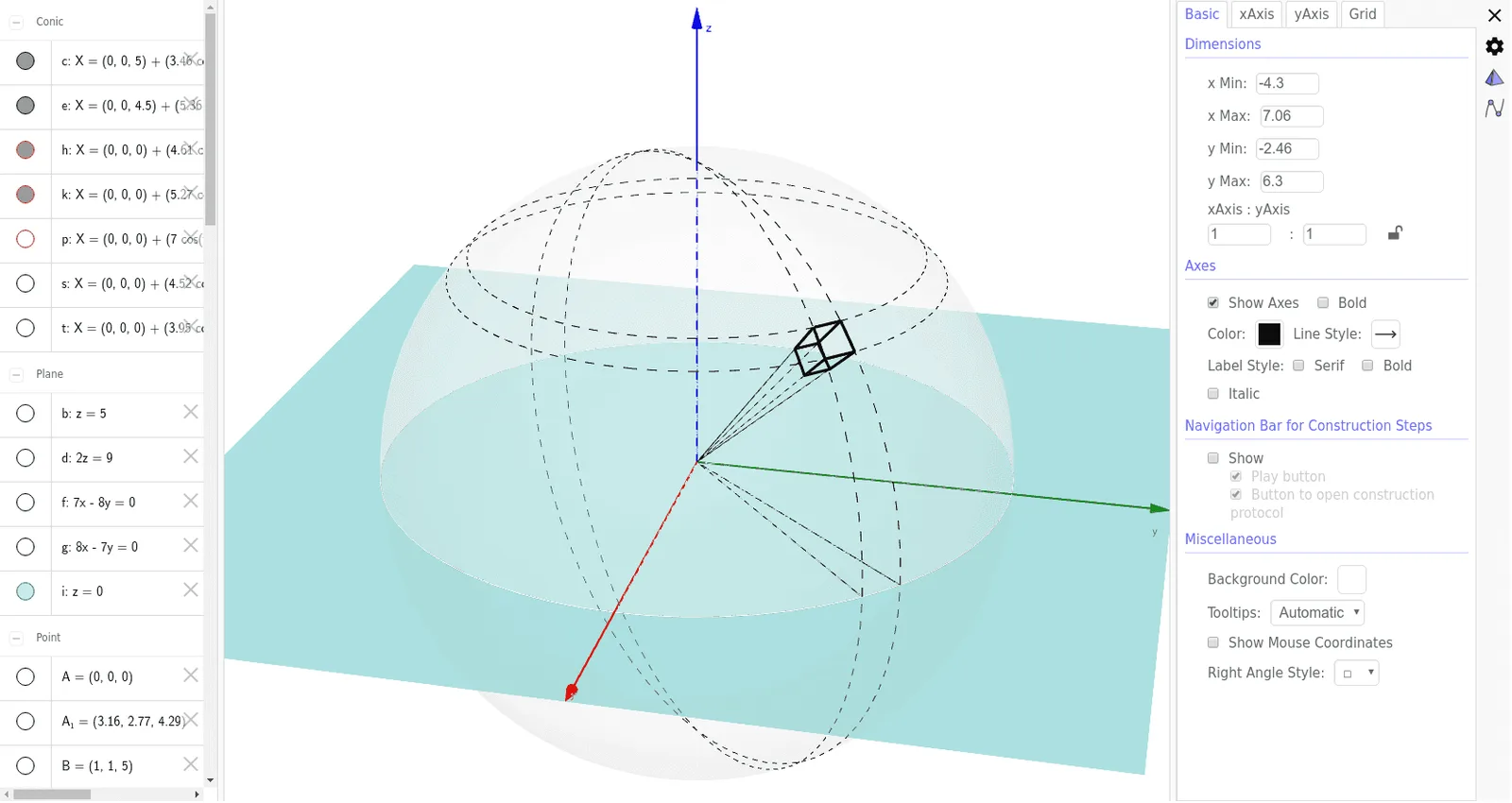
① This example demonstrates the geometric construction of a volume element in 3D space, integrating spheres, planes, polygons, and curves related to rotation and normal distribution. ② Core mathematical concepts include volume elements, solids of revolution, normal distribution, piecewise functions, and intersections of polygons with planes. ③ Construction highlights: using GeoGebra commands such as Intersect, Sphere, Plane, IntersectPath, Point, Segment, and PointIn, the model builds multiple objects (A, B, C, D, etc.) including points, segments, polygons, and surfaces, enabling dynamic exploration of the volume element. ④ Suitable for high school to undergraduate mathematics, this graphic aids in understanding the geometric meaning of volume differentials in integration, volume calculation for rotated solids, and 3D representations in probability and statistics.
GeoGebra Commands & Parameters
Intersect(zAxis, xAxis) → ASphere(A, 7) → aPlane(D, C, B) → bIntersectPath(b, a) → cPlane(G, E, F) → dIntersectPath(d, a) → ePlane(A, I, K) → fPlane(A, H, J) → gIntersectPath(g, a) → hIntersectPath(f, a) → kPoint(k) → LPoint(h) → MIntersect(xAxis, yAxis) → NSegment(N, L) → jSegment(N, M) → lIntersectPath(i, a) → pIntersect(k, e) → O, P, ,Intersect(e, h) → Q, R, ,Intersect(h, c) → S, T, ,Intersect(k, c) → U, V, ,Segment(A, V) → mSegment(A, O) → nSegment(A, T) → qSegment(A, R) → rPointIn(a) → WIntersectPath(f, aa) → sIntersectPath(g, aa) → tIntersect(m, aa) → A_1, ZIntersect(n, aa) → C_1, B_1Intersect(r, aa) → E_1, D_1Intersect(q, aa) → G_1, F_1Segment(V, T) → a_1Segment(V, O) → b_1Segment(O, R) → c_1Segment(T, R) → d_1Segment(A_1, C_1) → e_1Segment(G_1, E_1) → f_1Segment(E_1, C_1) → g_1Segment(G_1, A_1) → h_1Segment(G_1, T) → i_1Segment(A_1, V) → j_1Segment(E_1, R) → k_1Segment(C_1, O) → l_1
AI Drawing Prompt Reference
Draw a 3D volume element visualization: a sphere centered at the origin with radius 7. Several planes pass through the sphere's center and other points, intersecting the sphere to create circular paths on its surface. These circles intersect each other, generating multiple points. From the center, draw line segments to these intersection points. Additionally, place a point on the sphere and connect it to the intersection points, forming polygonal faces. More planes intersect the sphere, producing additional curves and points, which are connected to build a closed polyhedral structure, illustrating the geometric concept of a volume element related to solids of revolution and normal distribution.
The prompt above was compiled from the original drawing commands and is for reference only.