
Visualizing the Difference of Two Line Segments
Loading the math board and drawing, please wait…
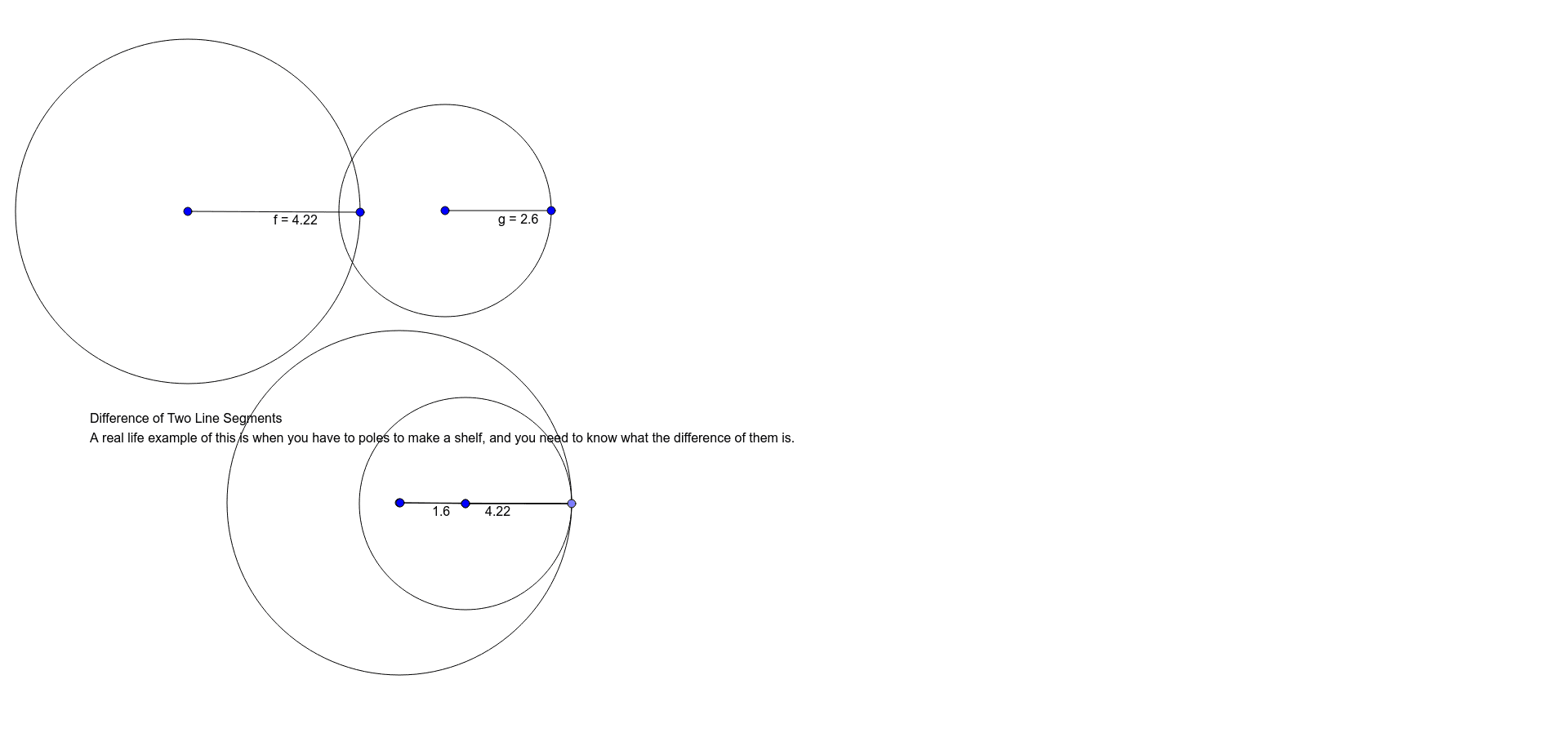
This GeoGebra example demonstrates how to visually construct the difference between two line segments using basic geometric tools. It shows the process of taking two given segments AB and CD, and through circle constructions and point intersections, obtaining a new segment whose length equals the difference of the two original lengths. The core mathematical concepts involve segment length measurement, geometric representation of differences, and classical straightedge-and-compass construction principles. The construction uses commands such as Segment to define the original segments, Circle to draw circles with radii equal to the segment lengths, and Point to mark intersection points, finally connecting relevant points to form the difference segment. This example is suitable for middle school geometry classes to help students understand how to construct segment differences, and can also serve as a dynamic demonstration tool in high school analytic geometry or math lab sessions.
GeoGebra Commands & Parameters
Segment(A, B) → fSegment(C, D) → gCircle(A, Segment[A, B]) → cSegment(A_1, B_1) → f_1Circle(A_1, Segment[A_1, B_1]) → c_1Point(c_1) → ESegment(A_1, E) → hCircle(C, Segment[C, D]) → dSegment(C_1, D_1) → g_1Circle(C_1, Segment[C_1, D_1]) → d_1Segment(C_1, E) → iSegment(C_1, E) → jSegment(F, G) → k
AI Drawing Prompt Reference
Draw two line segments AB and CD, and construct their length difference using circles and intersection points. First, draw AB and CD. Then, draw a circle with center A and radius AB, and find the midpoint A1 of AB. Draw another circle with center A1 and radius A1B, and mark the intersection point E. Connect A1 to E to form a segment. Next, draw a circle with center C and radius CD, and find the midpoint C1 of CD. Draw another circle with center C1 and radius C1D, and mark the intersection point E. Connect C1 to E to form another segment. The lengths of these two segments represent the difference between the original segments.
The prompt above was compiled from the original drawing commands and is for reference only.