
Visualizing Complex Roots
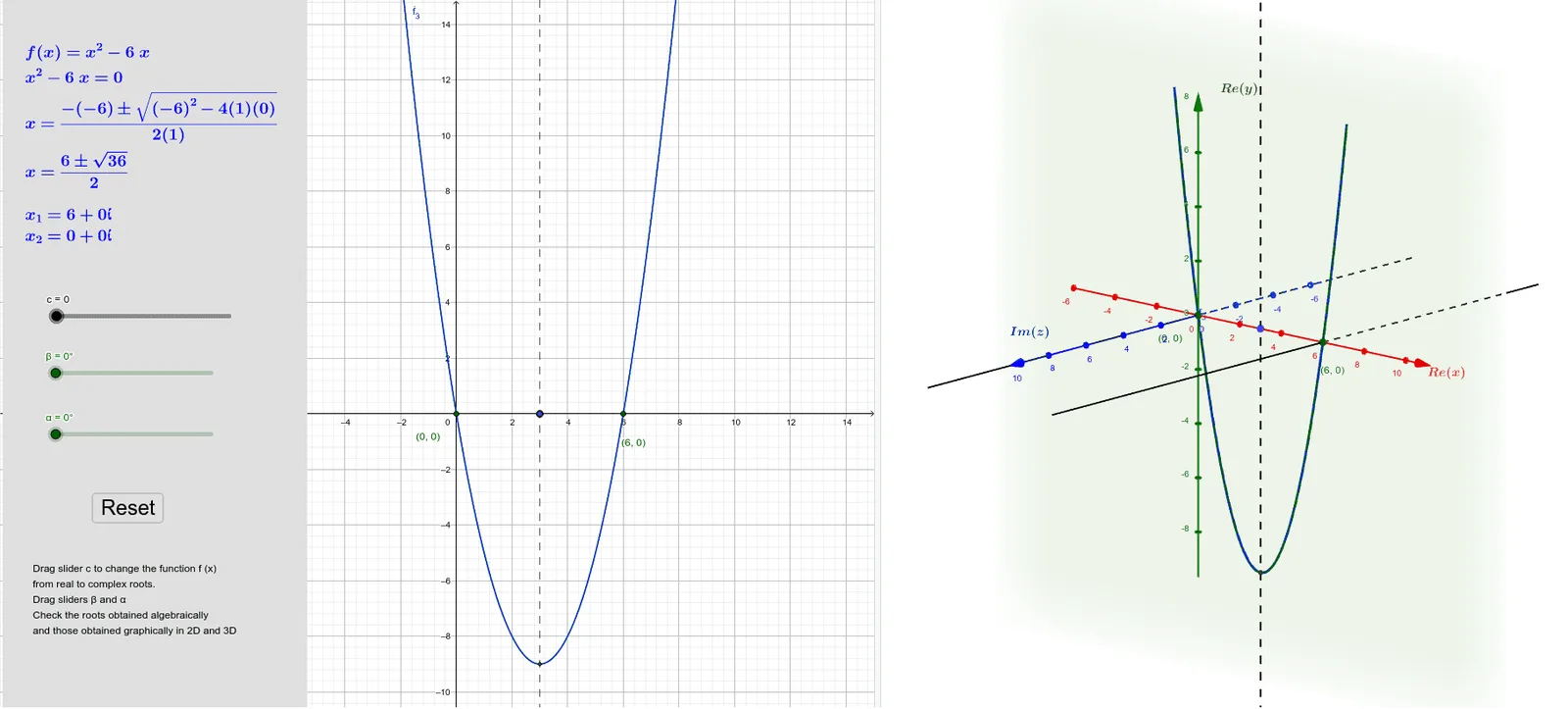
Loading the math board and drawing, please wait…
This example uses GeoGebra to demonstrate the concept of complex roots. It involves complex numbers, quadratic functions, and roots. Using GeoGebra commands such as Min, Line, Mirror, Roots, etc., it dynamically shows the properties of complex roots. Suitable for high school math education and learning.
GeoGebra Commands & Parameters
Min(f, 2, 4) → ALine(A, xAxis) → gMirror(f, A) → f_1Line(A, yAxis) → hRoots(f, -1, 7) → D, ECompleteSquare(f) → pIntersect(h, xAxis) → CLine(A, zAxis) → kLine(D, zAxis) → lLine(G, zAxis) → nIntersect(f_1, xAxis) → B, FCircle(h, G) → dCircle(h, B) → eIntersect(n, e) → H, ISegment(G, F) → jSegment(G, B) → qLine(I, xAxis) → rLine(H, xAxis) → sPoint(yAxis) → JPoint(zAxis) → KPoint(xAxis) → LComplexRoot(f) → z_1, z_2Line(E, zAxis) → mPlane((0, 0, 0), (0, 3, 0), (7, 0, 0)) → p_1Plane((0, 0, 6), (0, 0, 0), (7, 0, 0)) → q_1Rotate(f_1, α, G, h) → f_2Plane((3, 2, 3), (3, 5, 6), (3, -2, -4)) → r_1Rotate(f, β, A, r_1) → f_3
AI Drawing Prompt Reference
Draw a quadratic function and its complex roots, showing the intersection points D and E with the x-axis, use reflection to get f_1 and show its intersection points B and F with the x-axis, also draw the complex roots z_1 and z_2.
The prompt above was compiled from the original drawing commands and is for reference only.