
Vertical Translation with Slider
Loading the math board and drawing, please wait…
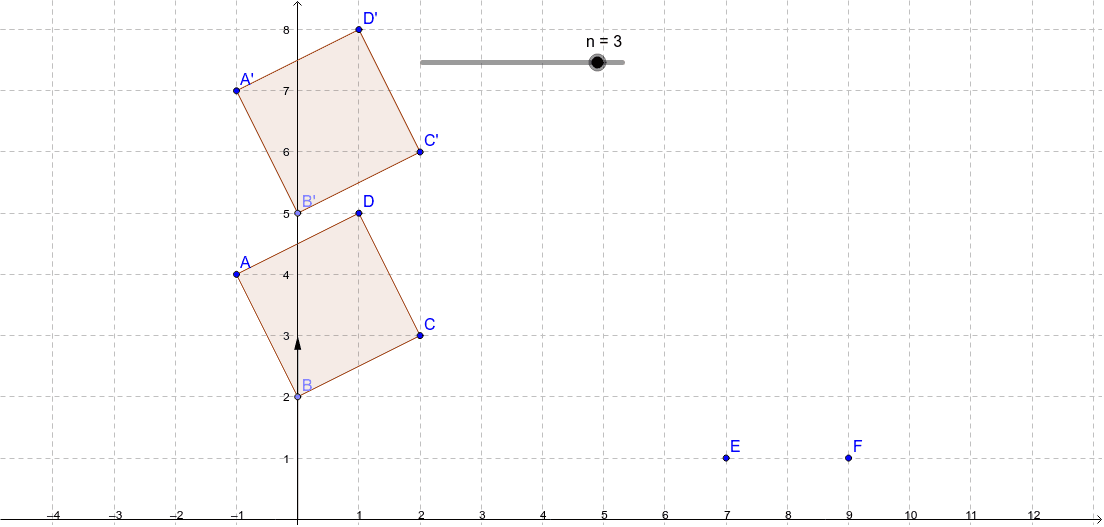
This example demonstrates the process of vertically translating a geometric figure using a slider. Key mathematical concepts include transformation, linear functions, and geometric figures. Construction highlights the use of GeoGebra commands like Point, Polygon, and Translate to create shapes and control translation via a slider. Suitable for middle school and above students learning geometric transformations and function graph translations.
GeoGebra Commands & Parameters
Point(yAxis) → BPolygon(A, B, C, D) → poly1, a, b, c, dTranslate(A, u) → A'Translate(B, u) → B'Translate(C, u) → C'Translate(D, u) → D'Polygon(A', B', C', D') → poly1', a', b', c', d'
AI Drawing Prompt Reference
Draw a rectangle ABCD and use a slider to vertically translate it. Start by creating point B on the y-axis, then form the rectangle with points A, B, C, and D. Next, use the slider to vertically translate points A, B, C, and D to A', B', C', and D', respectively, and finally draw a new rectangle with these translated points.
The prompt above was compiled from the original drawing commands and is for reference only.