
Vertical Spring Oscillation Model
Loading the math board and drawing, please wait…
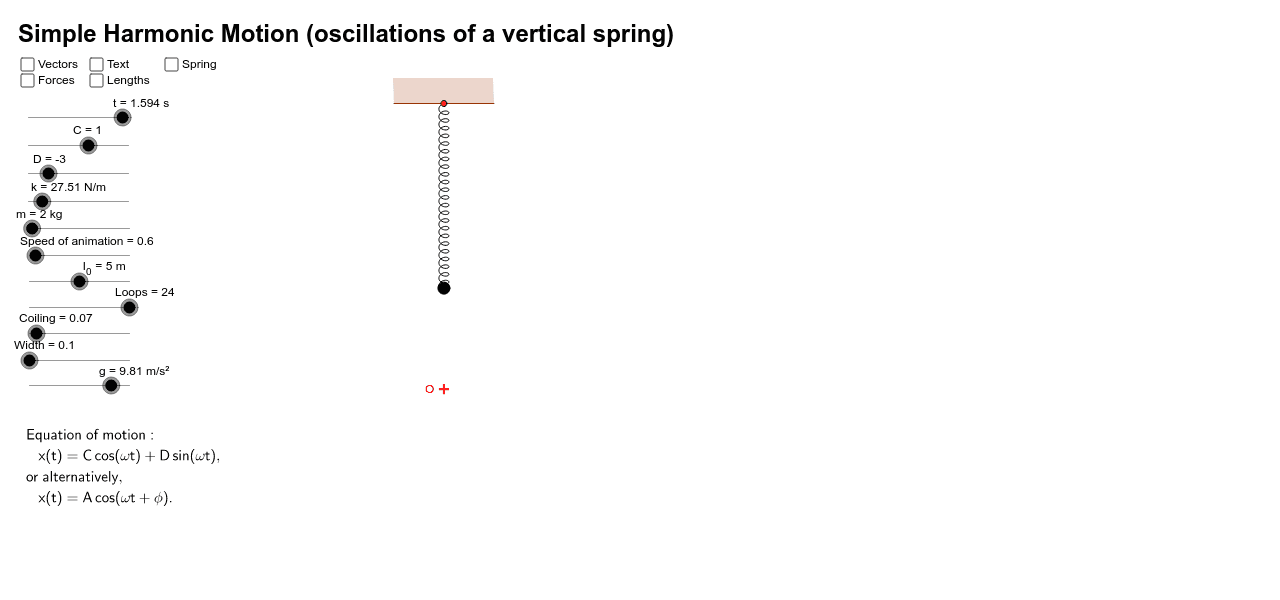
This example demonstrates how to model the motion of a particle attached to a vertical spring using GeoGebra. It involves core mathematical concepts like differential equations, kinematics, vector analysis, and trigonometry. The construction utilizes commands and objects such as Point, Intersect, Midpoint, Ray, Line, Segment, Vector, If, Polygon, and CurveCartesian. Suitable for high school students and math enthusiasts interested in physics simulations.
GeoGebra Commands & Parameters
Point(yAxis) → BPoint(Circle[B, abs(l_{eq})]) → OIntersect(f, yAxis) → PMidpoint(P, O) → MRay(P, O) → lLine(O, xAxis) → bPoint(b) → ZSegment(B, P) → SpringLine(B, xAxis) → aVector(P, W') → WIf(v' ≥ 0, (x(P), y(P) + sgn(v')), (x(W'), y(W') + sgn(v'))) → H'Vector(P, H') → HMidpoint(B, P) → SVector(S, S') → sVector(I, I') → iPoint(a) → VIntersect(xAxis, yAxis) → O''Point(Circle[B, 1]) → EPolygon(B, E, E', E'', E''') → Ceiling, h', h'', h''', h'''', hCurveCartesian(Width * sin(t), Spring * t / (2 * π * Loops) + Coiling * cos(t) - Coiling + y(P), t, 0, 2 * π * Loops) → CoilLine(V, yAxis) → j'Intersect(j', b) → V'Midpoint(V, V') → V''Vector(V'', V) → v'_1Vector(V'', V') → v''Line(P, xAxis) → jPoint(a) → ULine(U, yAxis) → a'Intersect(j, a') → U'Midpoint(U, U') → U''Vector(U'', U) → uVector(U'', U') → u'Line(Z, yAxis) → b'Intersect(j, b') → Z'Midpoint(Z, Z') → Z''Vector(Z'', Z) → z'Vector(Z'', Z') → zPoint(Circle[B, abs(l_0)]) → FSegment(B, F) → BFLine(F, xAxis) → c'Point(a) → GLine(G, yAxis) → a''Intersect(c', a'') → G'Midpoint(G, G') → G''Vector(G'', G) → g'Vector(G'', G') → g''
AI Drawing Prompt Reference
Draw a vertical spring oscillation model. Start by creating point B on the y-axis, then create point O on a circle centered at B with the spring's equilibrium length as the radius. Find the intersection P of O with the y-axis and create a line l through the midpoint of P and O. Create line b through the x-axis and point Z on it. Draw the spring segment Spring and point V. Use CurveCartesian to draw the spiral part of the spring Coil. Finally, create other key points and vectors like v', H, H', etc., based on given parameters and point positions to complete the model.
The prompt above was compiled from the original drawing commands and is for reference only.