
Verifying Triangle Properties with GeoGebra by Walch Education
Loading the math board and drawing, please wait…
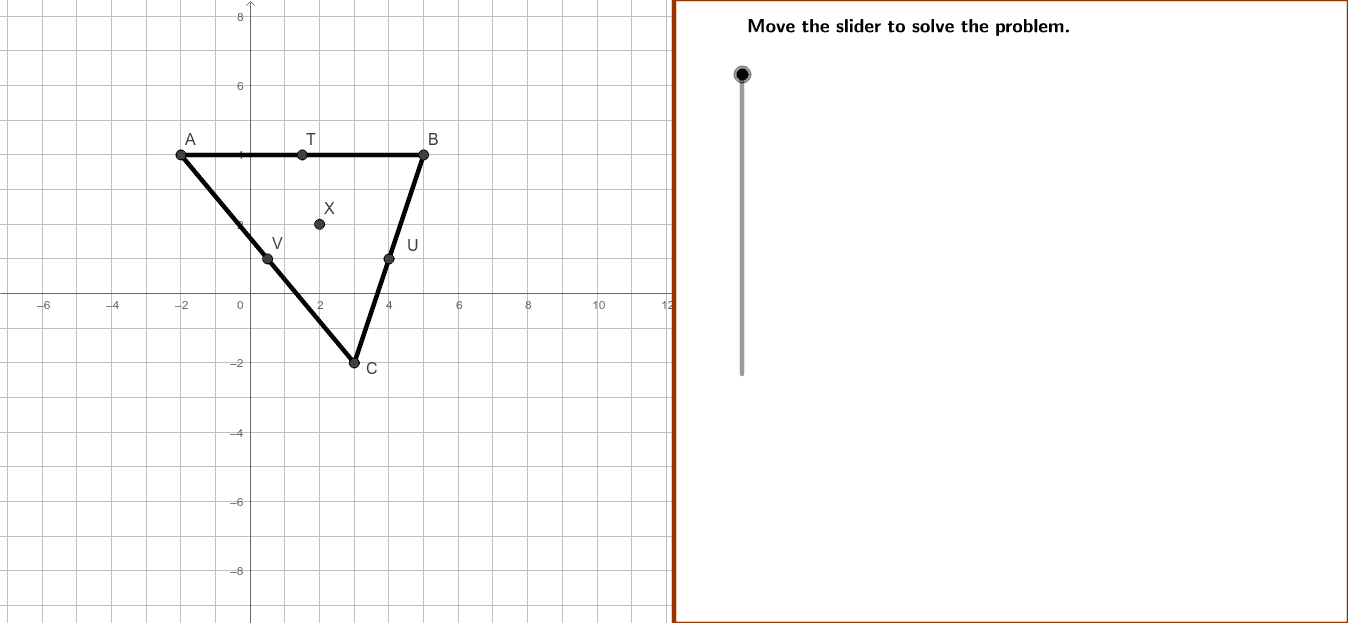
This example demonstrates how to use GeoGebra to verify geometric properties of triangle ABC with given vertex coordinates; core math concepts include centroid, line segments, midpoints, intersections; construction highlights involve commands like Polygon, Line, Segment, Midpoint, Intersect, GCD; suitable for high school mathematics teaching, focusing on analytical geometry and geometric construction practice.
GeoGebra Commands & Parameters
Polygon((instructionEdge, y(Corner[1])), Corner[2], Corner[3], (instructionEdge, y(Corner[4]))) → instruction, instructionBottom, instructionRight, instructionTop, instructionLeftLine((instructionEdge + ((4 * indent) * screenwidth), 0), yAxis) → align3Line((instructionEdge + ((3 * indent) * screenwidth), 0), yAxis) → align2Line((instructionEdge + ((2 * indent) * screenwidth), 0), yAxis) → align1Segment(A, B) → aSegment(B, C) → bSegment(C, A) → cMidpoint(a) → TMidpoint(c) → VMidpoint(b) → ULine(T, C) → eLine(U, A) → fIntersect(f, e) → XLine(V, B) → dGCD(AUdistance2, AXdistance2) → AgcdGCD(BXdistance2, BVdistance2) → Bgcd
AI Drawing Prompt Reference
Draw a triangle ABC with given vertex coordinates. First, draw the three sides of the triangle. Then, find the midpoints of each side and draw the medians from these midpoints to the opposite vertices. Finally, locate the intersection of these medians, which is the centroid of the triangle.
The prompt above was compiled from the original drawing commands and is for reference only.