
Vector-Based Trigonometric Superposition (Harmonic Overlay)
Loading the math board and drawing, please wait…
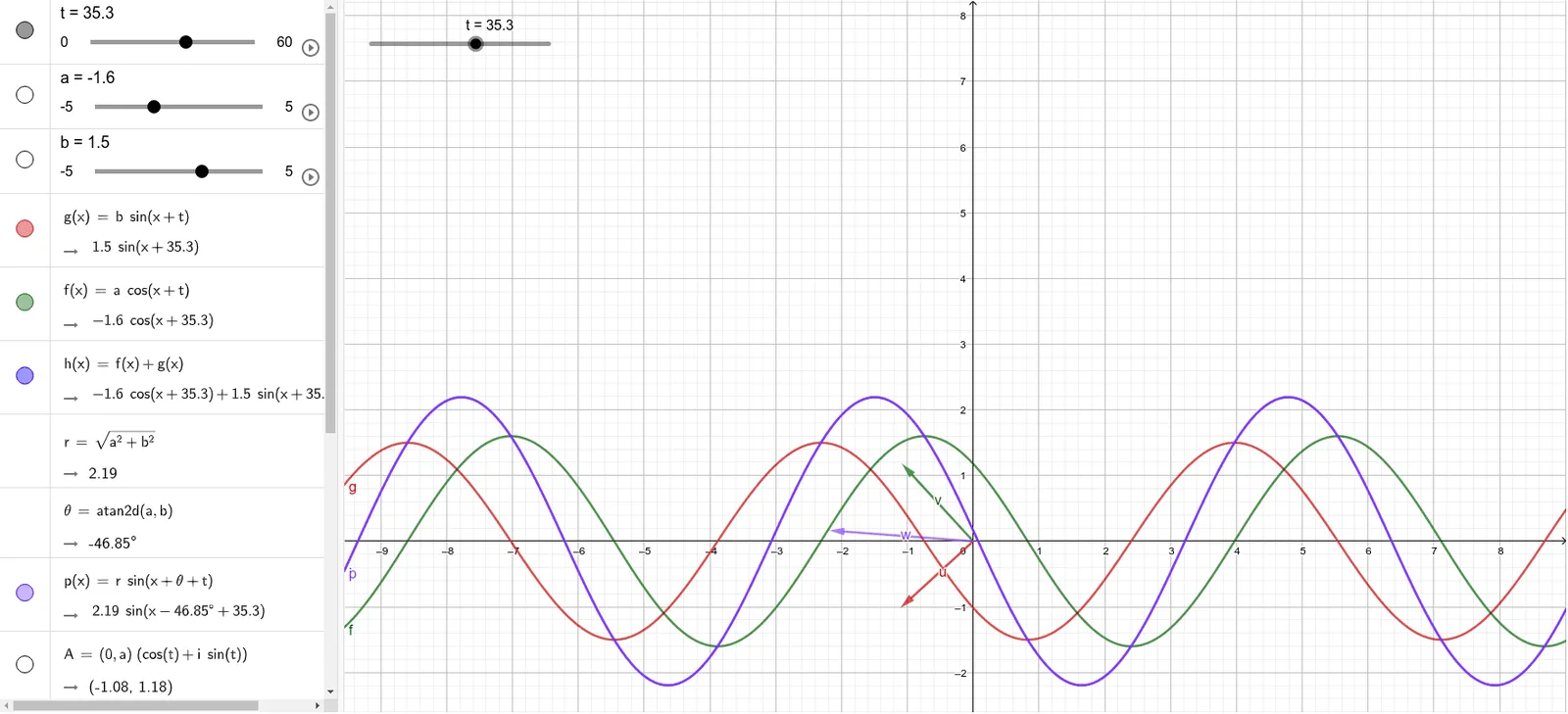
This example demonstrates how to create a “trigonometric superposition/overlay” by building several vector quantities driven by a parameter angle. By combining vector components related to sine/cosine (and the associated tangent interpretation), the construction reveals how periodic trigonometric behavior emerges from geometric/vector addition. Key concepts include trigonometric functions (sine, cosine, tangent), angle parameterization, vector coordinate decomposition, and the resulting algebraic/graphical relationships around notable points and symmetries. Construction highlights: the provided GeoGebra setup uses the command Vector with objects t, a, b, g, f, h, r, θ, p, A, B, z_1, u, v, w. Here, the vector r together with the angle θ parameterizes the rotating/oscillating components, while vectors a, b, g, f, h and points A, B, z_1, u, v, w serve as intermediate quantities and the displayed superposed geometry. Suitable for secondary school through early university, especially for interactive learning of trigonometry, modeling, and visualizing how function composition relates to geometric vector addition.
GeoGebra Commands & Parameters
Vector(B) → uVector(A) → v
AI Drawing Prompt Reference
Draw a trigonometric superposition graph composed of vectors, including two fixed vectors u and v. First, create a rotating angle θ, then construct vector r based on this angle. Next, use vectors a, b, g, f, h and points A, B, z_1, u, v, w to represent the components and superposition of trigonometric functions, and finally display the dynamic trigonometric superposition graph composed of these vectors.
The prompt above was compiled from the original drawing commands and is for reference only.