
Unit Circle Exploration by Genna Galluzzo
Loading the math board and drawing, please wait…
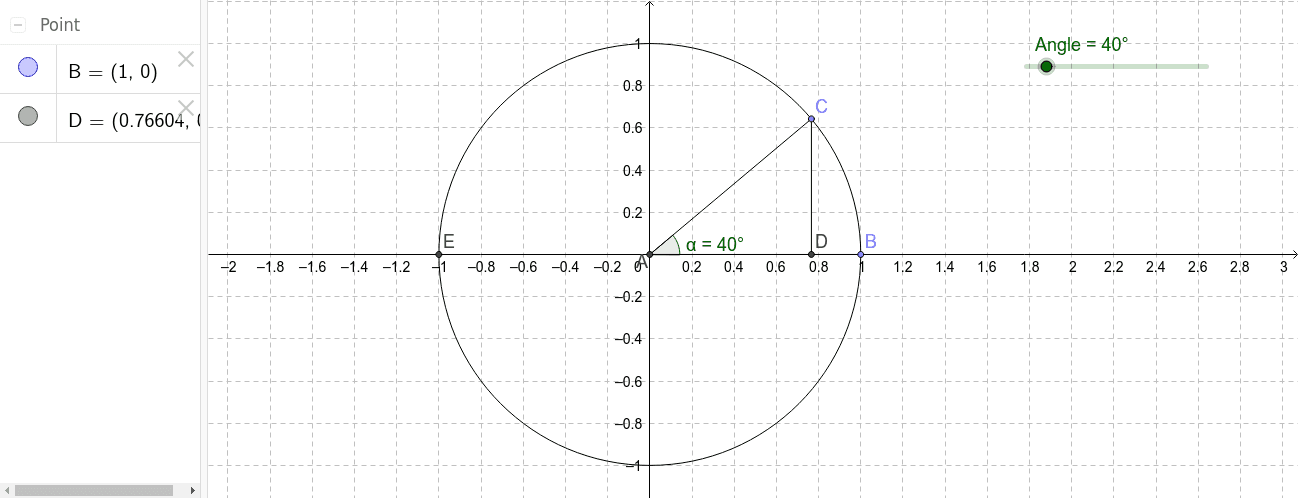
This example demonstrates how to determine trigonometric values of angles using the Unit Circle. Key math concepts include the Unit Circle, trigonometric functions, and angle measurement. It uses GeoGebra commands like Intersect, Circle, Segment, Rotate, Angle, and OrthogonalLine, with objects such as points A, B, C, and angles α, β, γ, etc. Suitable for high school students learning about the relationship between trigonometric functions and the Unit Circle.
GeoGebra Commands & Parameters
Intersect(xAxis, yAxis) → ACircle(A, B) → cSegment(B, A) → aRotate(B, Angle, A) → CAngle(B, A, C) → αSegment(A, C) → bOrthogonalLine(C, a) → dIntersect(d, a) → DSegment(C, D) → eIntersect(c, xAxis, 1) → EAngle(C, A, E) → βIntersect(c, yAxis, 1) → FAngle(E, A, C) → γAngle(C, A, B) → δ
AI Drawing Prompt Reference
Draw a unit circle and mark an angle α with point A as the vertex, point B as the initial side, and point C as the terminal side. Then draw a line perpendicular to line segment AB that intersects line segment AC at point D. Next, find point E on the x-axis corresponding to point C and point F on the y-axis corresponding to point C. Finally, measure angles β and γ with point C as the vertex, point A as the initial side, and points E and F as the terminal sides.
The prompt above was compiled from the original drawing commands and is for reference only.