
Trigonometry of Special Right Triangles
Loading the math board and drawing, please wait…
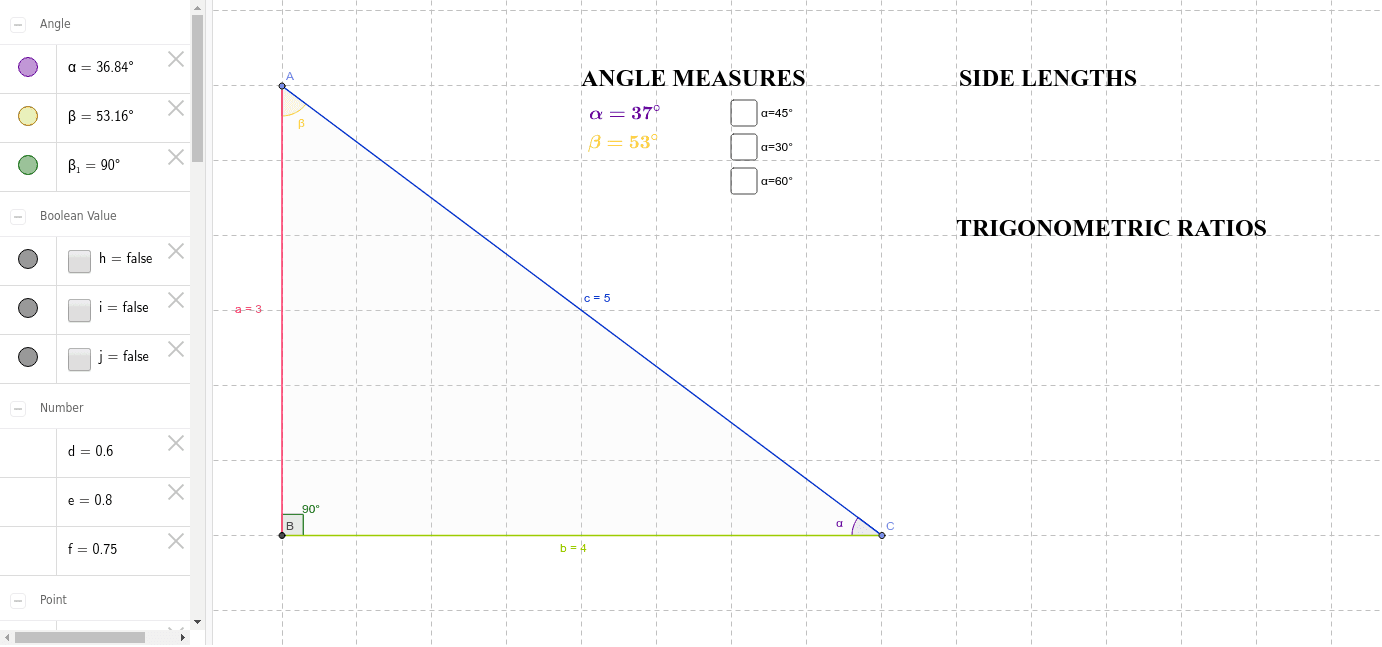
This example demonstrates the construction and analysis of special right triangles (30°-60°-90° and 45°-45°-90°) using GeoGebra, focusing on the relationships between side lengths and angles. Key math concepts include trigonometric functions, Pythagorean theorem, and the ratios of side lengths for special angles. The construction utilizes commands like Point, Intersect, Segment, Polygon, and Angle, with objects such as a, b, c, β, α to label sides and angles. It is suitable for high school students learning the properties of special right triangles and applying trigonometric concepts in geometry.
GeoGebra Commands & Parameters
Point(yAxis) → AIntersect(xAxis, yAxis) → BSegment(A, B) → aPoint(xAxis) → CSegment(B, C) → bSegment(A, C) → cPolygon(A, B, C) → poly1, c_1, a_1, b_1Angle(poly1) → β, β_1, αSegment(D, E) → g
AI Drawing Prompt Reference
Draw a right triangle with a 30-degree angle, a 60-degree angle, and a 90-degree angle. The triangle consists of two perpendicular sides and a hypotenuse. The shorter side and longer side are distinct. The hypotenuse connects the two right-angle vertices. Ensure the triangle is correctly positioned in the coordinate system, with clear angle and side length relationships.
The prompt above was compiled from the original drawing commands and is for reference only.