
Trigonometric Ratios Demo by Michael Bailey
Loading the math board and drawing, please wait…
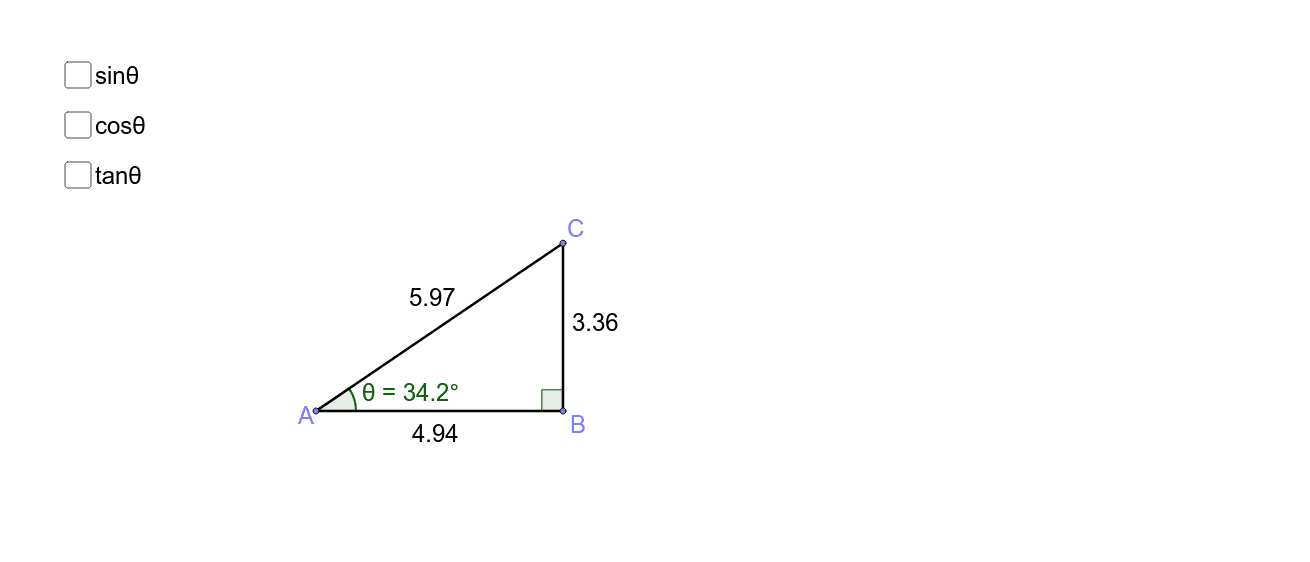
This example allows students to adjust a right triangle and observe the effect on trigonometric ratios. It involves core math concepts like sine, cosine, tangent, and their relationships with triangle sides. Constructed using GeoGebra commands: Point, Segment, OrthogonalLine, Angle. Ideal for high school trigonometry instruction to visually understand definitions and dynamic changes.
GeoGebra Commands & Parameters
Point(xAxis) → APoint(xAxis) → BSegment(A, B) → aOrthogonalLine(B, a) → bPoint(b) → CSegment(C, B) → cSegment(A, C) → dAngle(C, B, A) → αAngle(B, A, C) → θ
AI Drawing Prompt Reference
Draw a right triangle with one leg horizontal from left to right. From the right angle vertex, draw a perpendicular line to the horizontal leg, meeting it at a point. Label the three sides of the triangle and the two acute angles. Adjust the triangle dynamically to observe how the angles and side lengths change, and their relationship with trigonometric ratios.
The prompt above was compiled from the original drawing commands and is for reference only.