
Trig Ratios I
Loading the math board and drawing, please wait…
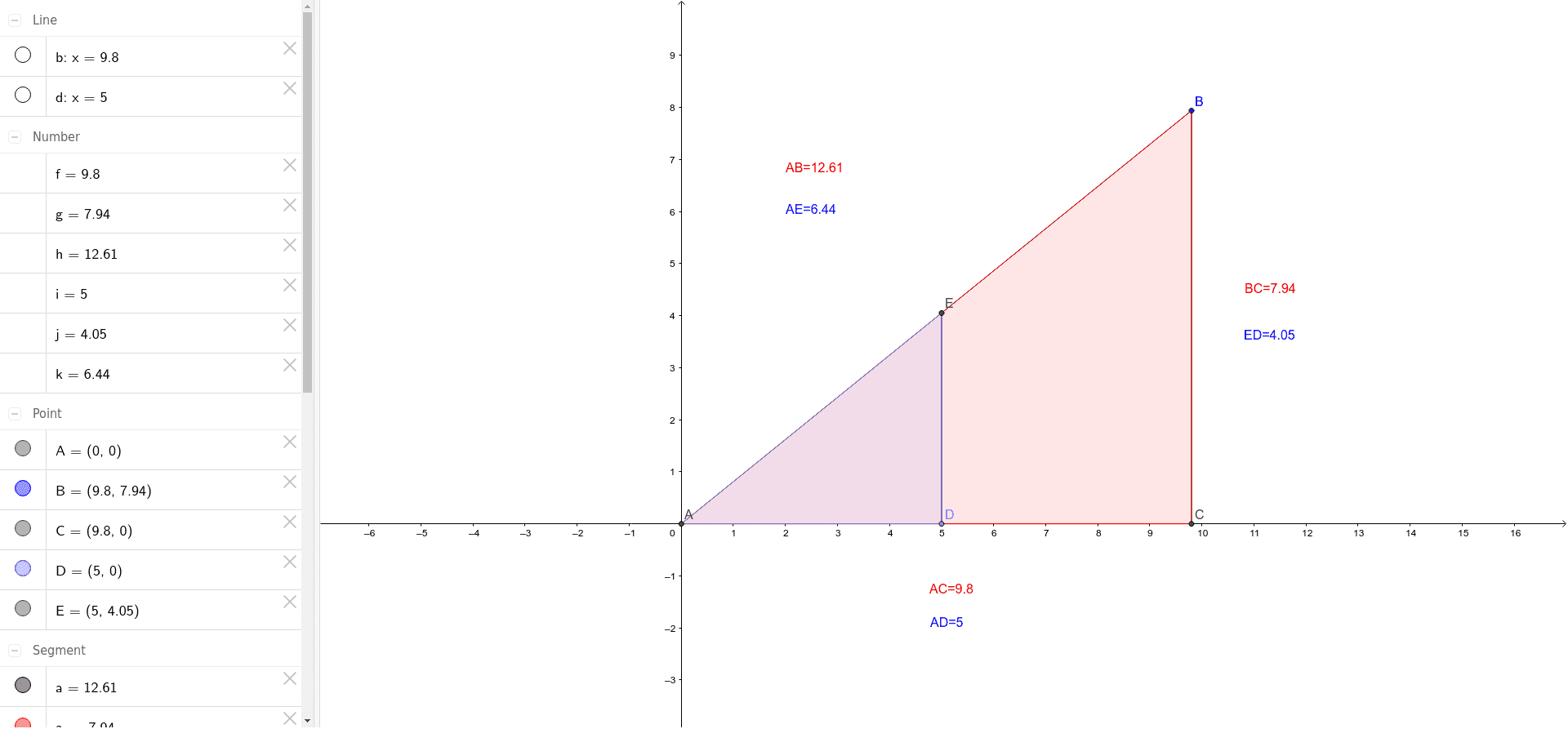
This example demonstrates the basic concepts of trigonometric ratios. By constructing a triangle, it shows the definitions of sine, cosine, and tangent. Using commands like Intersect, Segment, and OrthogonalLine, it helps students understand the geometric meaning of trigonometric functions. Suitable for students in middle school and above.
GeoGebra Commands & Parameters
Intersect(yAxis, xAxis) → ASegment(A, B) → aOrthogonalLine(B, xAxis) → bIntersect(b, xAxis) → CSegment(B, C) → cPoint(xAxis) → DOrthogonalLine(D, xAxis) → dIntersect(a, d) → ESegment(E, D) → eDistance(A, C) → fDistance(B, C) → gDistance(A, B) → hDistance(A, D) → iDistance(D, E) → jDistance(A, E) → kPolygon(A, B, C) → poly1, c_1, a_1, b_1Polygon(A, E, D) → poly2, d_1, a_2, e_1
AI Drawing Prompt Reference
Draw a right triangle with one vertex at the origin, another on the x-axis, and the third on a line perpendicular to the x-axis through the vertex on the x-axis. Mark another point on the x-axis, draw a perpendicular line through it, and let it intersect the first triangle's side. Connect this intersection to the marked point on the x-axis. Finally, draw two triangles: one with the origin and the two intersections, and another with the origin, one intersection, and the marked point on the x-axis.
The prompt above was compiled from the original drawing commands and is for reference only.