
Trig Ratios and the 30 Degree Angle
Loading the math board and drawing, please wait…
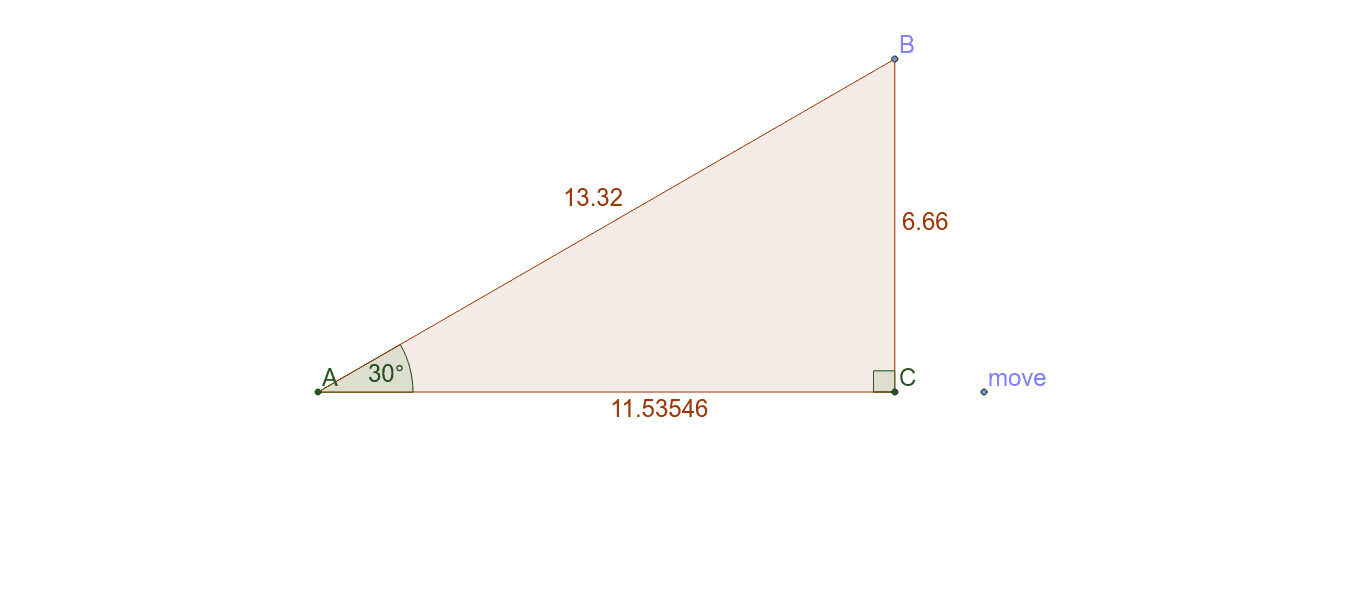
This example demonstrates calculating trigonometric ratios using side lengths of a right-angled triangle as its size changes. It involves core concepts like sine, cosine, tangent, and properties of right triangles. Constructed using GeoGebra commands such as Intersect, Point, Rotate, Angle, OrthogonalLine, and Polygon. Ideal for high school students learning trigonometry and geometric constructions to understand the relationship between side lengths, angles, and trigonometric values.
GeoGebra Commands & Parameters
Intersect(xAxis, yAxis) → APoint(xAxis) → moveRotate(move, 30*°, A) → BAngle(move, A, B) → αOrthogonalLine(B, xAxis) → aIntersect(a, xAxis) → CPolygon(A, B, C) → poly1, c, a_1, b'Angle(A, B, C) → βAngle(B, C, A) → γ
AI Drawing Prompt Reference
Draw a right triangle with one leg along the x-axis and the other leg along the y-axis, having one side at a 30-degree angle to the x-axis. As the side length changes, show the triangle's three vertices, three sides, and three interior angles. Also, label the lengths of the three sides and the measures of the three angles outside the triangle, and display a line perpendicular to that side.
The prompt above was compiled from the original drawing commands and is for reference only.