
Triangle Perimeter and Area Basics with Vector Transformations
Loading the math board and drawing, please wait…
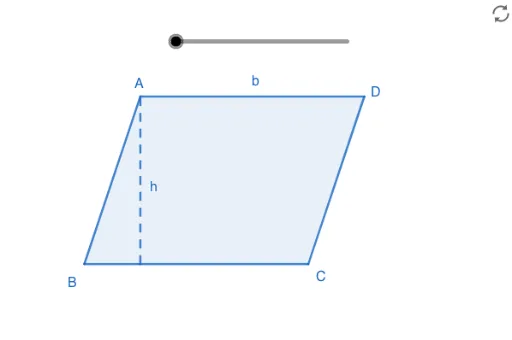
This GeoGebra example demonstrates the fundamental calculations of triangle perimeter and area, along with geometric transformations. Key mathematical concepts include triangle area formulas, perimeter calculations, properties of scalene triangles, and vector transformations including translation and rotation. Construction details: Uses Polygon command to construct triangle ABC and auxiliary polygons, Segment command to draw edges, CircumcircleArc for circumcircle arcs, Rotate for angle rotation, Translate for vector translation, and Center command for circle center. The construction involves points A, B, C, D, E, F, G, angle α, and various segments and polygons. Suitable for middle to high school mathematics teaching, ideal for demonstrating perimeter and area concepts, visualizing geometric transformations, and introducing vector operations.
GeoGebra Commands & Parameters
CircumcircleArc(B, H, I) → cCenter(c) → JAngle(B, J, I) → αRotate(B, (α * a / 10), J) → FTranslate(F, Vector[(-1, 0)]) → ETranslate(F, Vector[(0, 3)]) → GPolygon(G, E, F) → t1, j, k, lPolygon(A, B, C, D) → q1, f, g, h, bSegment(C, D) → mSegment(A, B) → nSegment(F, G) → p
AI Drawing Prompt Reference
Draw a geometric figure containing a quadrilateral and a small triangle beside it. First draw the four sides of a quadrilateral AB, BC, CD, and DA, then draw a triangle formed by three points outside the quadrilateral. On one side of the quadrilateral, using a circular arc and its center as reference, rotate a point around the center to get a new vertex, then translate this vertex left and up respectively to obtain the other two vertices of the triangle, and connect these three vertices to form the triangle. Finally, mark the corresponding angle in the figure.
The prompt above was compiled from the original drawing commands and is for reference only.