
Triangle Area and Perimeter Exploration
Loading the math board and drawing, please wait…
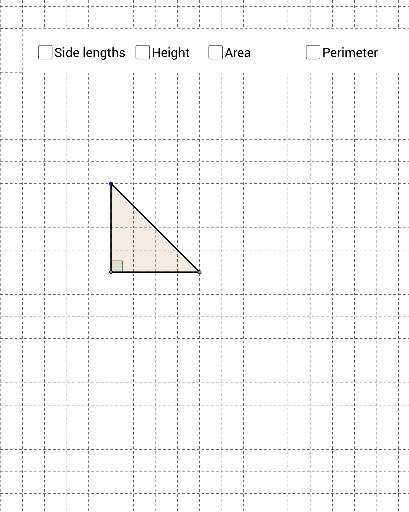
①This interactive GeoGebra example demonstrates the calculation of a triangle's area and perimeter, linking geometric elements such as polygons, perpendicular lines, and angles. ②Core mathematical concepts include triangle properties, area formula (base × height / 2), perimeter as sum of sides, and the use of perpendiculars to construct heights, with dynamic measurement of angles and segments. ③Construction highlights: Point creates vertices A, B, C; Polygon forms triangle poly1; OrthogonalLine constructs perpendiculars; Intersect finds foot D; Angle marks α; Segment, Perimeter, and Area commands compute side lengths, perimeter, and area, with text1 and text2 displaying values; additional polygon poly2 and points E, F, G, H support extended exploration. ④Suitable for middle school geometry lessons, this tool helps students grasp area and perimeter concepts and observe how they change as the triangle's shape is modified dynamically.
GeoGebra Commands & Parameters
Point(a) → APoint(a) → BPolygon(A, B, C) → poly1, c, a_1, bOrthogonalLine(C, a) → dIntersect(a, d) → DAngle(C, D, A) → αSegment(C, D) → eSegment(B, D) → fSegment(D, A) → gAngle(B, D, C) → βSegment(C, A) → iSegment(A, B) → jSegment(B, C) → kSegment(C, D) → lPerimeter(poly1) → oArea(poly1) → areaPolygon(E, F, G, H) → poly2, e_1, f_1, g_1, h_1
AI Drawing Prompt Reference
Draw a triangle ABC using points A, B, and C. Construct the height of triangle ABC by creating a perpendicular line d through point C and line a, intersecting at point D. Measure angles α and β, and calculate the perimeter and area of triangle ABC. Draw another quadrilateral EFGH for extended exploration.
The prompt above was compiled from the original drawing commands and is for reference only.