
Trapezoid Midsegment Construction
Loading the math board and drawing, please wait…
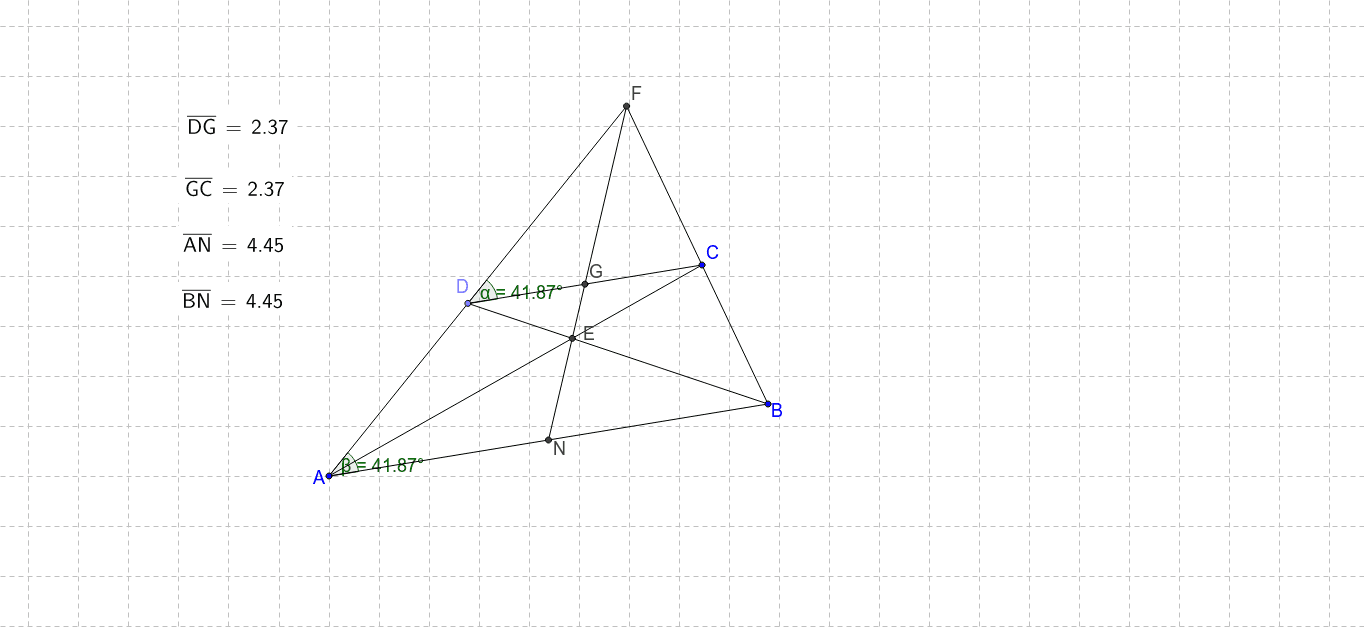
This example demonstrates finding the midpoints of two parallel sides in a trapezoid and illustrates the properties of the midsegment. Key math concepts include trapezoid, midsegment, parallel lines, and diagonals intersection. Construction involves commands like Segment, Line, Point, Intersect, Distance, and Angle. Suitable for middle school students learning geometric constructions and properties exploration.
GeoGebra Commands & Parameters
Segment(A, B) → aLine(C, a) → bPoint(b) → DSegment(D, C) → cSegment(C, B) → dSegment(A, D) → eLine(B, C) → fLine(A, D) → gIntersect(f, g) → FSegment(B, F) → hSegment(A, F) → iSegment(D, B) → jSegment(C, A) → kIntersect(k, j) → ELine(F, E) → lIntersect(a, l) → NSegment(F, N) → mDistance(A, N) → distanceANDistance(N, B) → distanceNBIntersect(m, c) → GDistance(D, G) → distanceDGDistance(G, C) → distanceGCDistance(A, N) → nDistance(B, N) → distanceBNAngle(c, i) → αAngle(B, A, F) → β
AI Drawing Prompt Reference
Draw a trapezoid, mark the midpoints of the two parallel sides, and connect these midpoints to form the midsegment. Then, draw the diagonals of the trapezoid and mark their intersection point. Next, draw perpendicular lines from the intersection point to the parallel sides and mark the feet of the perpendiculars. Finally, measure the length of the midsegment and the distances between the midsegment and the parallel sides, and label the angles.
The prompt above was compiled from the original drawing commands and is for reference only.