
Trapezium Properties Demo by misschen (2)
Loading the math board and drawing, please wait…
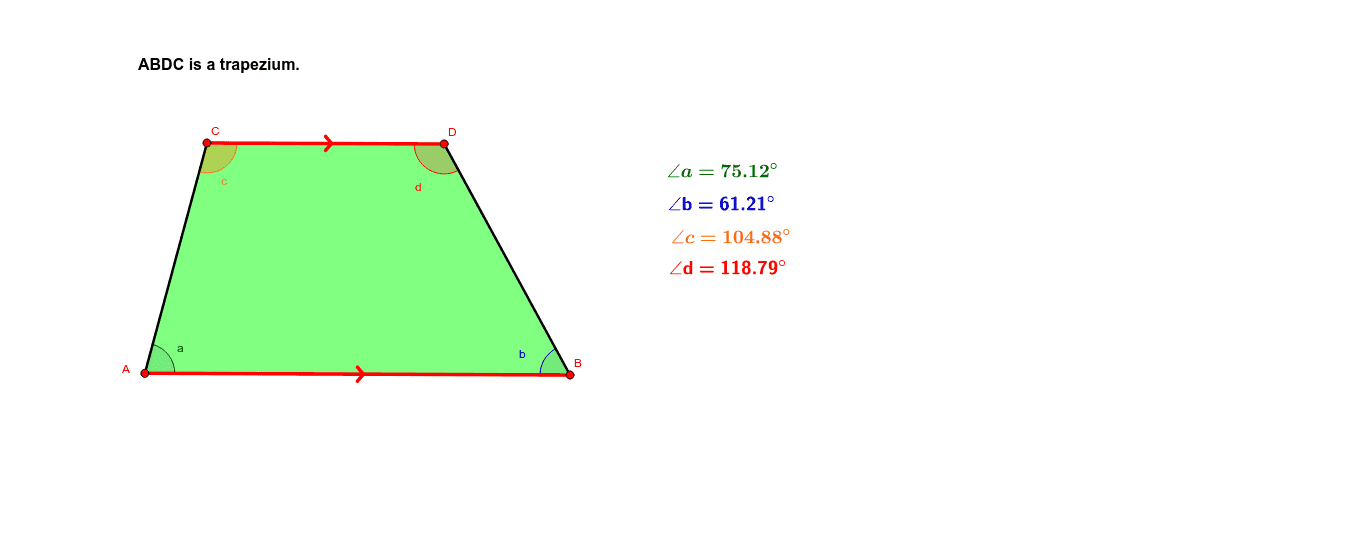
This example demonstrates the geometric properties and calculations of a trapezium. It involves core math concepts like trapezium definition, triangle similarity, angle relationships, and inequalities. Construction highlights include using commands like Segment, Line, Point, Polygon, Midpoint, OrthogonalLine, Intersect, and Angle in GeoGebra. Suitable for high school mathematics teaching to understand trapezium properties and geometric proofs.
GeoGebra Commands & Parameters
Segment(A, B) → a_2Line(C, a_2) → b_2Point(b_2) → DPolygon(A, C, D, B) → P, a_1, a_3, d_1, b_1Midpoint(D, B) → ELine(A, B) → eOrthogonalLine(D, e) → fIntersect(f, e) → FMidpoint(a_2) → LAngle(B, A, C) → aAngle(C, D, B) → dAngle(D, B, A) → bAngle(A, C, D) → c
AI Drawing Prompt Reference
Draw a trapezoid, highlighting its geometric properties. Start by creating two parallel line segments to form the bases of the trapezoid, then connect points on these bases to complete the shape. Find the midpoint of one of the legs and draw a perpendicular line to the base. The intersection of this perpendicular with the base is a key point. Finally, measure and label the angles of the trapezoid, showing the relationships between midpoints, perpendiculars, and angles to illustrate similarity and inequality properties.
The prompt above was compiled from the original drawing commands and is for reference only.