
Translations: Translate and Then Translate Again
Loading the math board and drawing, please wait…
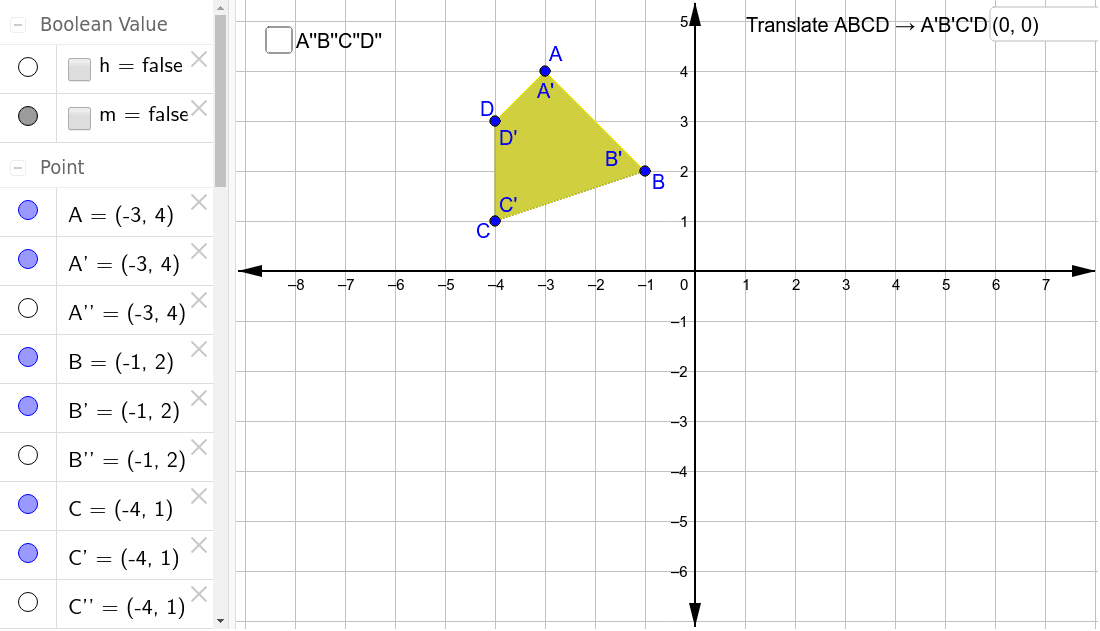
① This example demonstrates the effect of applying two successive translations to a polygon, showing that the final image is congruent to the original and that the combined transformation is equivalent to a single translation by the sum of the two vectors. ② Core mathematical concepts include translation transformations, vector addition, congruence, and the parallelogram law. ③ Construction details: The initial polygon is created with the Polygon command; two vectors are defined using the Vector command; the Translate command is applied twice to the polygon and its sides, producing intermediate and final images; Textfield and InputBox objects allow users to input vector components dynamically, making the construction interactive. Objects include polygon poly1, vectors u and v, translated polygons poly1' and poly1'', and corresponding edges and vertices. ④ Suitable for middle school to high school students learning geometric transformations, and for teachers demonstrating the composition of translations in class.
GeoGebra Commands & Parameters
Polygon(A, B, C, D) → poly1, a, b, c, dIntersect(xAxis, yAxis) → EVector(E, F) → uTranslate(A, u) → A'Translate(B, u) → B'Translate(C, u) → C'Translate(D, u) → D'Polygon(A', B', C', D') → poly1', a'_1, b'_1, c'_1, d'_1Textfield(F) → InputBox1Intersect(xAxis, yAxis) → GVector(G, H) → vTranslate(A', v) → A''Translate(B', v) → B''Translate(C', v) → C''Translate(D', v) → D''Polygon(A'', B'', C'', D'') → poly1'', i, j, k, lTextfield(H) → InputBox2Vector(A, A'') → wVector(B, B'') → eVector(C, C'') → fVector(D, D'') → g