
Translations: Forming a Pattern
Loading the math board and drawing, please wait…
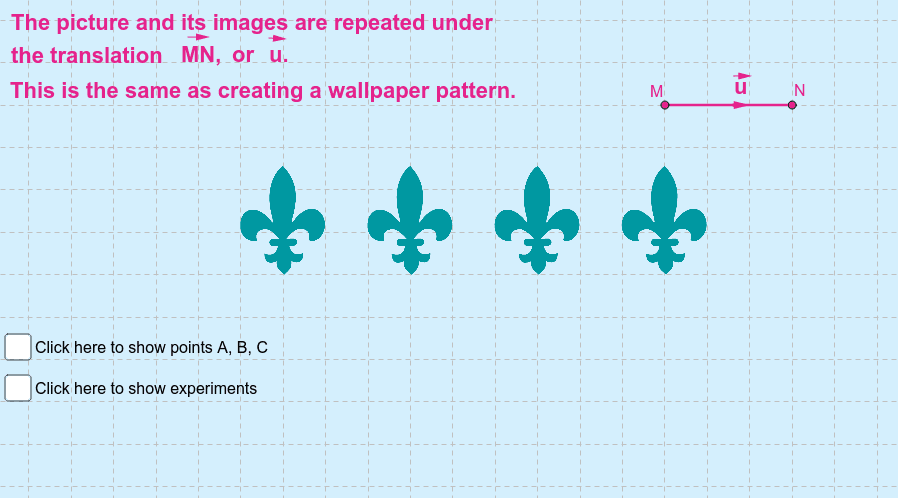
① This example demonstrates how repeated translations of a basic figure (such as a triangle or cube) create a repeating pattern, visually illustrating the effect of translation in the plane. ② The core mathematical concept is the geometric transformation of translation, involving vectors, corresponding points, congruence of figures, and periodic arrangement of patterns. ③ Construction highlights: From the construction summary, the GeoGebra commands Vector, Translate, Segment, and Point are used, creating multiple translated objects (e.g., A', B'', C''') with text and images to support explanation, reflecting the iterative process of translation. ④ It is suitable for middle school geometry lessons or math activity classes, helping students understand the definition and properties of translation and its application in pattern design, as well as exploring the relationship between translation and vectors.
GeoGebra Commands & Parameters
Vector(M, N) → uTranslate(B, u) → B'Translate(C, u) → C'Translate(A, u) → A'Translate(B', u) → B''Translate(C', u) → C''Translate(A', u) → A''Translate(B'', u) → B'''Translate(C'', u) → C'''Translate(A'', u) → A'''Segment(M, N) → cPoint(c) → EPoint(c) → GVector(E, G) → vVector(D, F) → wVector(H, I) → zVector(J, K) → dVector(O, L) → eVector(Q, R) → fTranslate(E, f) → E'Vector(E, E') → g
AI Drawing Prompt Reference
Draw a triangle and then translate it to form a repeating pattern. First, create a triangle, then define a vector for translating the triangle's vertices. Next, translate each vertex of the triangle along the vector to form new vertices. Repeat this process to create a pattern composed of multiple translated triangles.
The prompt above was compiled from the original drawing commands and is for reference only.