
Translation Exploration: Visualizing Triangle Translation with Sliders
Loading the math board and drawing, please wait…
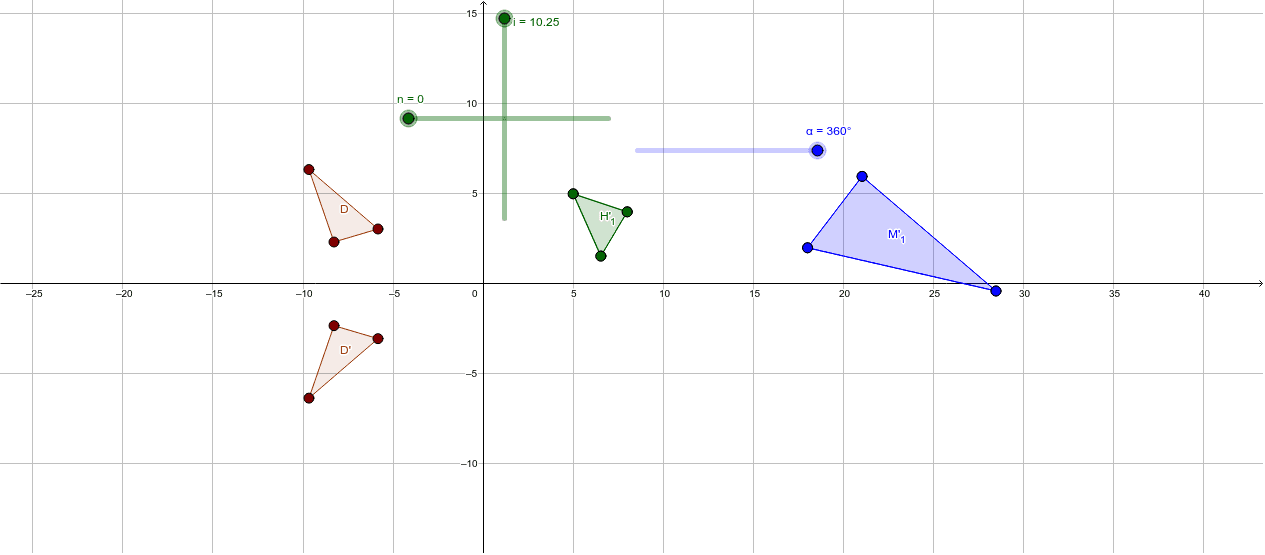
This activity demonstrates how to visualize triangle translation using sliders in GeoGebra. It involves key mathematical concepts such as geometric transformations, vector translation, and coordinate geometry. The construction uses commands like Polygon, Vector, Rotate, Translate, and Mirror. Suitable for middle or high school math courses for teaching geometric transformations.
GeoGebra Commands & Parameters
Polygon(A, B, C) → D, c, a, bPolygon(E, F, G) → H, g, e, fVector(I, E) → uPolygon(J, K, L) → M, l, j, kRotate(J, 90°, N) → J'Rotate(K, 90°, N) → K'Rotate(L, 90°, N) → L'Polygon(J', K', L') → M', l', j', k'Rotate(J, α, O) → J'_1Rotate(K, α, O) → K'_1Rotate(L, α, O) → L'_1Polygon(J'_1, K'_1, L'_1) → M'_1, l'_1, j'_1, k'_1Vector(P, Q) → v_1Translate(E, v_1) → E'_1Translate(F, v_1) → F'_1Translate(G, v_1) → G'_1Polygon(E'_1, F'_1, G'_1) → H'_1, g'_1, e'_1, f'_1Mirror(A, xAxis) → A'Mirror(B, xAxis) → B'Mirror(C, xAxis) → C'Polygon(A', B', C') → D', c', a', b'
AI Drawing Prompt Reference
Draw a triangle and a parallelogram defined by three points to illustrate vector translation. Use sliders to control angles and vectors, rotate the triangle, translate it, and observe the transformation relationships. Finally, reflect the triangle and the resulting shapes.
The prompt above was compiled from the original drawing commands and is for reference only.