
Translation Construction #3: Vector-Driven Geometric Transformation
Loading the math board and drawing, please wait…
In collections
Geometric Transformations with Geogebra
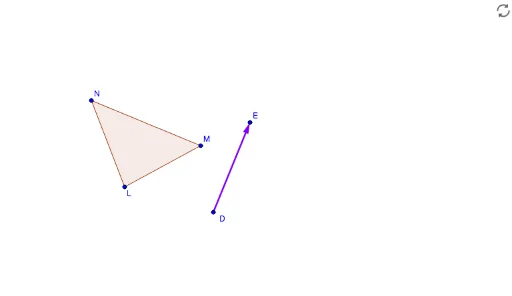
This GeoGebra example demonstrates how to construct a translation of a geometric figure using a vector, with step-by-step visualization. The core mathematical concept is the translation transformation in plane geometry, where every point of a figure moves the same distance in the same direction, preserving shape and size. The construction uses the Vector command to define the translation vector u, along with Line, Circle, and Polygon commands to build the original figure and auxiliary elements. Step objects (step1 to step4) control the sequential display, while showAnswer and correct objects provide answer checking. This resource is suitable for middle or high school students learning geometric transformations, and for teachers demonstrating the properties of translation and the role of vectors in geometry.
GeoGebra Commands & Parameters
Vector(D, E) → uLine(F, G) → fCircle(J, K) → dPolygon(L, M, N) → t1, n, l, m